Fxxk PHP! A Javaer's Experience Migrating Large PHP Projects
When migrating old code, the most painful thing is staring at this huge pile of code - you look at it, it looks at you, over and over again, but you still don't know what the code does. No comments, no documentation, meaningless variable names, context that seems to talk past itself, a method that's over 2000 lines, strange patterns everywhere, if statements nested 7-8 levels deep in loops like the abyss, and to get a certain property you have to traverse 7 classes and a dozen methods before you finally see that crooked SQL statement with a comment that just says "RUN"
1. Background
In company projects, as a Javaer who has been migrating PHP code for over a year, I deeply understand this. I've truly felt some of the pain and developed a set of strategies to deal with such complex situations. Let me share them with you.
2. Prepare Your Migration Environment
As programmers, I believe most of us don't just learn one programming language - from C++ to Clojure, some have touched them all. So most people's habit when getting to know a new project is: set up the development environment, then get the project running.
But actually, when migrating, what you need most might just be a PHP experimental environment, not necessarily getting the PHP project running. I know many will object: "How can you compare with the previous project if you don't get it running?" and similar arguments. Let me explain further.
PHP is a scripting language - whether it runs or not isn't important. What's most important when migrating is migrating the business logic, not learning the previous PHP code style or finding bugs. The most important thing in migration is: Understanding the business logic and refactoring it in the new language
2.1 Install PHP Environment
So I only recommend installing a local PHP environment that can test individual PHP methods.
On Windows you can use phpAdmin, and on Mac, just brew install php.
3. How to Migrate Less Painfully
When migrating old code, the most painful thing is staring at this huge pile of code - you look at it, it looks at you, over and over again, but you still don't know what the code does. No comments, no documentation, meaningless variable names, context that seems to talk past itself, a method that's over 2000 lines, strange patterns everywhere, if statements nested 7-8 levels deep in loops like the abyss, and to get a certain property you have to traverse 7 classes and a dozen methods before you finally see the DB query statement. Not to mention hoping to find the colleague who wrote this code.
You might even start feeling physically nauseous, as if you've entered another world filled with severed limbs and corpses, the stench of decay constantly assaulting your nostrils. You see a small dog feasting and feel somewhat relieved to see something alive, but when it turns around it has a human face!!! Quite vivid description, right? This was my real feeling when deeply exploring the source of a certain property.

Now for the important part: "Legacy Code Exploration Guide: PHP Edition"
3.1 Understand PHP Syntax
You don't need to become a professional PHP developer. Even after migrating so much PHP code, I still don't know how to set up a PHP framework or what backend frameworks PHP has.
But you still need to understand basic PHP syntax. At minimum, you should be able to create a test.php and use php test.php to output results from testing a method. This is like a detector! It helps you find edible things in the legacy code mountain.
Like this:

In Runoob Tutorial, you should at least be able to read through to object-oriented programming without pressure.
3.2 Start Exploring the Legacy Code
When you get the project, at least one or two colleagues will explain which module does what, so you won't get lost in the code mountain. This is also your entry point.
If the worldview (content) the colleague explains is too vast, make sure to write it down first, otherwise you might miss key information points due to distraction and get lost in the code.
Next, taking migrating a specific feature as an example, don't rush to write code! This is important. Starting to translate code 1:1 without understanding the full picture is very inefficient. At minimum, quickly go through all the code for this feature and mark key points.
Like this:
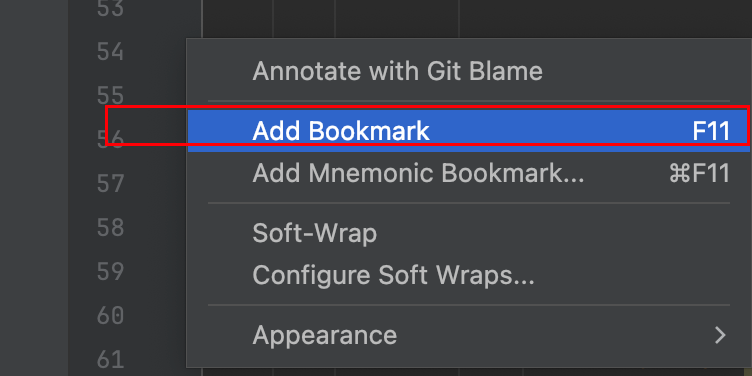
Then you can find all your bookmarks in PhpStorm's bookmarks - double-click to jump directly. So convenient!
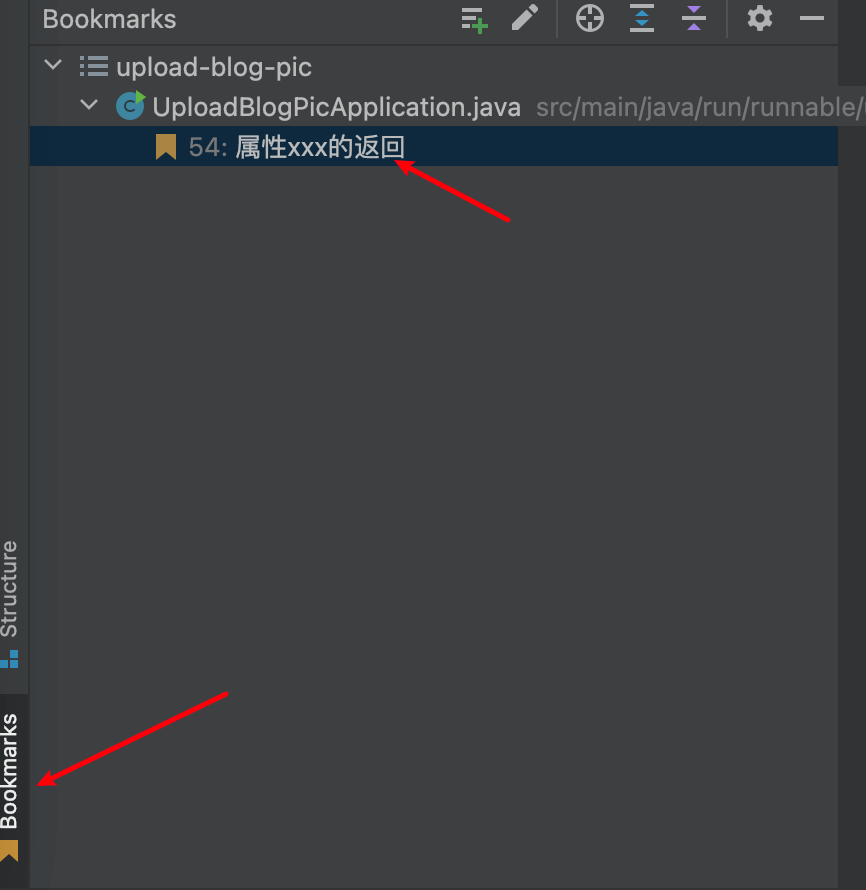
At this stage you should be able to:
- Roughly understand what a code block does
- Use bookmarks to mark
- Write comments directly on the original code! Even directly refactor code that looks awkward
3.3 Write Test Cases for Doubtful Parts
Some old code encapsulates utility methods, but these often lack unit tests and have no documentation comments! Fortunately, these methods usually have simple parameters, so you can create a test.php file and copy the method in to test.
Or when you don't understand certain PHP syntax, this is also a good approach. Because you probably wouldn't expect the output below to be true:
<?php

$flag = empty('');
if($flag){
  echo 'true';
}else{
  echo 'false';
}
?>
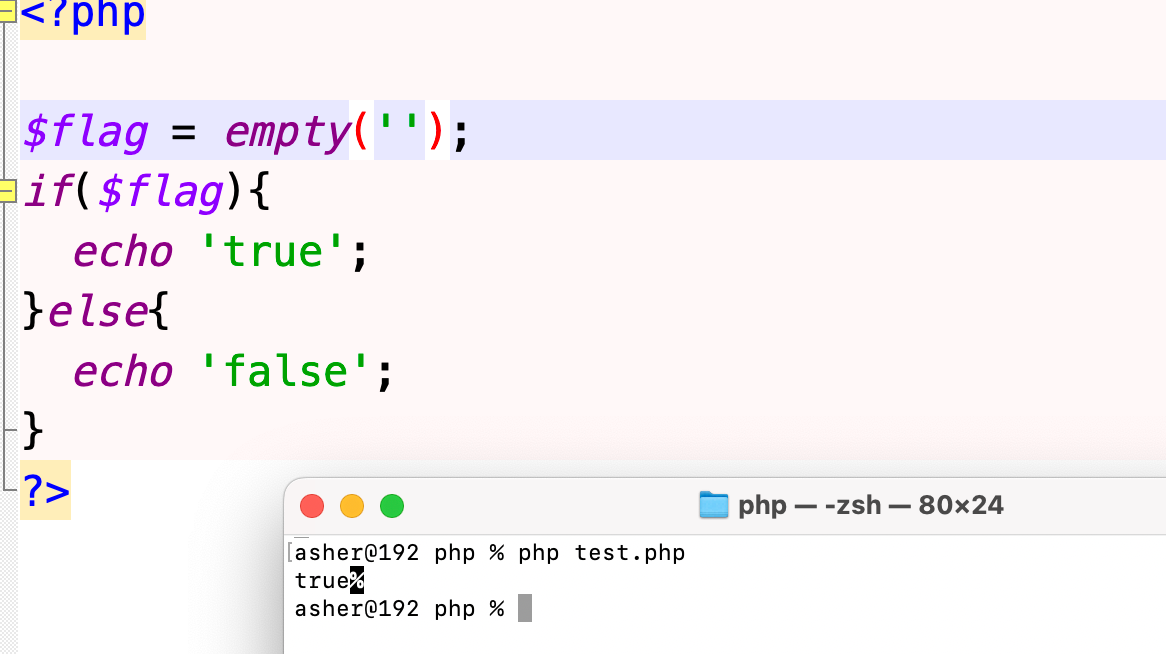
For the specific reason, see this blog: PHP Empty String Introduction: Relationships Between 0, null, empty and false
3.4 Why Not Try AI?
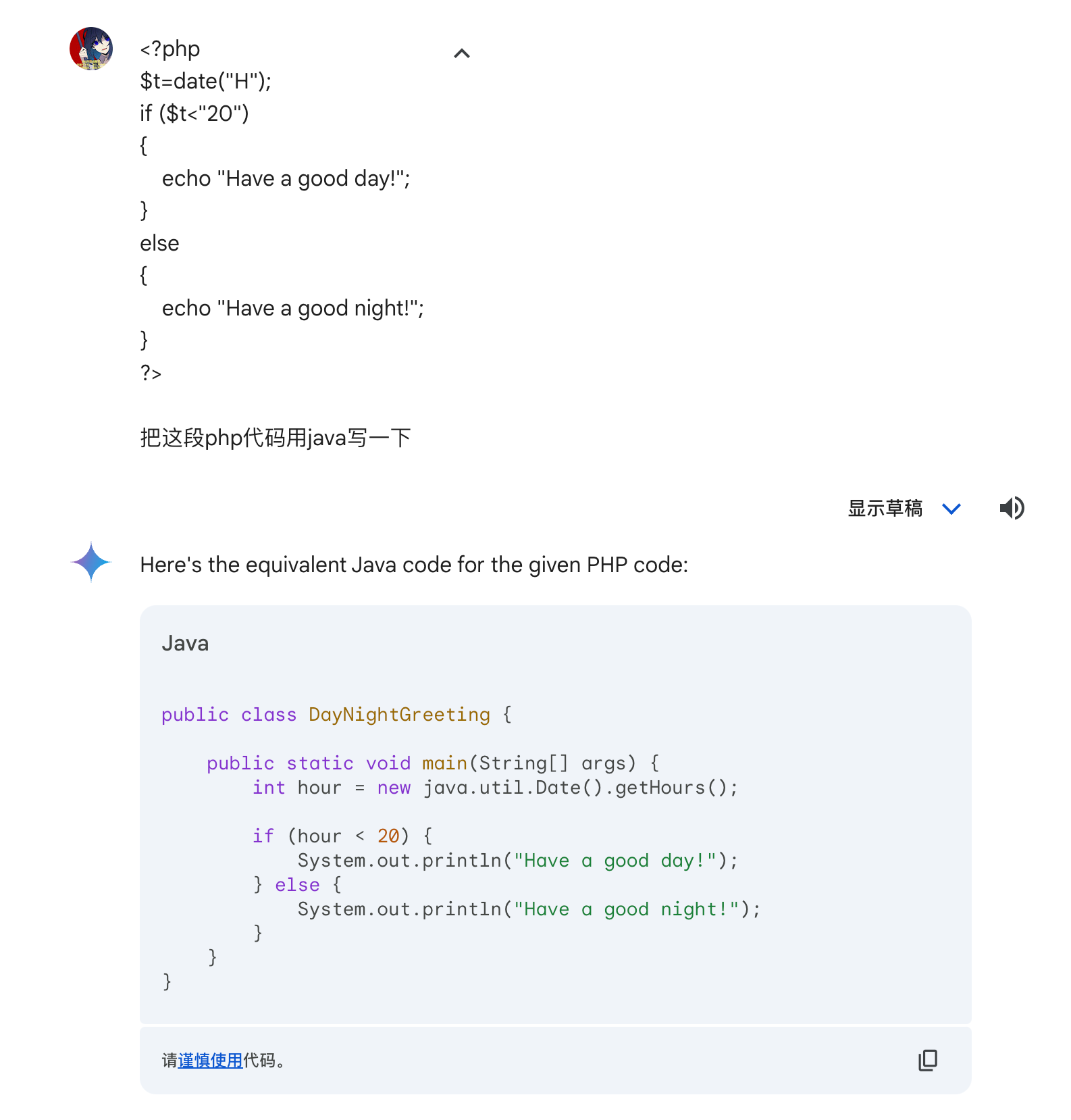
ChatGPT, Google AI, etc. - these AI tools are your helpers! But don't throw entire .php files to AI - this could lead to code leaks!!! This behavior is as scary as uploading company code to GitHub.
3.5 Use Mind Maps to Conquer PHP Code
Sometimes we need to construct an object to return, but some properties of this object are particularly torturous - spanning several modules and classes, and this property has been modified several times in the context. Even using bookmarks to mark could result in a dozen or more places.
At this point, I strongly recommend using mind maps or flowchart tools to help you understand the ins and outs.
Online tools include: https://draw.io/
3.6 Code is Dead, But Requirements are Flexible
Even after using all the above methods, you still can't understand that ancient scroll. You should raise this issue promptly - don't just keep struggling. Maybe this is already deprecated functionality. Confirm with the PM.
If it can't be deprecated, report to your supervisor. Can this functionality be provided as an API? The new project calls this API, and after the new project goes live, gradually abandon this API approach and rebuild this business code.
4. Self-Testing
After long and painful refactoring, your code is finally written. But there's still a long way to go before the code is ready for production. You don't know if your code has strange bugs - they might be new, or you might have copied bugs over during refactoring.
Here are several ways to reduce bug probability:
4.1 Unit Tests are Important
Although many people don't like writing unit tests, this is actually the best way to discover problems during development. The higher your unit test coverage, the more confident you are in your code, and the faster you can handle bugs when testers report issues.
Even if this refactoring task is time-tight and heavy, I still recommend writing unit tests for key core business. You might discover hidden issues.
Because many tests are black-box tests that almost can't cover all code logic. Even if their test flow covers it, they might not notice, or their understanding of the business was wrong from the start, causing the bug to be ignored and go live. And troubleshooting after going live is much more "thrilling" than locally - those who've handled production bugs know what I mean.
4.2 Automated Test Scripts are Even Better
Automated test scripts should be done by testers - using different API parameters, getting the response, and directly comparing with expected values or DB data changes.
Since we're doing migration, we're mostly comparing with old API returns, which is convenient.
So if development time is sufficient, you can write a simple automated test script yourself. Then you can use this script to quickly test with different parameters, comparing with old API returns to find bugs that only appear in special scenarios faster.
5. Some Additional Thoughts
Although refactoring is indeed a torturous task, and looking at old code for too long can cause physical nausea, if you use good, fixed processes to investigate and ensure code fallbacks, you can greatly reduce the risk of code exceptions after going live.
For example, mutual code review, pair programming, using static tools like Checkmarx, SonarQube to scan for code vulnerabilities, etc.
Like the Pinduoduo Coupon Bug Incident, a fallback that should have been done was limiting the number of coupons a single user can use per day. Special attention should be paid to price amounts and currency conversion - best to have several colleagues review the code.
Similarly, code going live doesn't mean the refactoring task is complete. Exception monitoring, log printing, and system runtime stability are just beginning to be tested.
Wishing everyone smooth code refactoring, haha!