Java Listening to Mac Keyboard Input to Implement Hotkey Functionality
Background Requirements
When you want to use Java to register hotkeys on Mac, you might find through searching that you can implement this using jnativehook. Then you discover that the downloaded examples don't run. This article explains how to solve this problem and how to implement system-level hotkeys on Mac using jnativehook.
jnativehook
JNativeHook provides global keyboard and mouse event listening functionality for Java programs. You can handle keyboard input and mouse actions outside your program. Of course, JNativeHook uses JNI technology to call system methods to implement this functionality.
GitHub address: https://github.com/kwhat/jnativehook
Using the Correct Dependency
If you search in the Maven repository, you'll find it has several sources:
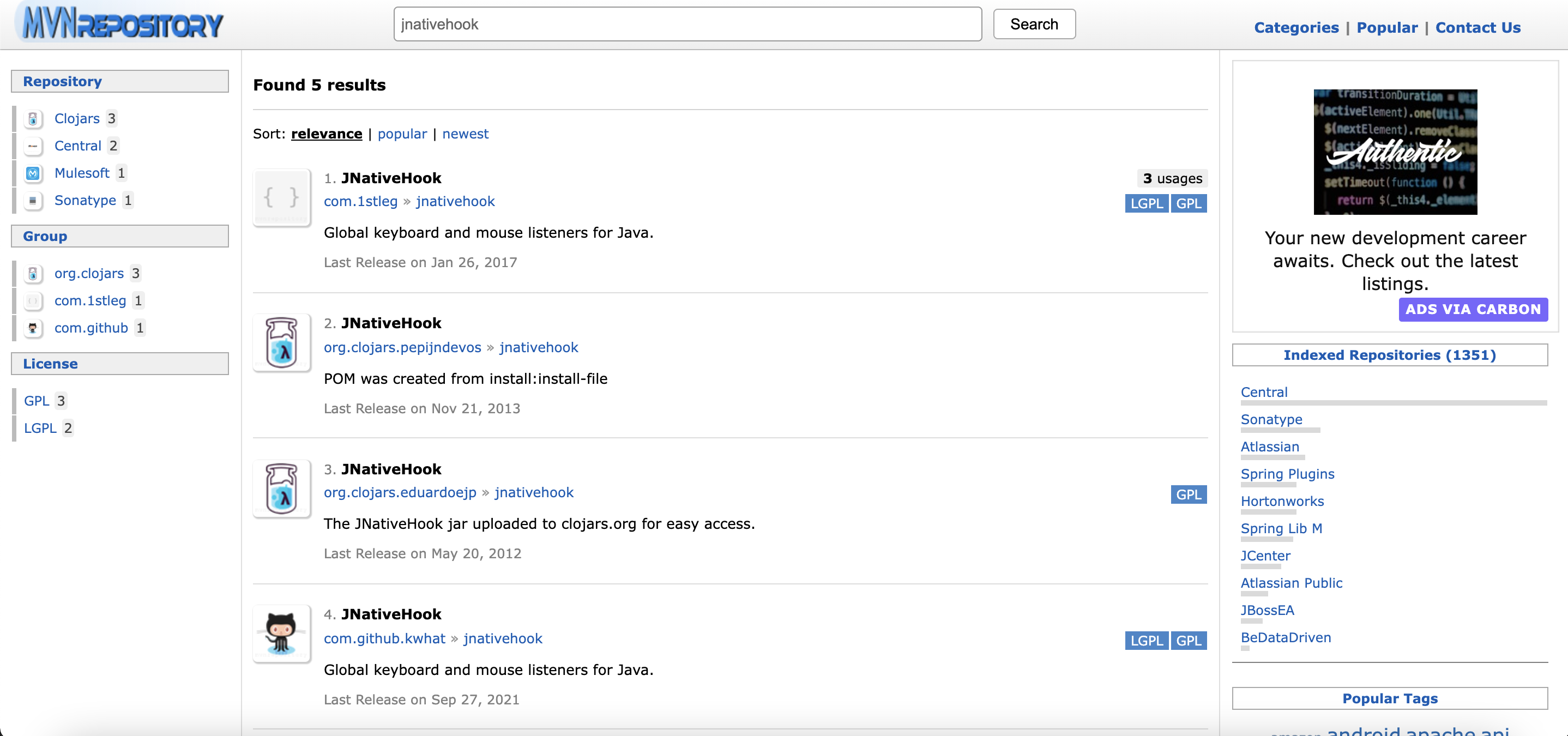
At this point, don't click on the first one, because using the first one will cause the subsequent Simple Code to fail to execute.
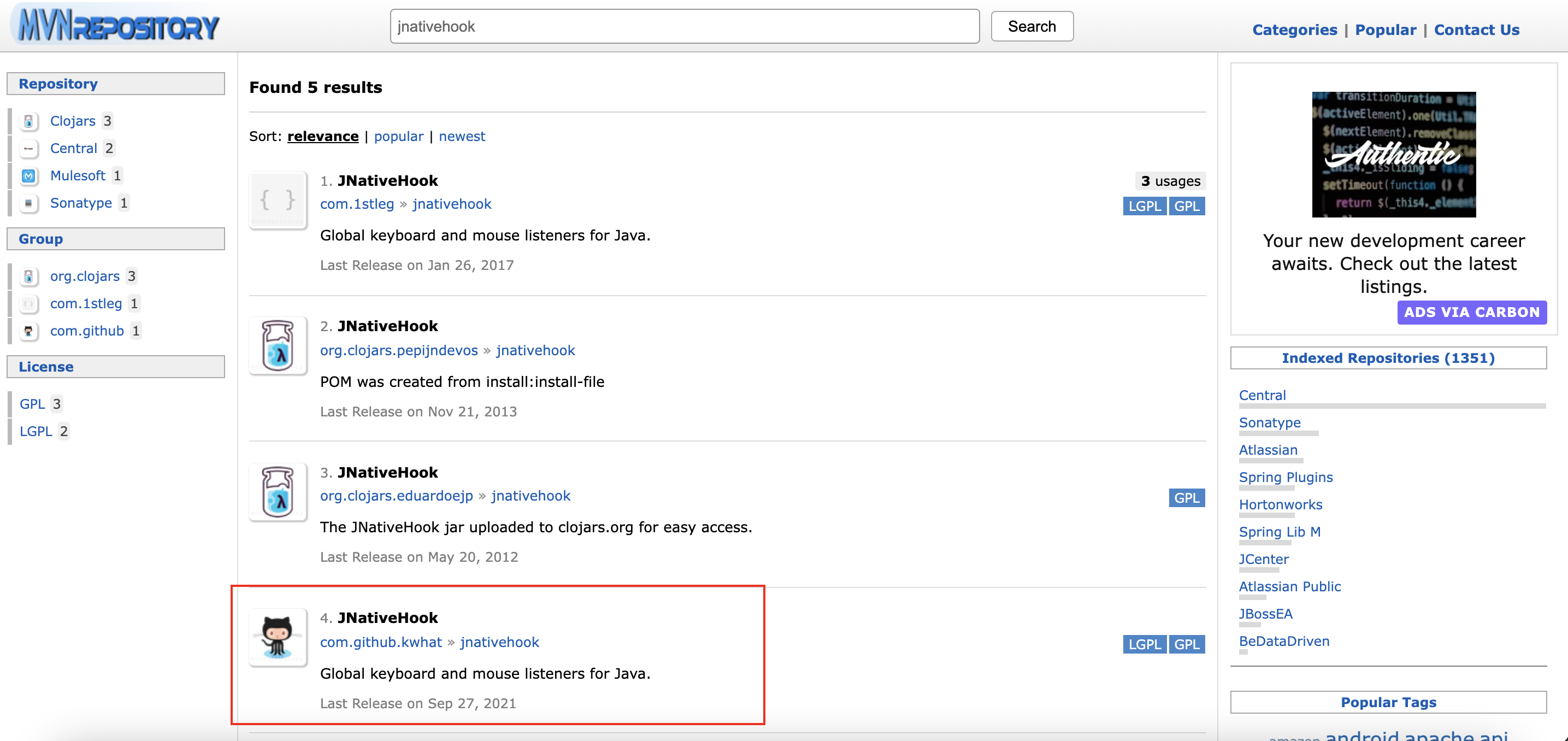
The correct choice is to select the one most recently updated in 2021, which is this one:
Simple Example
On the jnativehook GitHub readme.md page, there's actually a very practical example that can meet most needs.
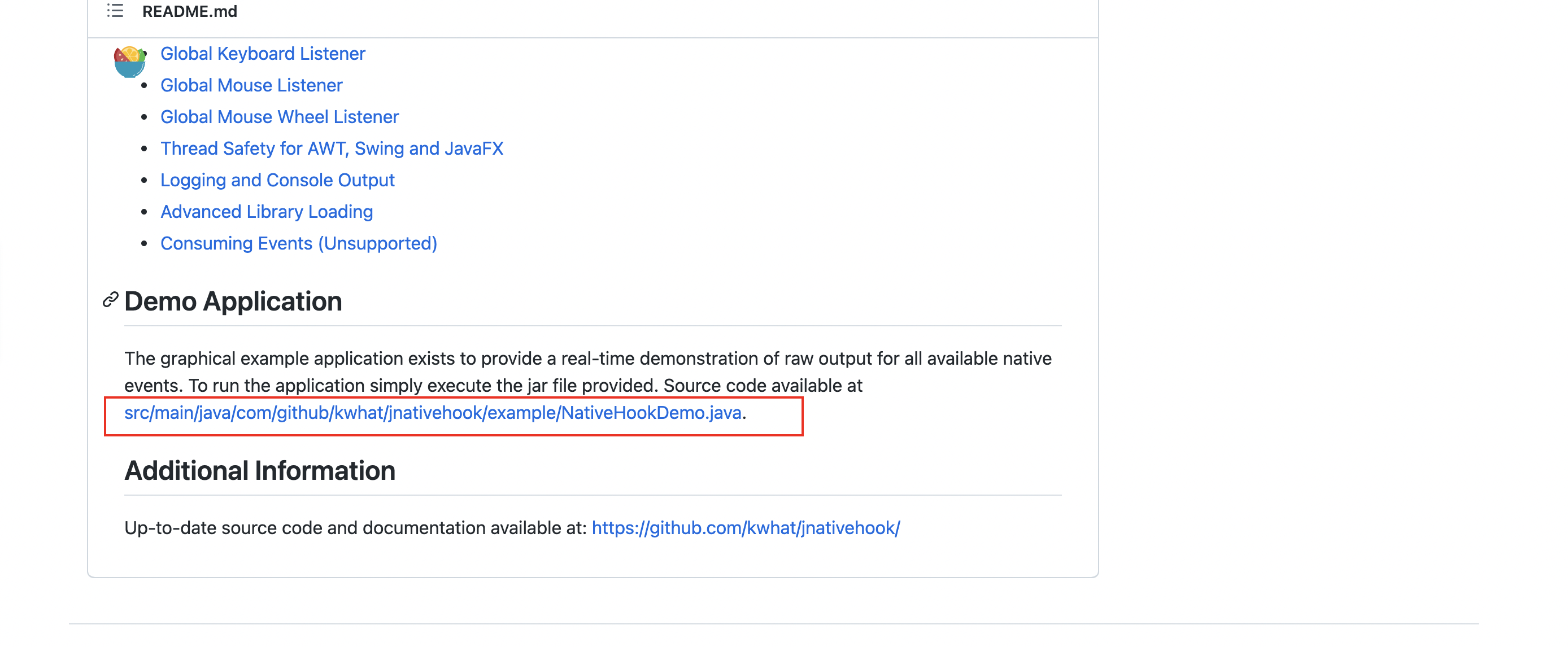
OK, at this point you've created a new Maven project and imported the latest dependency mentioned above, which should be correct.
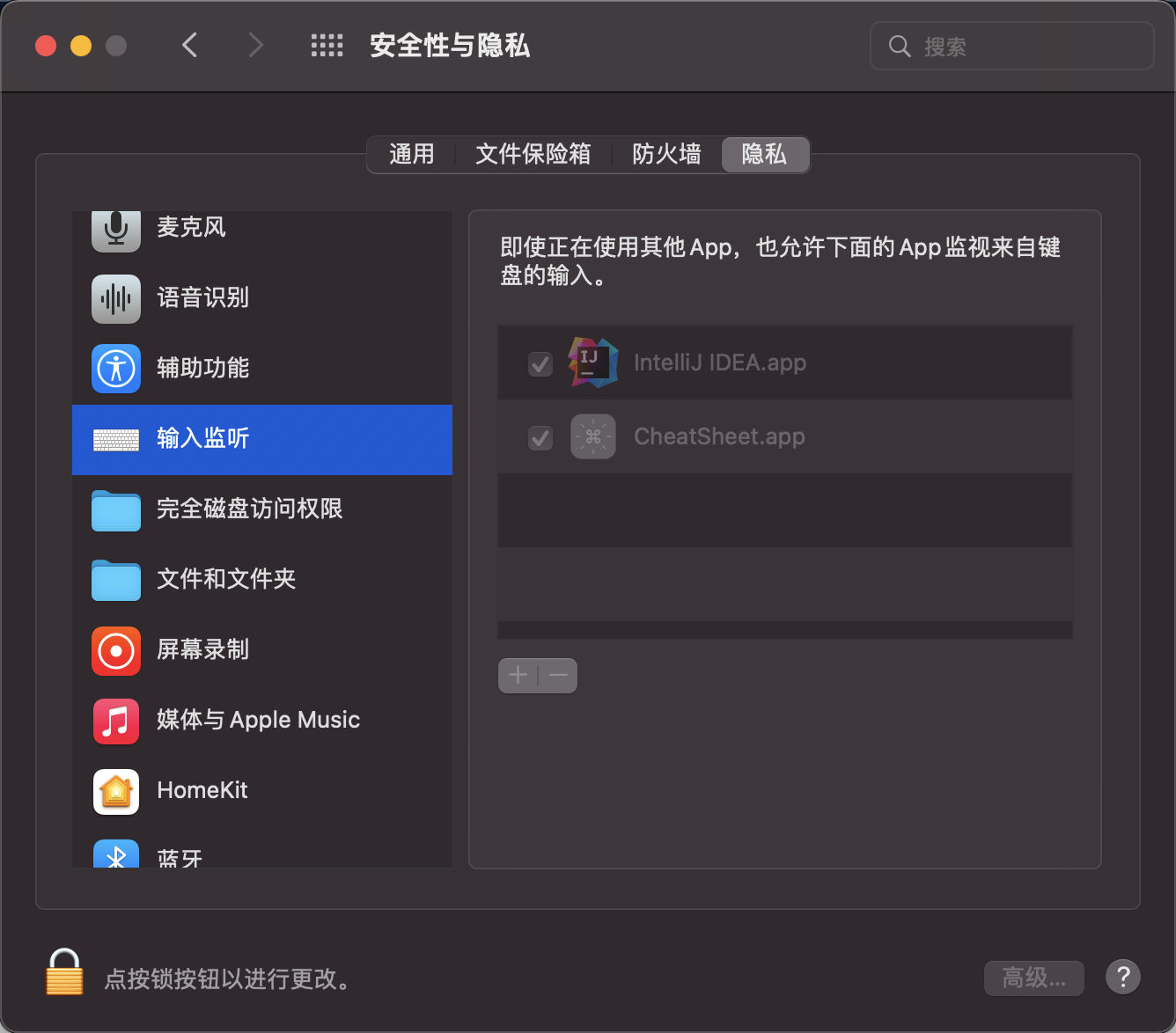
Then when you copy this Demo and start the main method, the first time you run it on Mac, a prompt will pop up asking you to grant Application permissions.
Similar to the following screen, just grant the permissions:
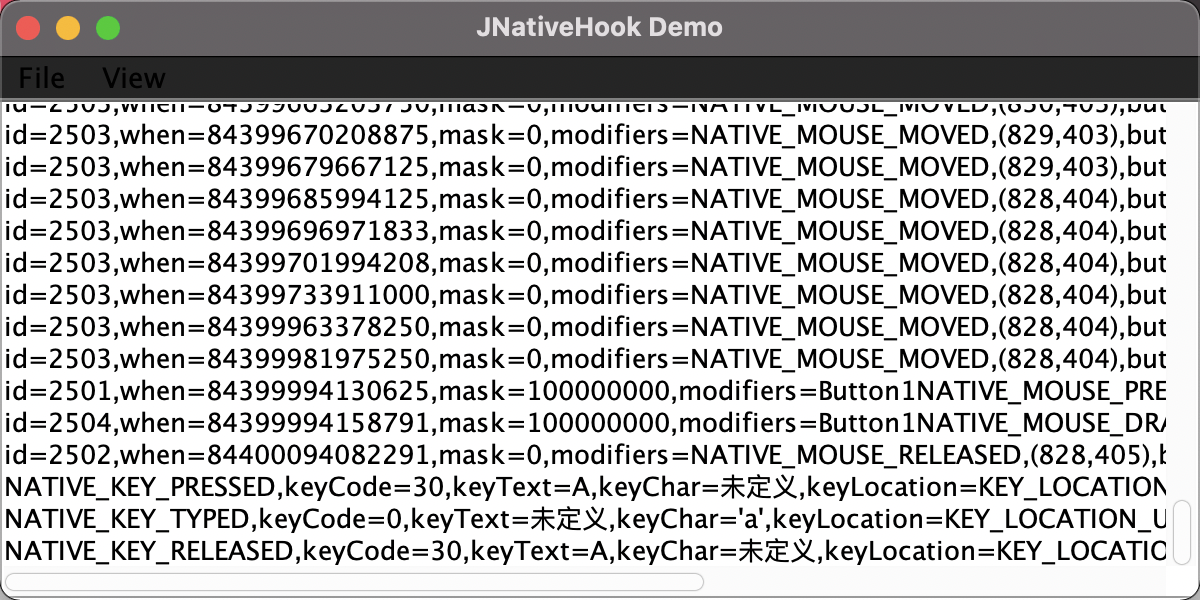
The successful program execution screen looks like this. Whenever you move on the trackpad or type on the keyboard, it will output, demonstrating the power of this tool - it can monitor your operations in real-time.
Registering Global Hotkeys
OK, after completing the above, now let's talk about the code. During use, jnativehook doesn't seem to have a specific implementation for hotkeys, meaning this part needs to be completed by us.
Of course, after completing the small demo above, I guess you've already figured out how to do it. Since we can listen to all Mac inputs, if we detect consecutive inputs of corresponding keys and then trigger the corresponding function, we've implemented hotkey functionality.
OK, let's start with a small function - knowing how to listen only to all keyboard inputs:
Simple: https://github.com/kwhat/jnativehook/blob/2.2/doc/Keyboard.md
import com.github.kwhat.jnativehook.GlobalScreen;
import com.github.kwhat.jnativehook.NativeHookException;
import com.github.kwhat.jnativehook.keyboard.NativeKeyEvent;
import com.github.kwhat.jnativehook.keyboard.NativeKeyListener;

public class GlobalKeyListenerExample implements NativeKeyListener {
	public void nativeKeyPressed(NativeKeyEvent e) {
		System.out.println("Key Pressed: " + NativeKeyEvent.getKeyText(e.getKeyCode()));

		if (e.getKeyCode() == NativeKeyEvent.VC_ESCAPE) {
            		try {
                		GlobalScreen.unregisterNativeHook();
            		} catch (NativeHookException nativeHookException) {
                		nativeHookException.printStackTrace();
            		}
        	}
	}

	public void nativeKeyReleased(NativeKeyEvent e) {
		System.out.println("Key Released: " + NativeKeyEvent.getKeyText(e.getKeyCode()));
	}

	public void nativeKeyTyped(NativeKeyEvent e) {
		System.out.println("Key Typed: " + e.getKeyText(e.getKeyCode()));
	}

	public static void main(String[] args) {
		try {
			GlobalScreen.registerNativeHook();
		}
		catch (NativeHookException ex) {
			System.err.println("There was a problem registering the native hook.");
			System.err.println(ex.getMessage());

			System.exit(1);
		}

		GlobalScreen.addNativeKeyListener(new GlobalKeyListenerExample());
	}
}
The functionality implemented above is that any keyboard input will be printed.
The next step is to modify the method nativeKeyPressed. Here's a simple implementation. Suppose the hotkey I want to implement is: Ctrl + Command + P to trigger a function.
Then modify the method nativeKeyPressed:
    protected final static LinkedBlockingQueue<Integer> queue = new LinkedBlockingQueue();

    public void nativeKeyPressed(NativeKeyEvent e) {
        // When there's keyboard input, put it in the queue
        try {
            queue.put(e.getKeyCode());
        } catch (InterruptedException ex) {
            ex.printStackTrace();
        }

        // Ctrl + command + p
        int[] hotKeyArray = {NativeKeyEvent.VC_CONTROL, NativeKeyEvent.VC_META, NativeKeyEvent.VC_P};
        // If the queue has 3 or more items, check if it contains consecutive keys matching our specified order
        // If it exists, execute the trigger
        if (queue.size() >= 3 && judgeCombinationKey(hotKeyArray)){
            try {
                do something.........
            } catch (InterruptedException ex) {
                ex.printStackTrace();
            }
            queue.clear();
        }
        if (queue.size() == 4){
            queue.poll();
        }
    }

    protected Boolean judgeCombinationKey(int[] hotKeyArray){
        Object[] queueKey = queue.toArray();

        Predicate<int[]> keyArrayPredicateOne = hotKeies -> (int)queueKey[0] == hotKeies[0]
                && (int)queueKey[1] == hotKeies[1]
                && (int)queueKey[2] == hotKeies[2];

        Predicate<int[]> keyArrayPredicateTwo = hotKeies -> (int)queueKey[1] == hotKeies[0]
                && (int)queueKey[2] == hotKeies[1]
                && (int)queueKey[3] == hotKeies[2];

        return queue.size() == 3 ? keyArrayPredicateOne.test(hotKeyArray) :
                keyArrayPredicateOne.or(keyArrayPredicateTwo).test(hotKeyArray);

    }
Alright, once you've completed the above, you're done!