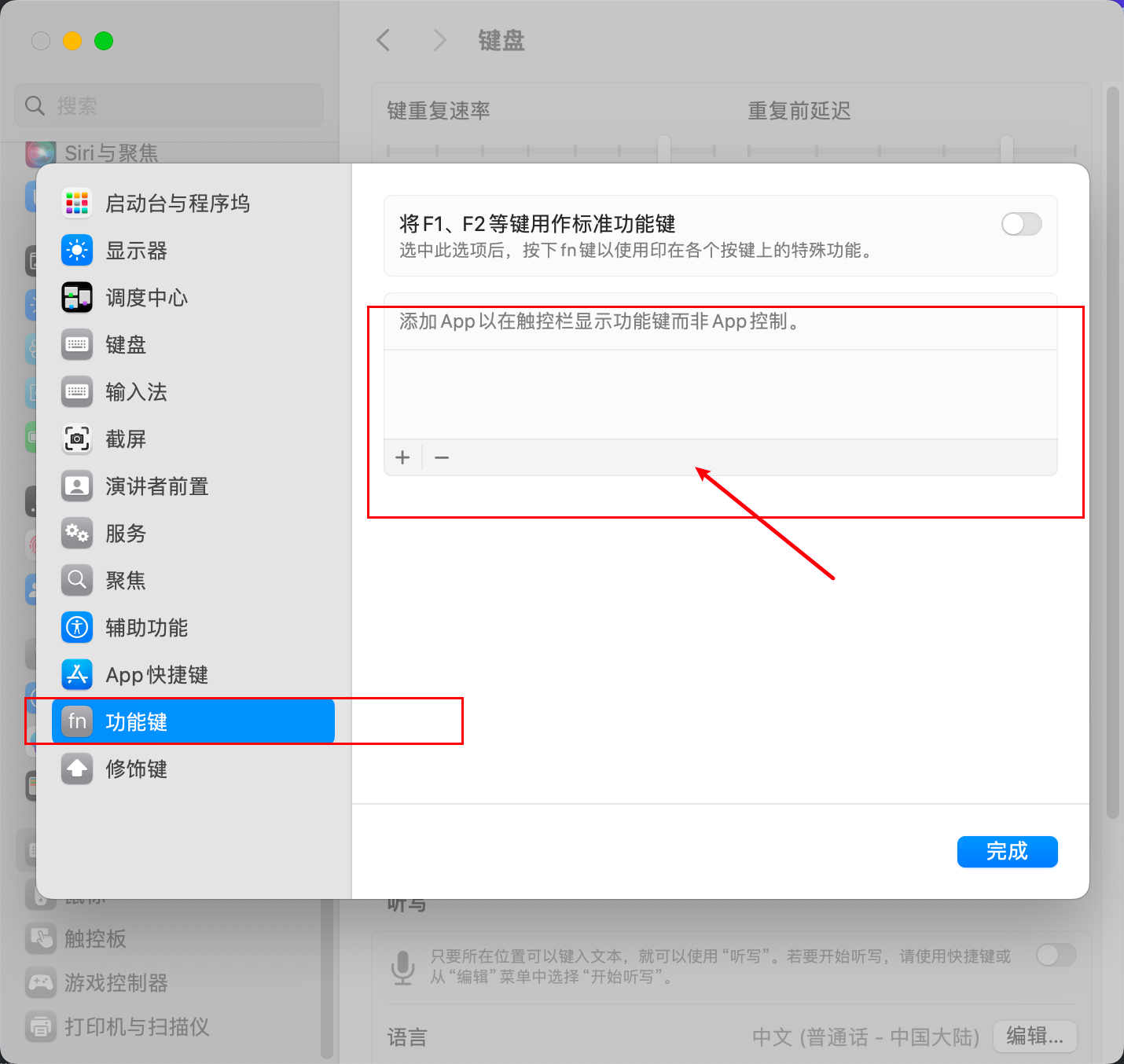
Restore IDEA Touch Bar Settings or Set Touch Bar to F1, F2 When Using IDEA
I somehow set IDEA's touch bar to show F1, F2 function keys, but couldn't find the setting anywhere. Here's the solution.
Check Your IDEA Settings
According to this documentation: Touch bar support, restore the configuration in settings.
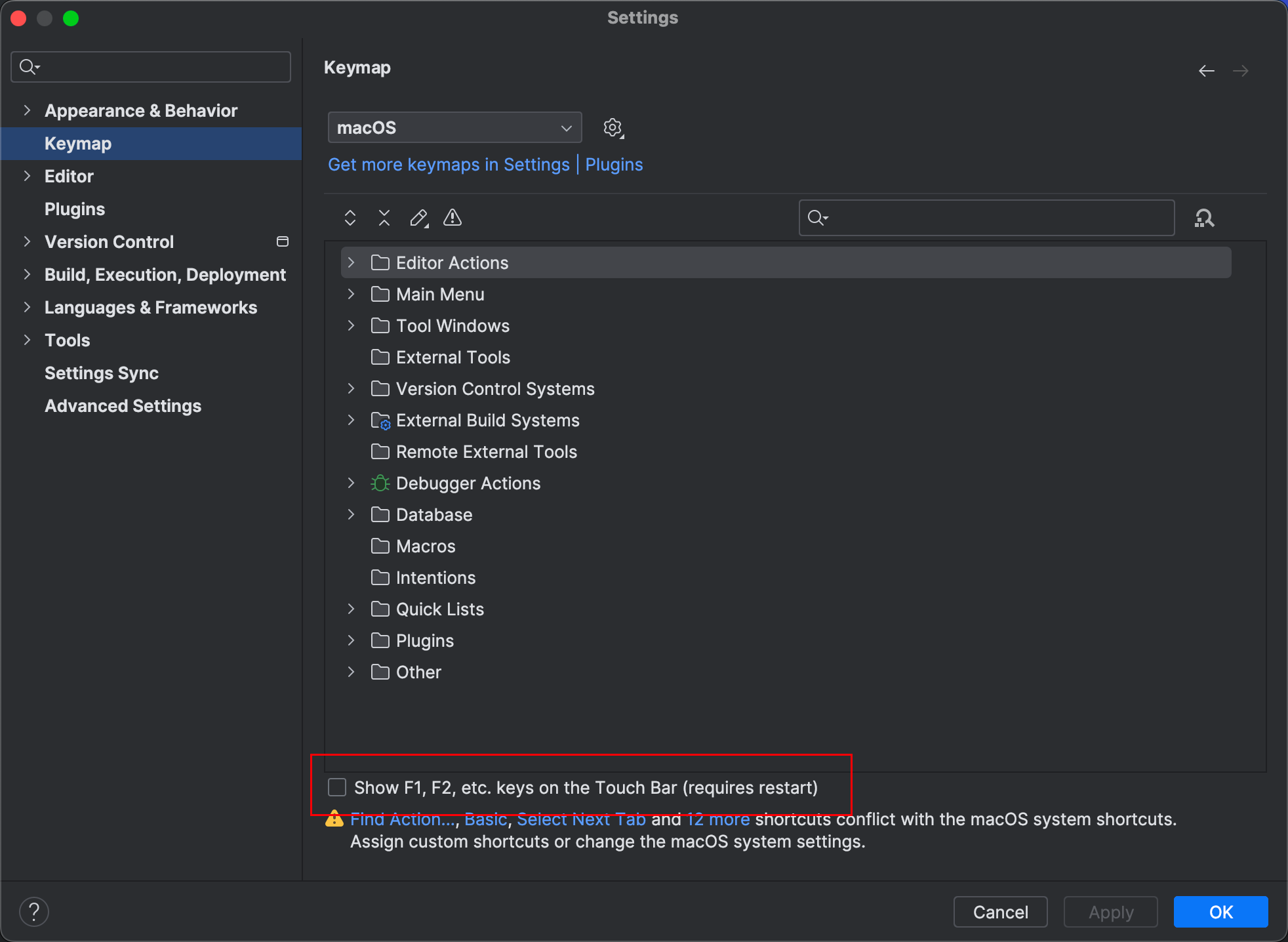
If this configuration doesn't exist, it means it's controlled by macOS system settings.
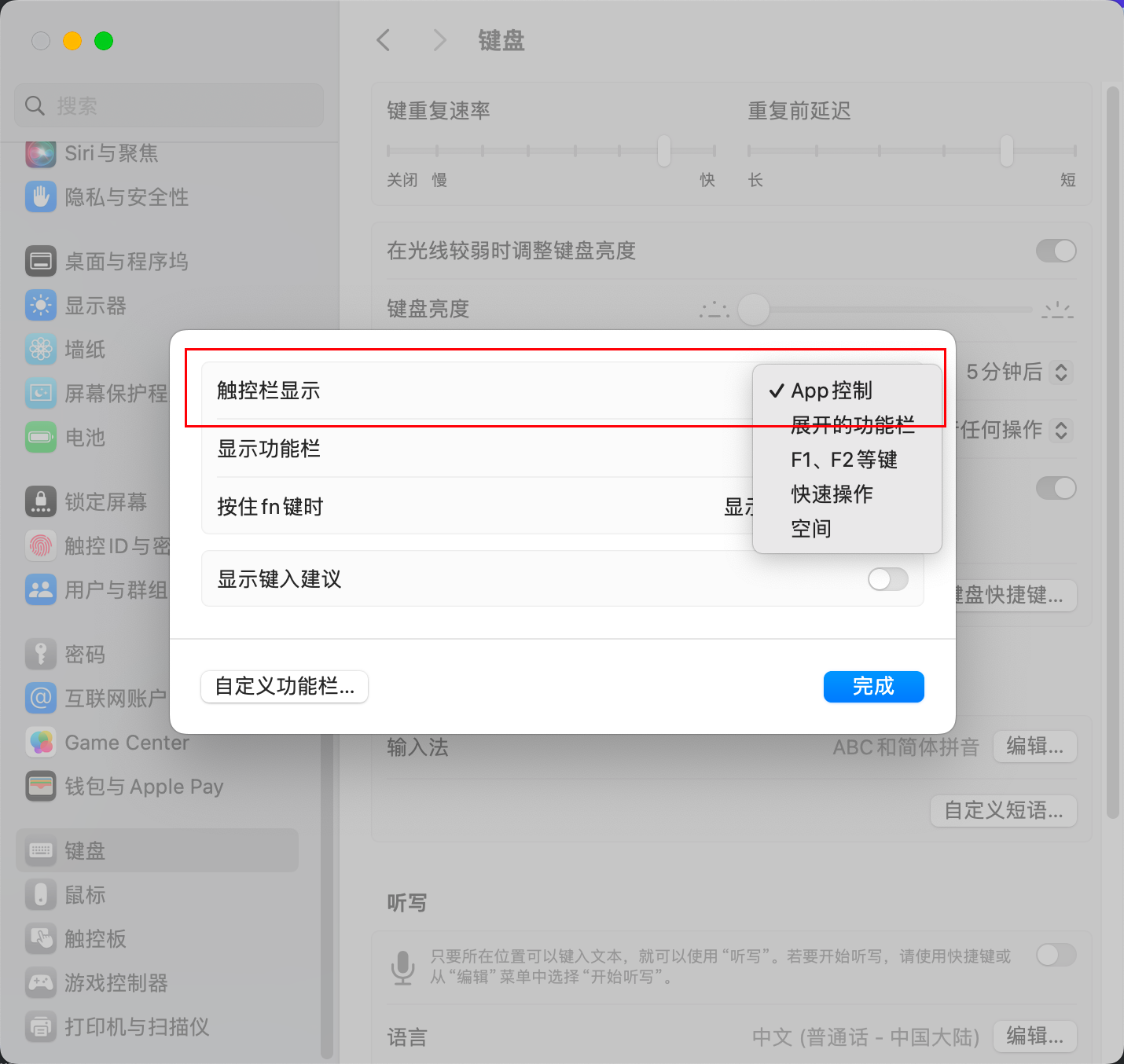
Check System Settings
Keyboard -> Touch Bar Settings
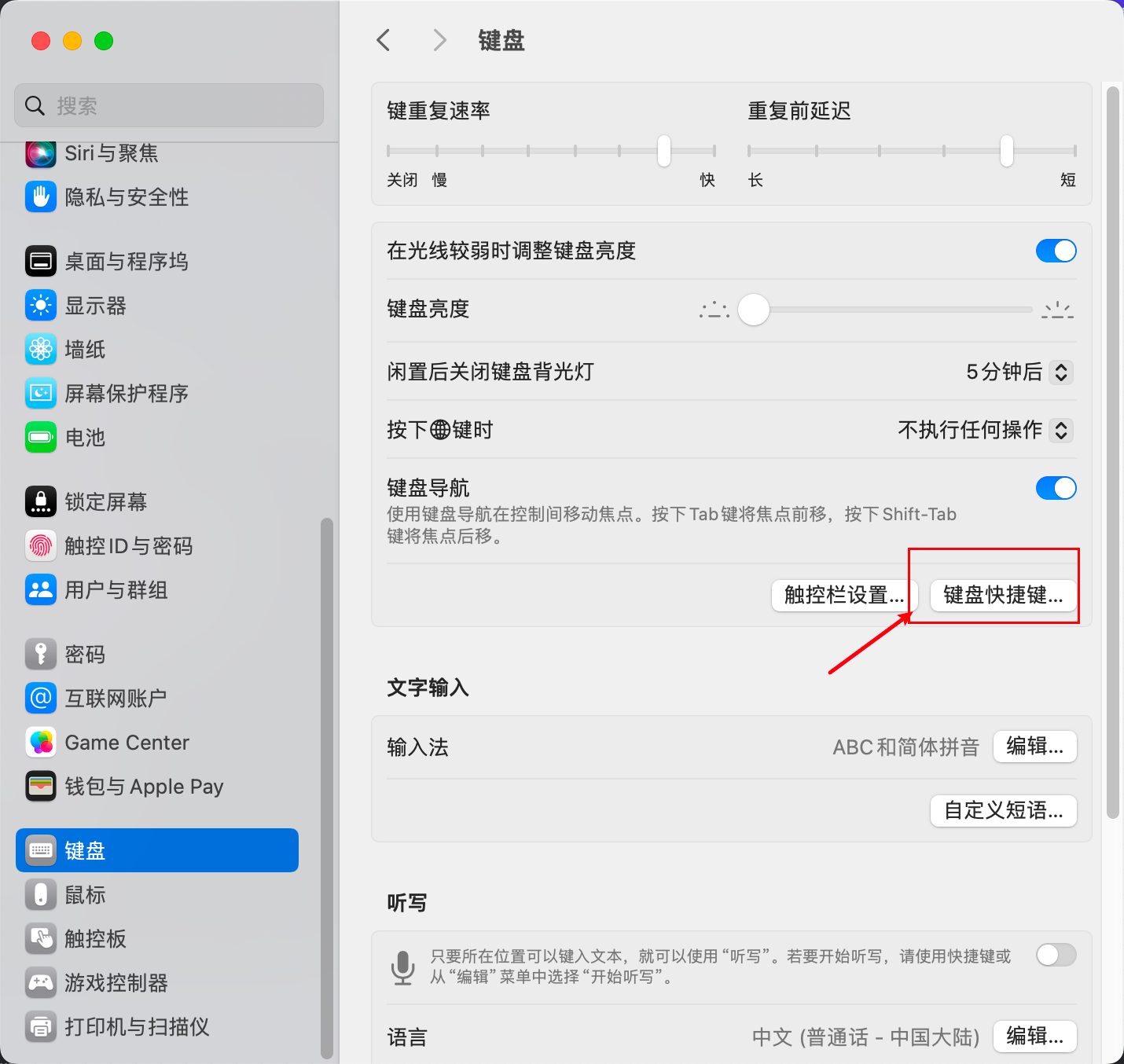
Keyboard -> Keyboard Shortcuts
 Remove IDEA from the function keys list