Y7000P Microphone Problem - Cannot Hear Teammates or Speak in Games
I always thought this was a hardware problem, but after searching on Baidu, I didn't expect so many people with y7000p to have this problem.
Modify Windows Settings
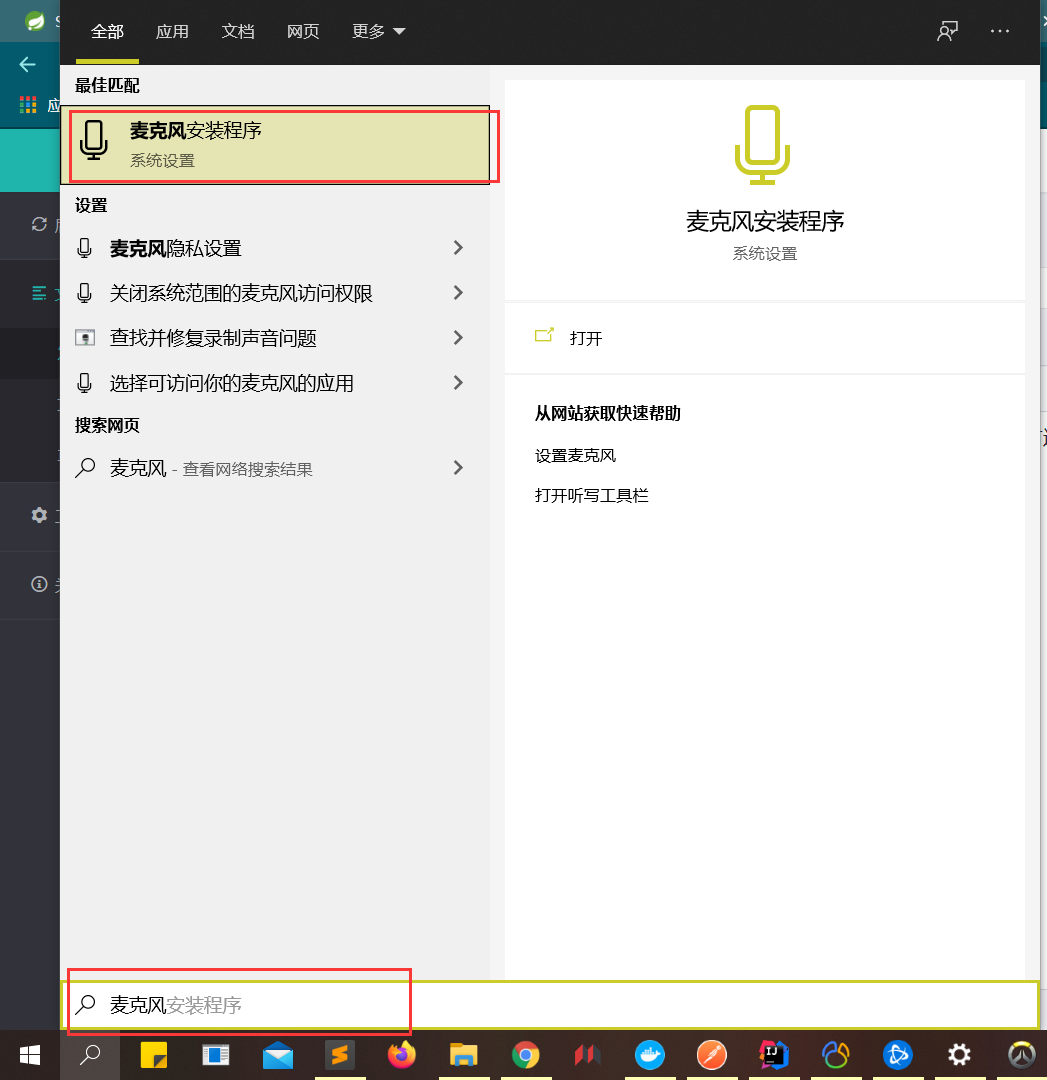
Search for "Microphone" in the Windows Start menu
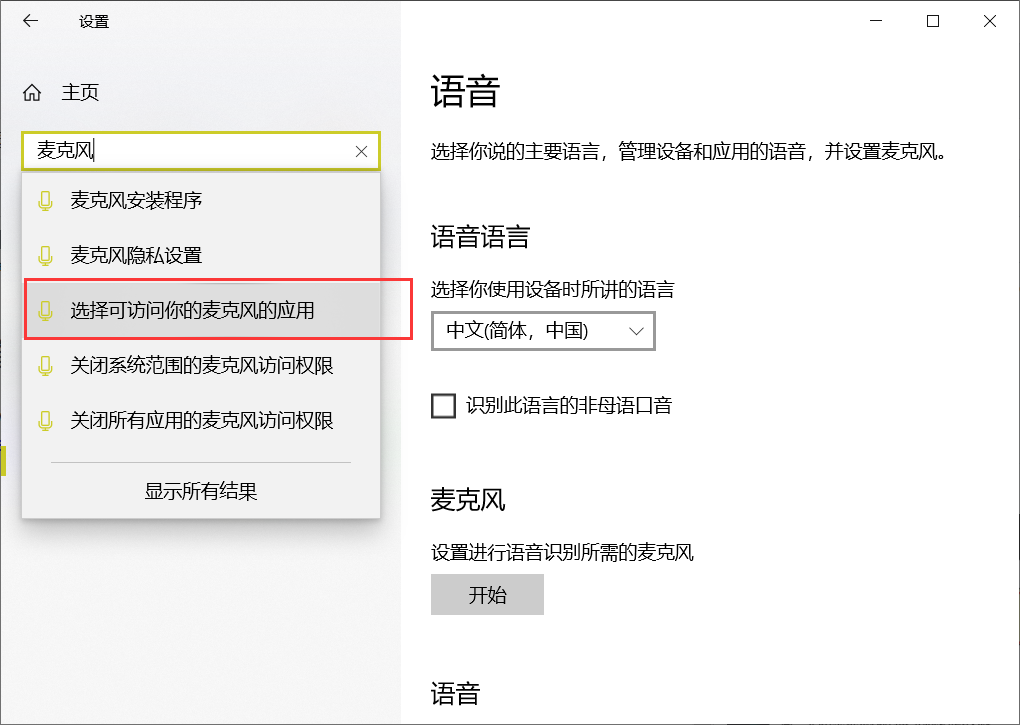
Then select "Choose which apps can access your microphone"
If I'm not mistaken, this setting should be off for you
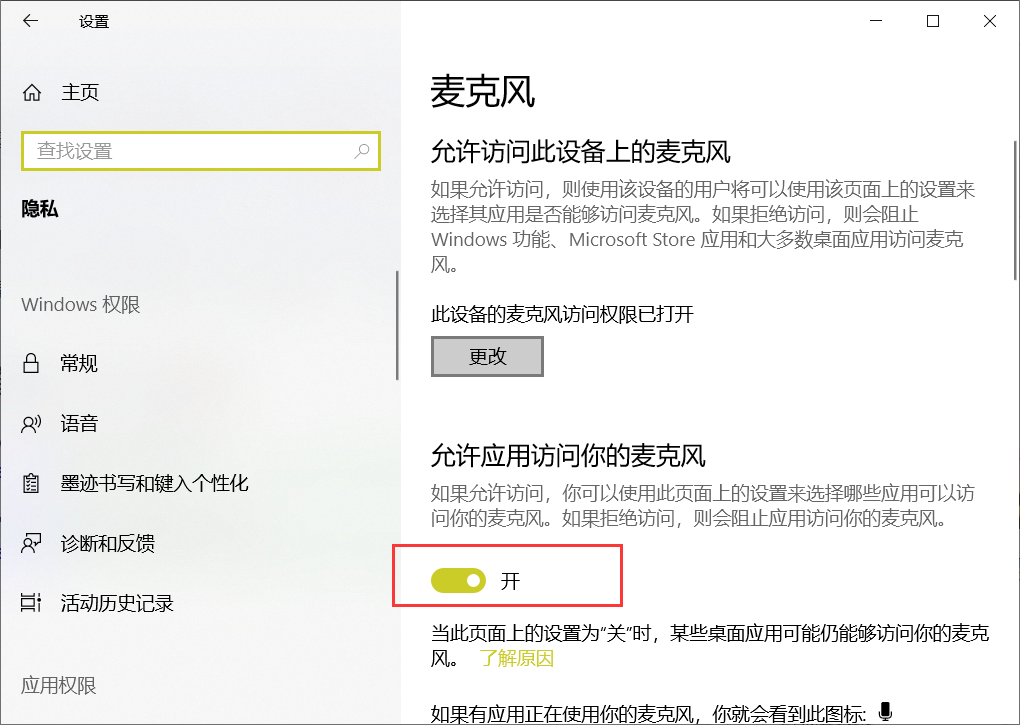
Turn on this setting, it will take a long time, and then the button in the lower right corner will disappear and reappear, indicating that the setting has been reset

Then go back to the game, and you will see that the microphone is normal.
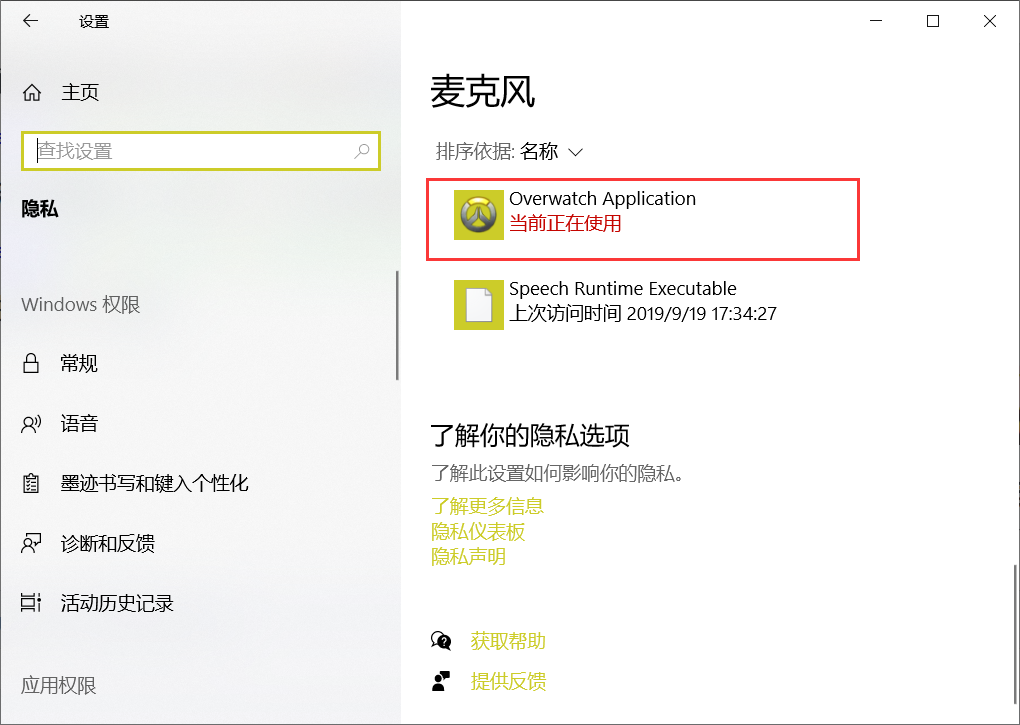
If it still doesn't work
Follow the same steps, search for "Microphone" in the Start menu, and then click "Set up a microphone for speech recognition".
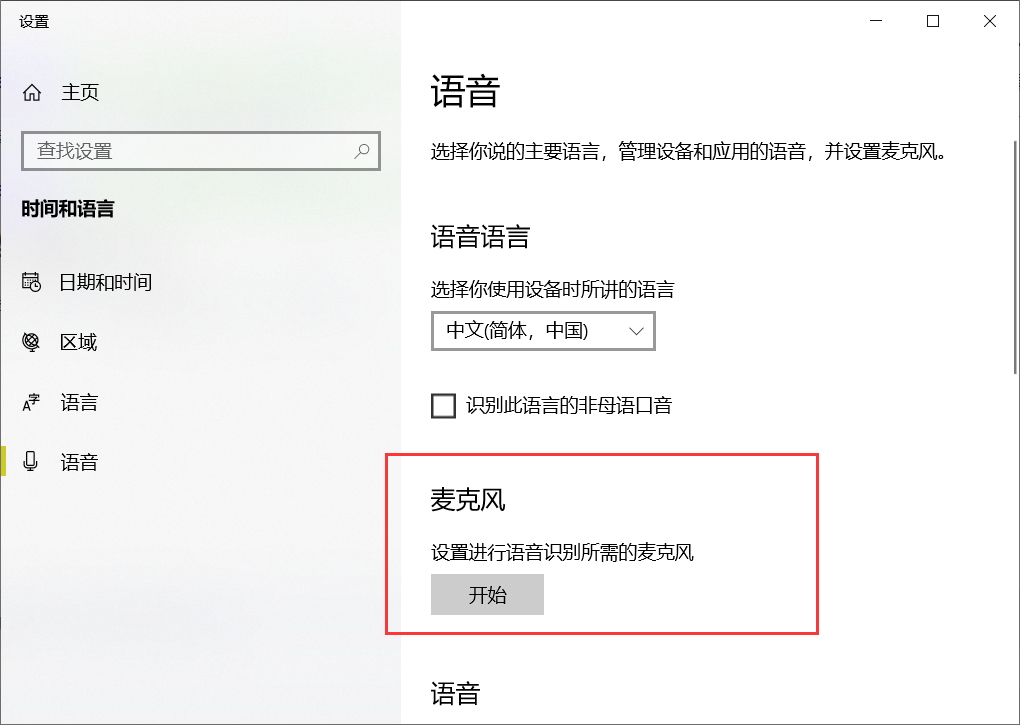 Windows will help you detect microphone faults. After the repair is complete, restart the computer, or even without restarting, you will find that the microphone is fixed.