Lute HTTP Installation (Solving Latex Formula Rendering Problem)
I haven't used the blog for a long time. After writing one or two articles, I found that formulas and tables could not be rendered. I found a solution in Sym, but it couldn't be done in one step, so I decided to write it in more detail. It is recommended to try Lute HTTP User Guide first. Then come here to find a solution.
1. Install golang, then fetch and compile go get -u github.com/88250/lute-http. If it fails or cannot be compiled successfully
To install golang on Linux, simply run yum install golang.
Because golang's proxy is foreign, we may not be able to access it for some special reasons, so we also need to switch golang's proxy.
Configure it via go env -w GOPROXY=https://goproxy.cn.
You also need to install git. Install it via yum install git, then execute the command
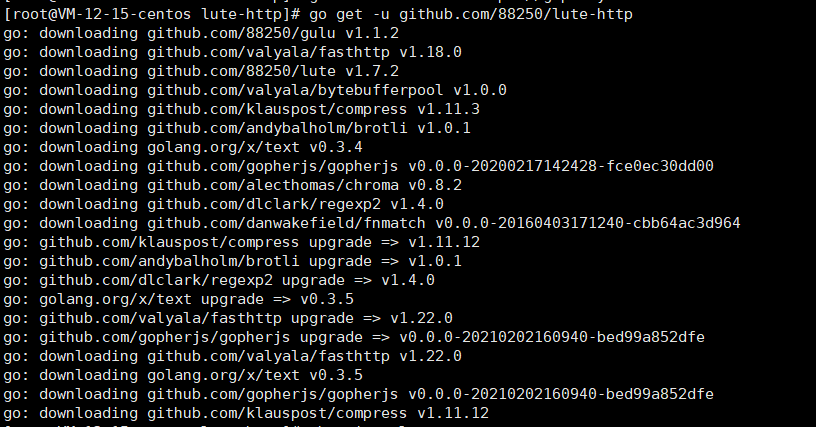
go get -u github.com/88250/lute-http
The success is indicated by the following echo:
2. After completing the above steps, the lute-http executable file cannot be found
After Go version 1.8, GOPATH defaults to the go folder in the user directory.
So the file location is in the ~/go/bin directory, which can be found by the command cd ~/go/bin.

3. After starting, it prompts unknown flag: --lute_http
It is recommended to remove solo first, and then re-run.
Stop and remove solo:
docker stop solo
docker rm solo
Start. Password, port, and domain name need to be modified by yourself.
docker run --detach --name solo --network=host \
--env RUNTIME_DB="MYSQL" \
--env JDBC_USERNAME="root" \
--env JDBC_PASSWORD="password" \
--env JDBC_DRIVER="com.mysql.cj.jdbc.Driver" \
--env JDBC_URL="jdbc:mysql://127.0.0.1:3306/solo?useUnicode=yes&characterEncoding=UTF-8&useSSL=false&serverTimezone=UTC" \
b3log/solo --listen_port=8080 --server_scheme=https --server_host=www.runnable.run  --lute_http=http://localhost:8249 --server_port=