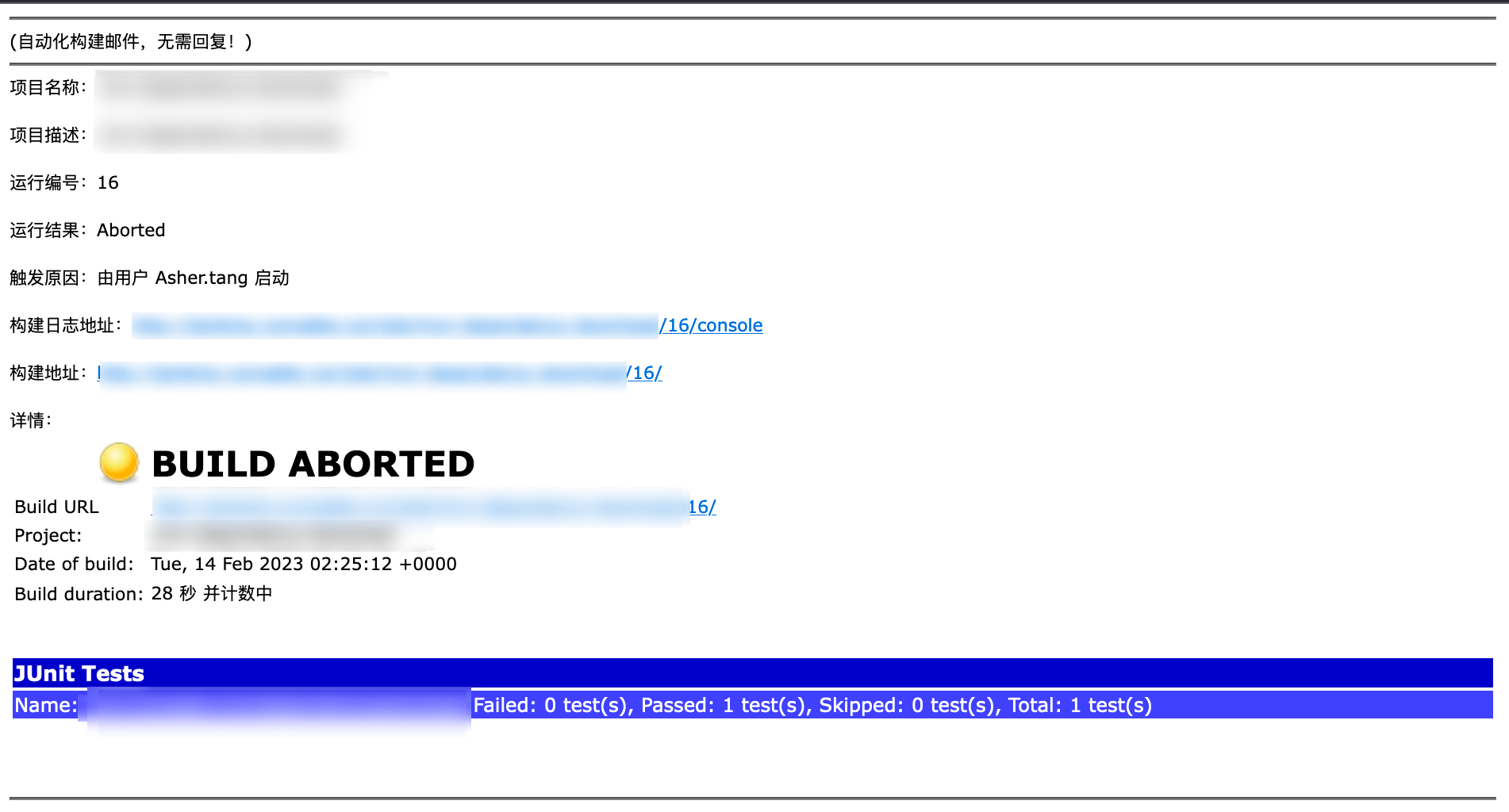
Enhance Your Jenkins - Send Build Notification Emails to Specified Recipients (Jenkinsfile Version)
When a pipeline has too many stages, or a particular stage takes too long, it's unrealistic to keep Jenkins open waiting for deployment to complete. Waiting is the most tedious thing. So it would be great if Jenkins could automatically notify us when deployment is done.
Install Extended E-mail Notification Plugin
Here we'll use a Jenkins plugin called Email Extension Plugin, which can be found in Jenkins Plugin Management.
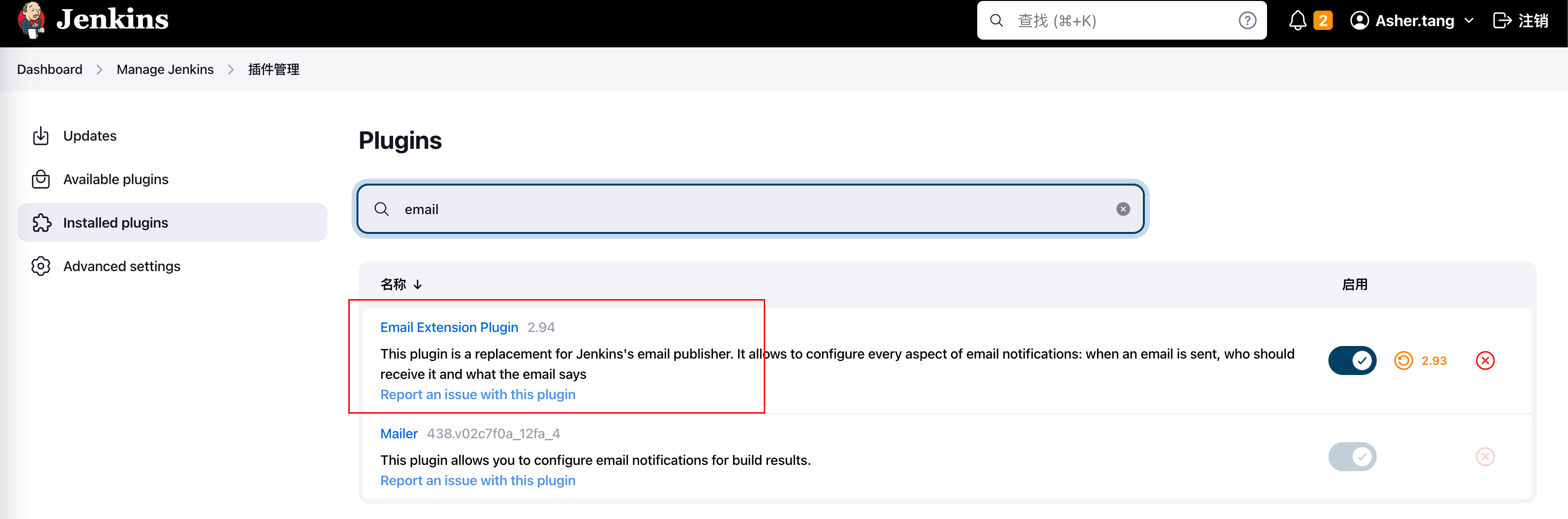
Configure Email Extension Plugin
Before configuring Email Extension Plugin, we need to prepare an email account for sending emails. Here I'll use Tencent Enterprise Email as an example, but similar configurations can be found for other email providers.
Find Outgoing Server Configuration and note the address and port
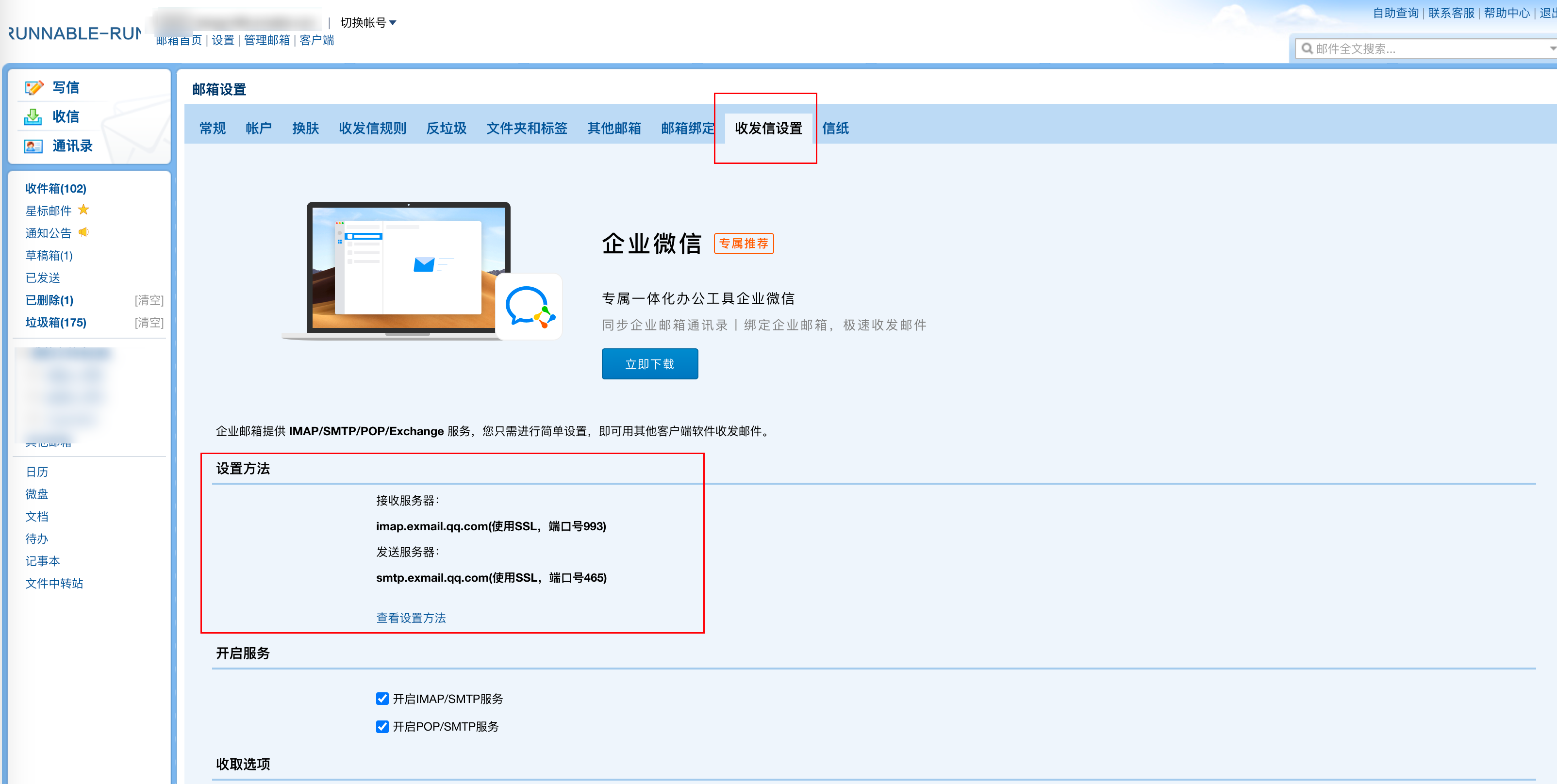
Return to Jenkins for configuration:
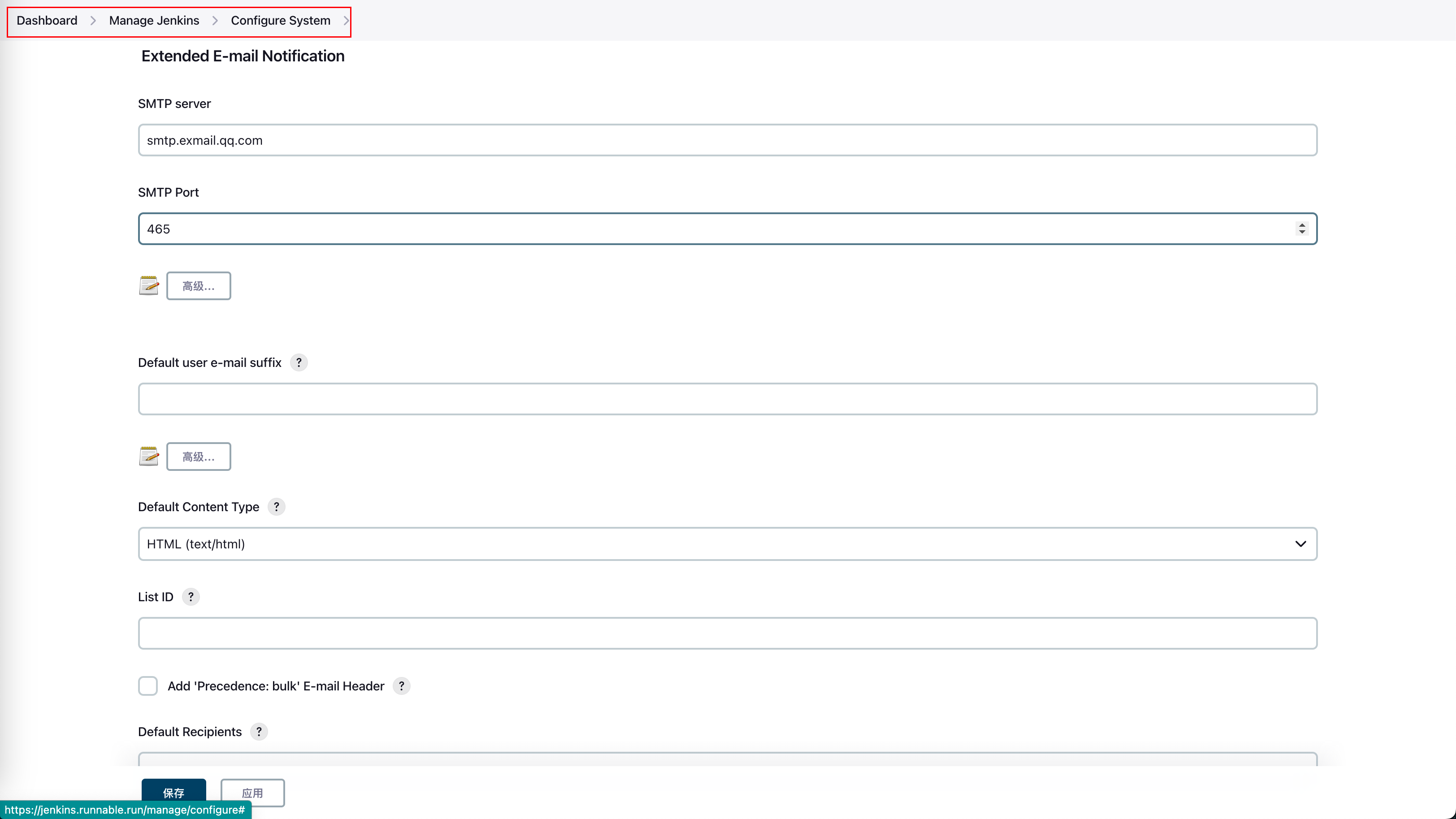
In Dashboard → Manage Jenkins → Configure System,
Jenkins Location Configuration

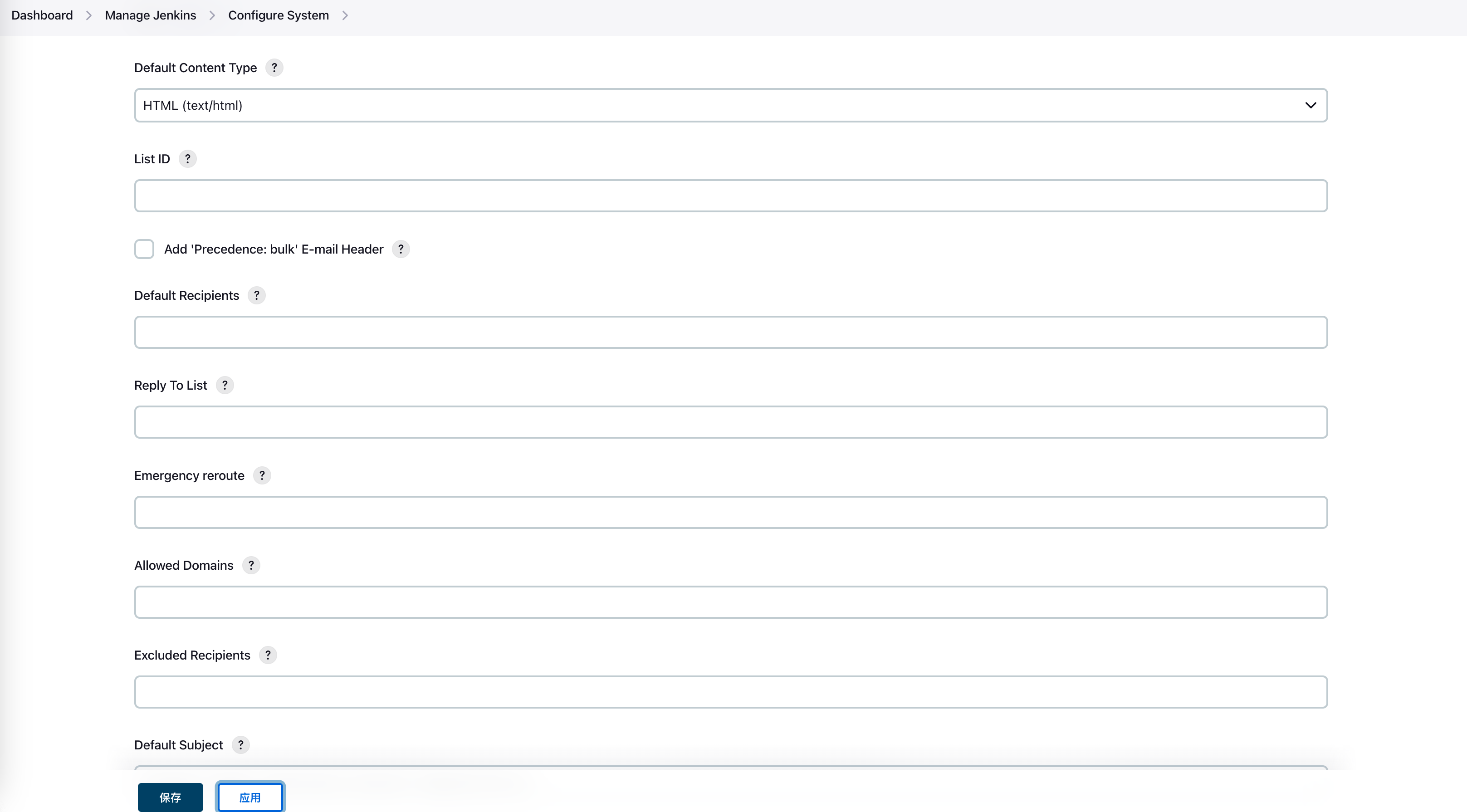
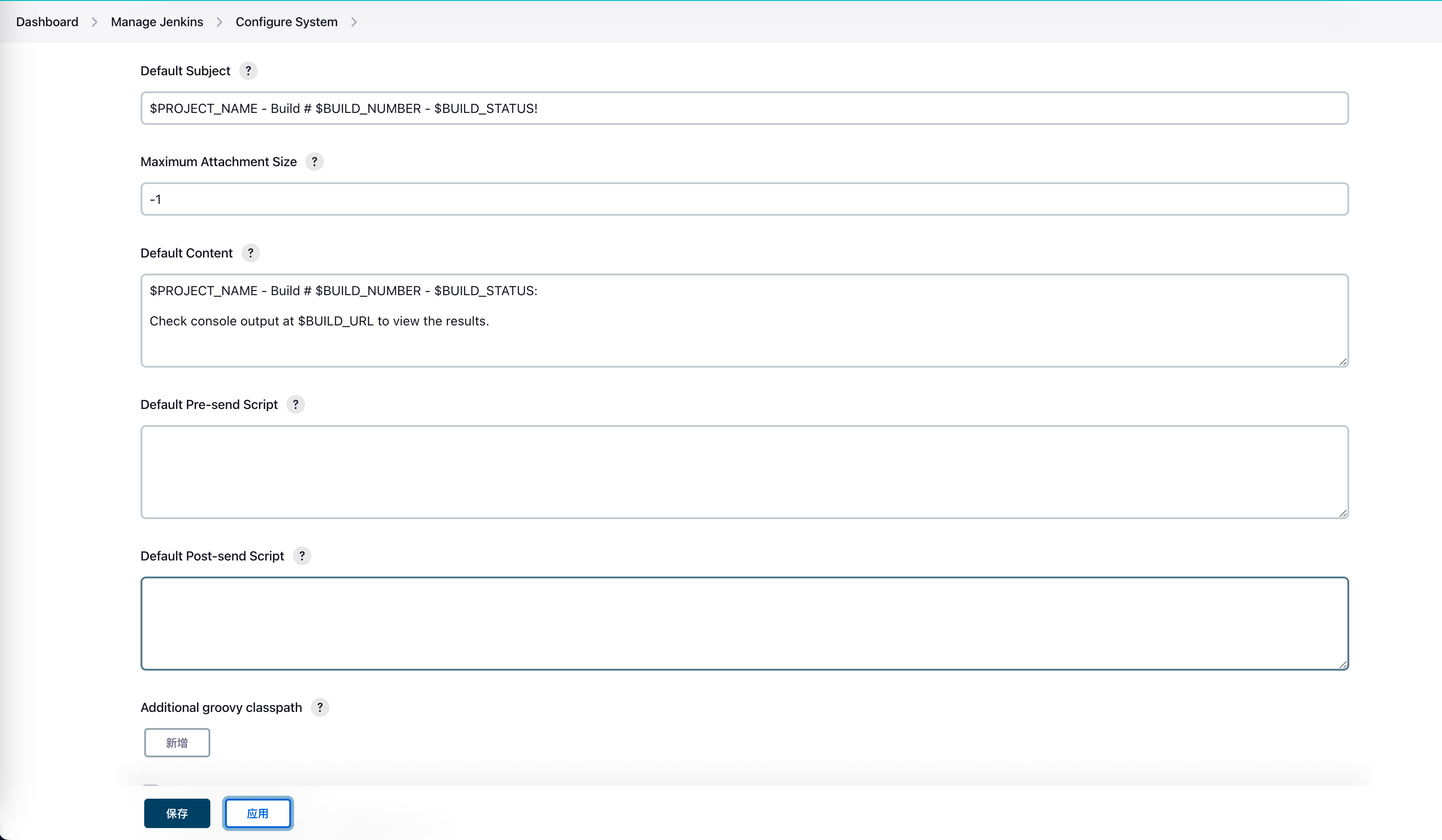
Extended E-mail Notification Configuration
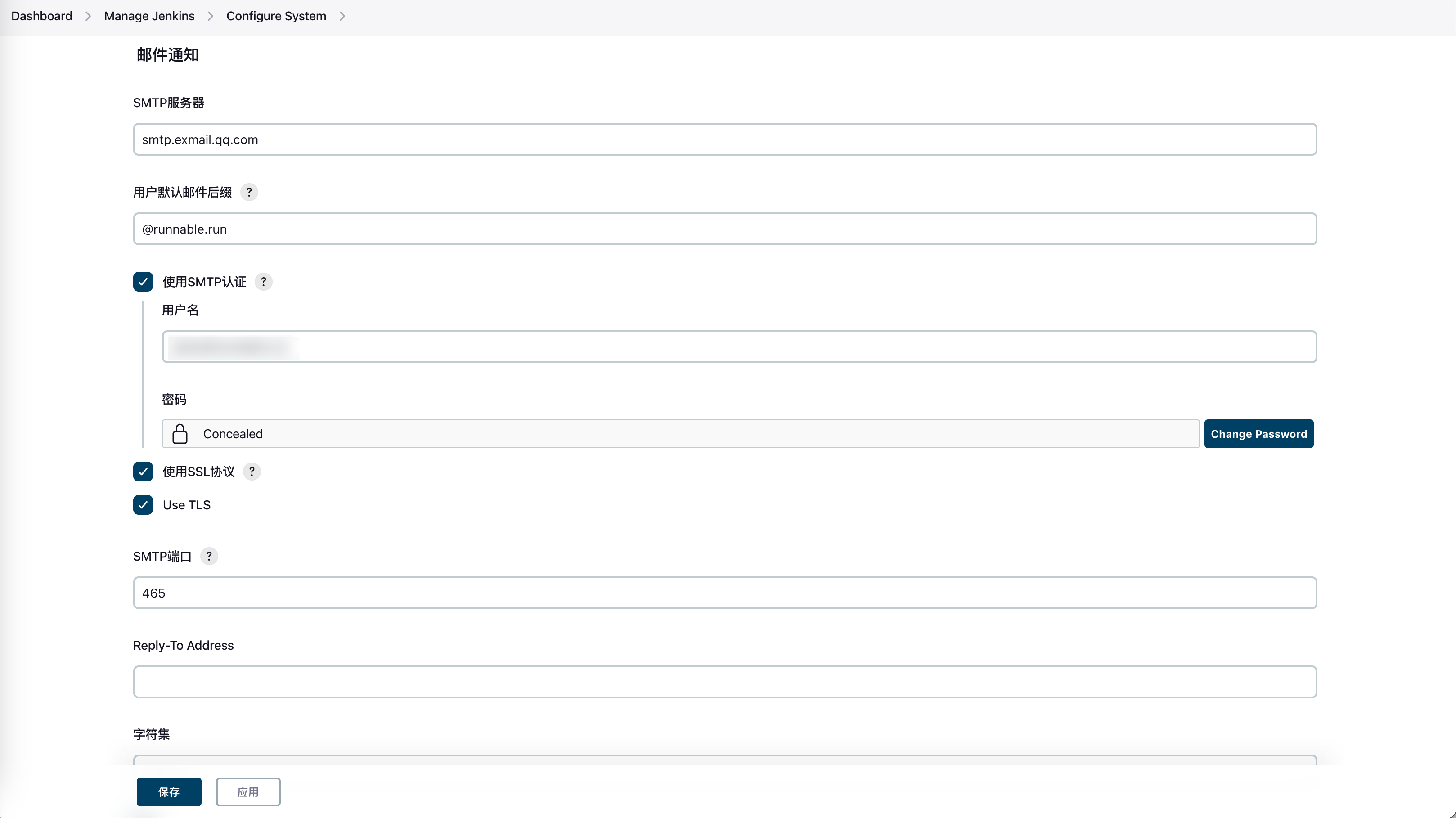
- Enter the outgoing server domain and port found in your enterprise email
- Set Default Content Type to HTML
- Keep other configurations as default
Jenkins Built-in Email Notification Configuration
Create a Jenkins Pipeline for Testing
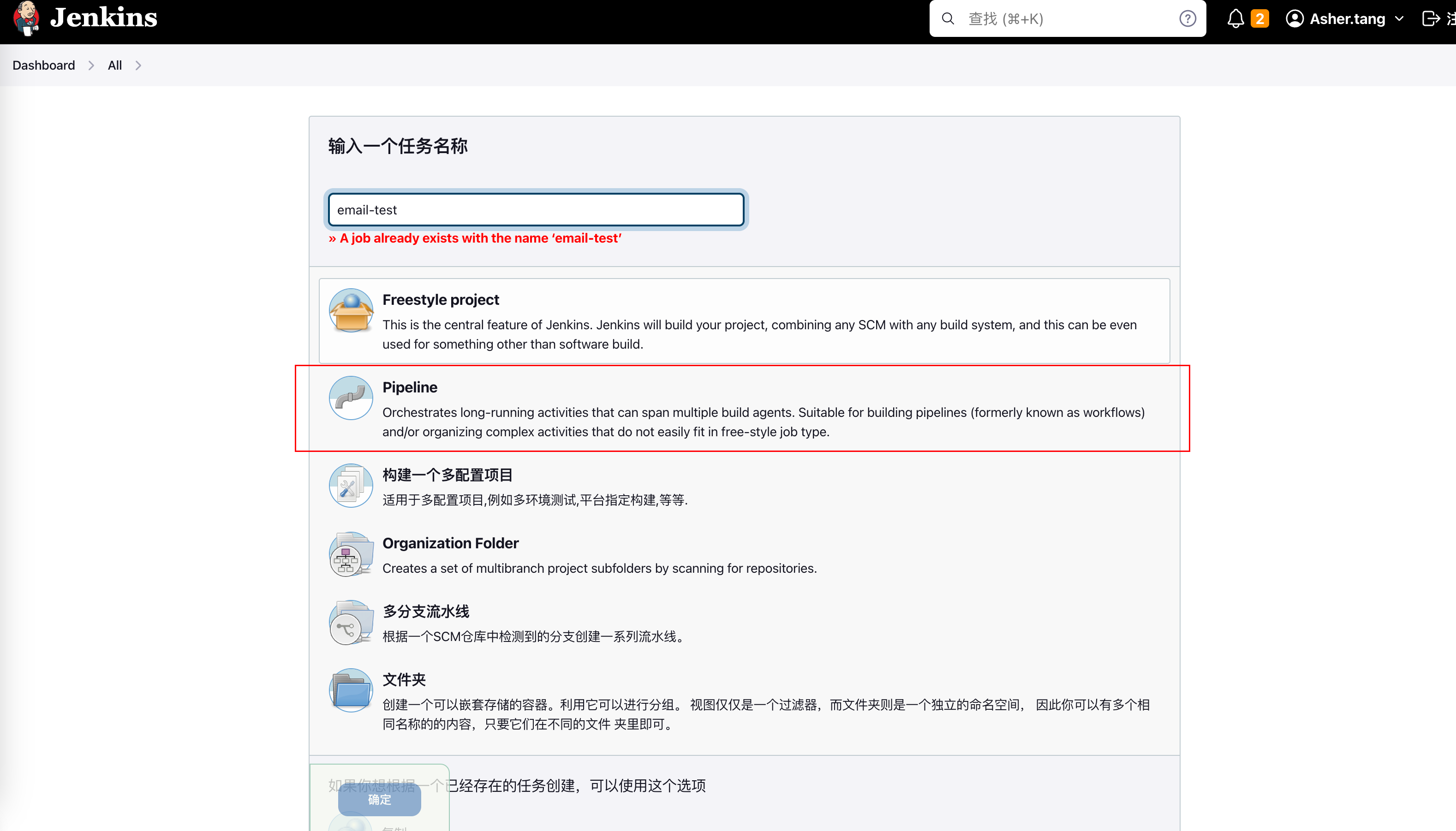
Configuration
In the configuration, the only thing to note is the Pipeline at the end. We'll send emails through Jenkinsfile, including the email template. Here we select Pipeline script
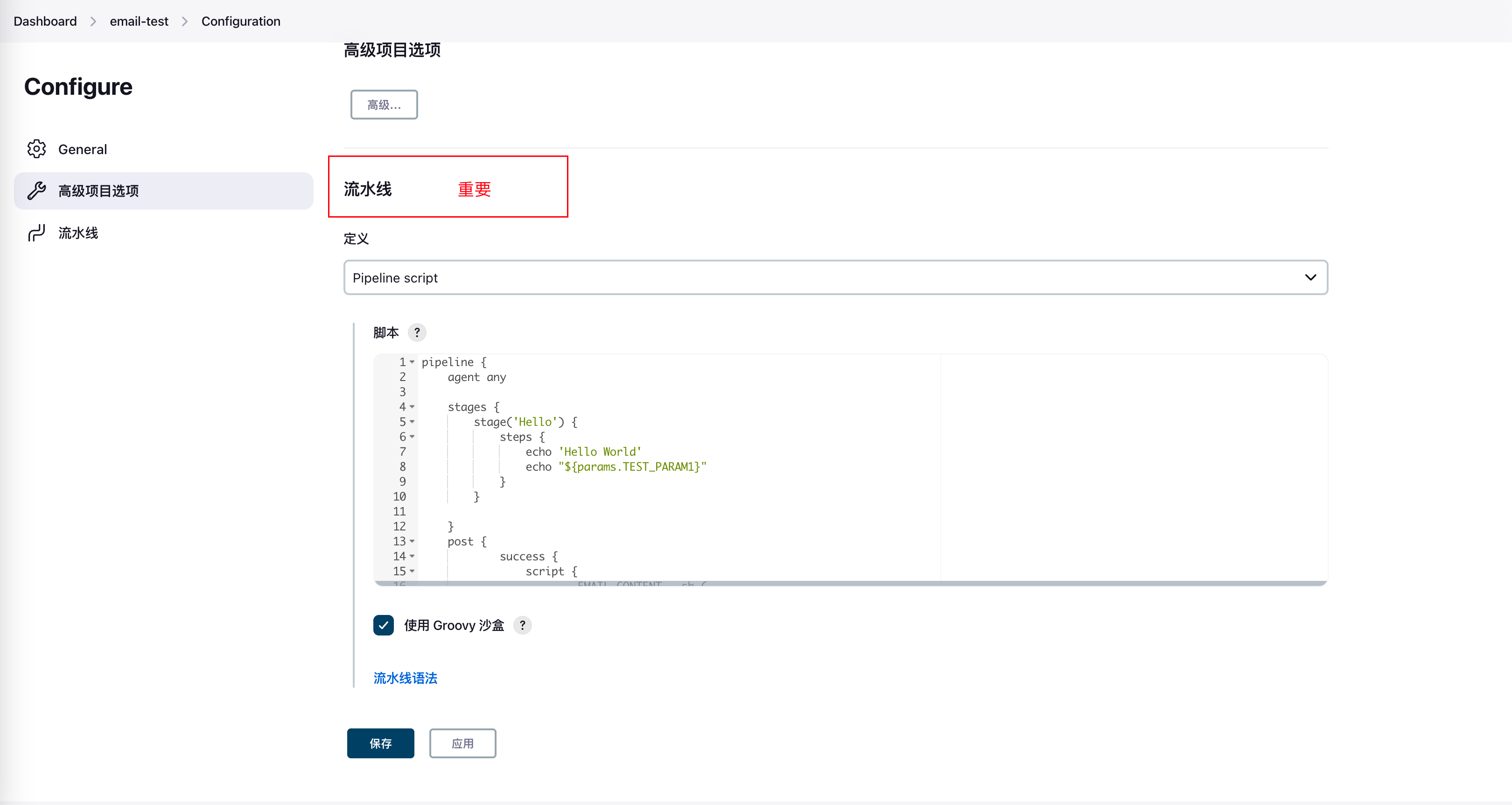
Pipeline Script
- Add a Stage: just output Hello World
- Add post: post can be divided into multiple condition blocks based on the completion status of the pipeline or stage. Here we handle three situations: success, failure, and aborted
Detailed explanation of post: https://www.jianshu.com/p/909cd0ce98d8
EMAIL_CONTENTconcatenates the email template in HTML format,emailextfinally triggers the email. Some variables like$PROJECT_NAME,$JOB_DESCRIPTIONare Jenkins built-in parameters during build.to:corresponds to the email address that should receive the email
pipeline {
    agent any

    stages {
        stage('Hello') {
            steps {
                echo 'Hello World'

            }
        }

    }
    post {
		    success {
		        script {
		        		EMAIL_CONTENT = ''
								EMAIL_CONTENT += '<hr/>(Automated build email, no reply needed!)<br/><hr/>'
				        EMAIL_CONTENT += 'Project Name: $PROJECT_NAME<br/><br/>'
				        EMAIL_CONTENT += 'Project Description: $JOB_DESCRIPTION<br/><br/>'
				        EMAIL_CONTENT += 'Build Number: $BUILD_NUMBER<br/><br/>'
				        EMAIL_CONTENT += 'Build Result: $BUILD_STATUS<br/><br/>'
				        EMAIL_CONTENT += 'Trigger Cause: ${CAUSE}<br/><br/>'
				        EMAIL_CONTENT += 'Build Log URL: <a href="${BUILD_URL}console">${BUILD_URL}console</a><br/><br/>'
				        EMAIL_CONTENT += 'Build URL: <a href="$BUILD_URL">$BUILD_URL</a><br/><br/>'
				        EMAIL_CONTENT += 'Details: ${JELLY_SCRIPT,template="html"}<br/>'
				        EMAIL_CONTENT += '<hr/>'
		            emailext(subject: '${PROJECT_NAME} Build Successful!',to: 'xxx@runnable.run',body: EMAIL_CONTENT)
		        }
		    }
		    failure {
		        script {
		        		EMAIL_CONTENT = ''
		            EMAIL_CONTENT += '<hr/>(Automated build email, no reply needed!)<br/><hr/>'
				        EMAIL_CONTENT += 'Project Name: $PROJECT_NAME<br/><br/>'
				        EMAIL_CONTENT += 'Project Description: $JOB_DESCRIPTION<br/><br/>'
				        EMAIL_CONTENT += 'Build Number: $BUILD_NUMBER<br/><br/>'
				        EMAIL_CONTENT += 'Build Result: $BUILD_STATUS<br/><br/>'
				        EMAIL_CONTENT += 'Trigger Cause: ${CAUSE}<br/><br/>'
				        EMAIL_CONTENT += 'Build Log URL: <a href="${BUILD_URL}console">${BUILD_URL}console</a><br/><br/>'
				        EMAIL_CONTENT += 'Build URL: <a href="$BUILD_URL">$BUILD_URL</a><br/><br/>'
				        EMAIL_CONTENT += 'Details: ${JELLY_SCRIPT,template="html"}<br/>'
				        EMAIL_CONTENT += '<hr/>'

		            emailext(subject: '${PROJECT_NAME} Build Failed!',to: 'xxx@runnable.run',body: EMAIL_CONTENT)
		        }
		    }
		    aborted {
		        script {
		        		EMAIL_CONTENT = ''
		            EMAIL_CONTENT += '<hr/>(Automated build email, no reply needed!)<br/><hr/>'
				        EMAIL_CONTENT += 'Project Name: $PROJECT_NAME<br/><br/>'
				        EMAIL_CONTENT += 'Project Description: $JOB_DESCRIPTION<br/><br/>'
				        EMAIL_CONTENT += 'Build Number: $BUILD_NUMBER<br/><br/>'
				        EMAIL_CONTENT += 'Build Result: $BUILD_STATUS<br/><br/>'
				        EMAIL_CONTENT += 'Trigger Cause: ${CAUSE}<br/><br/>'
				        EMAIL_CONTENT += 'Build Log URL: <a href="${BUILD_URL}console">${BUILD_URL}console</a><br/><br/>'
				        EMAIL_CONTENT += 'Build URL: <a href="$BUILD_URL">$BUILD_URL</a><br/><br/>'
				        EMAIL_CONTENT += 'Details: ${JELLY_SCRIPT,template="html"}<br/>'
				        EMAIL_CONTENT += '<hr/>'

		            emailext(subject: '${PROJECT_NAME} Build Aborted!',to: 'xxx@runnable.run',body: EMAIL_CONTENT)
		        }
		    }
		}
}
After testing successfully, we can add the post block to other Jenkins pipelines!
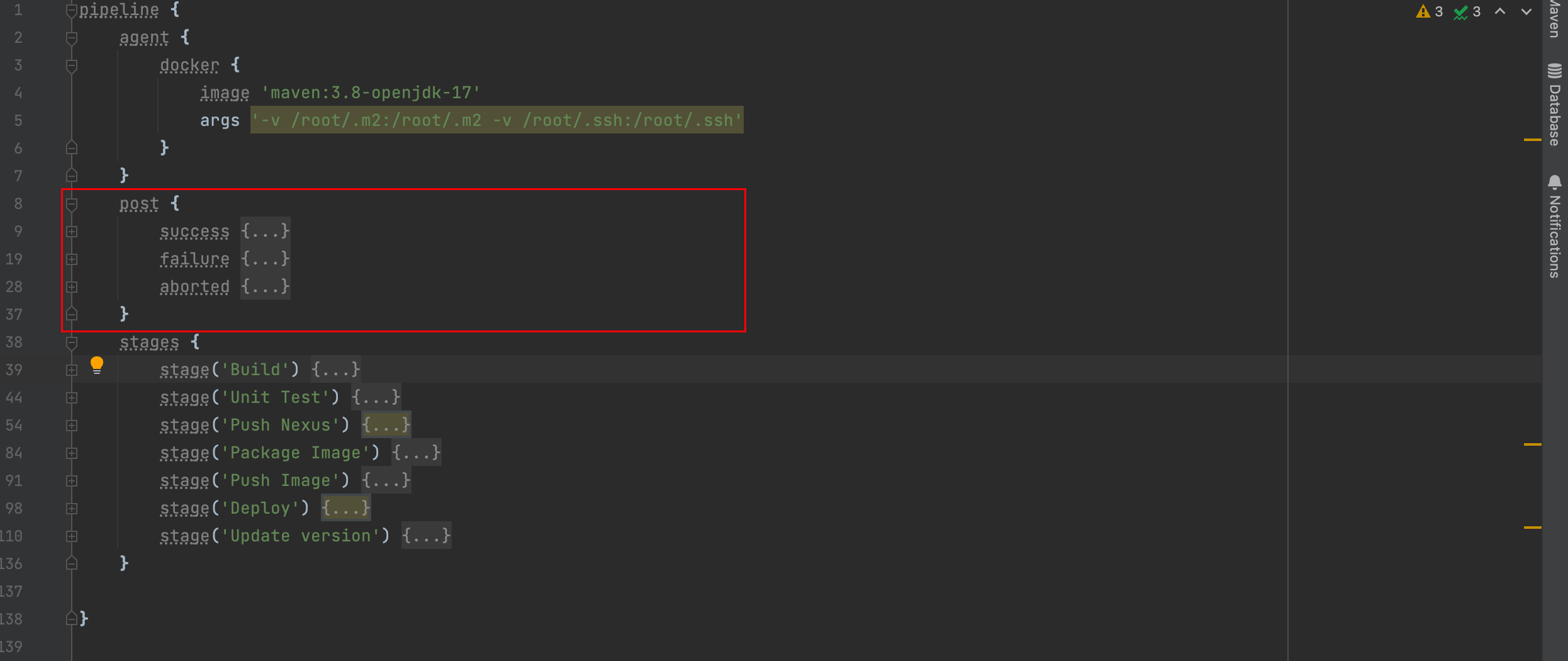
Build Results
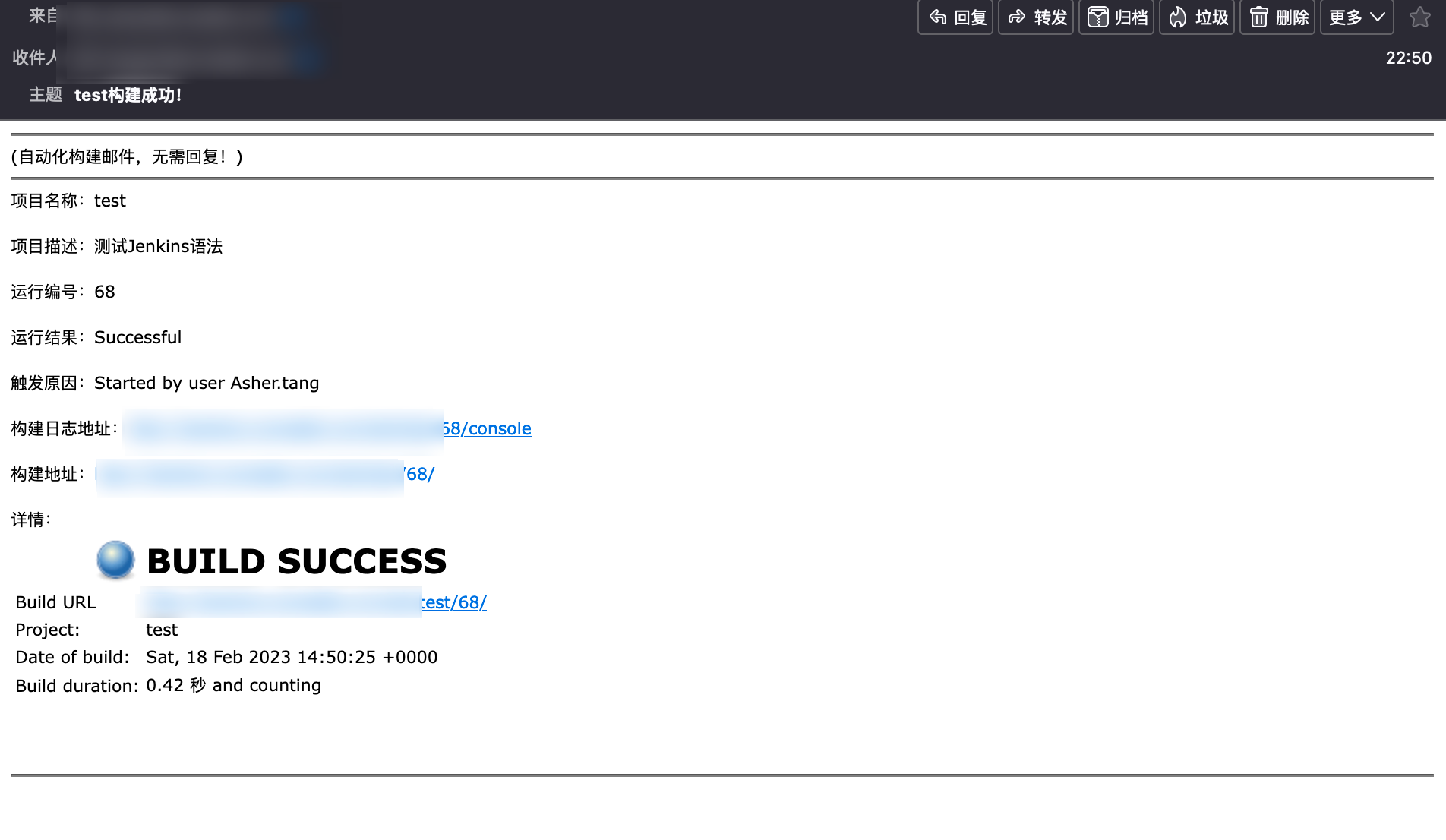
After completing the above configuration and running a build, you're done when you receive the corresponding email!
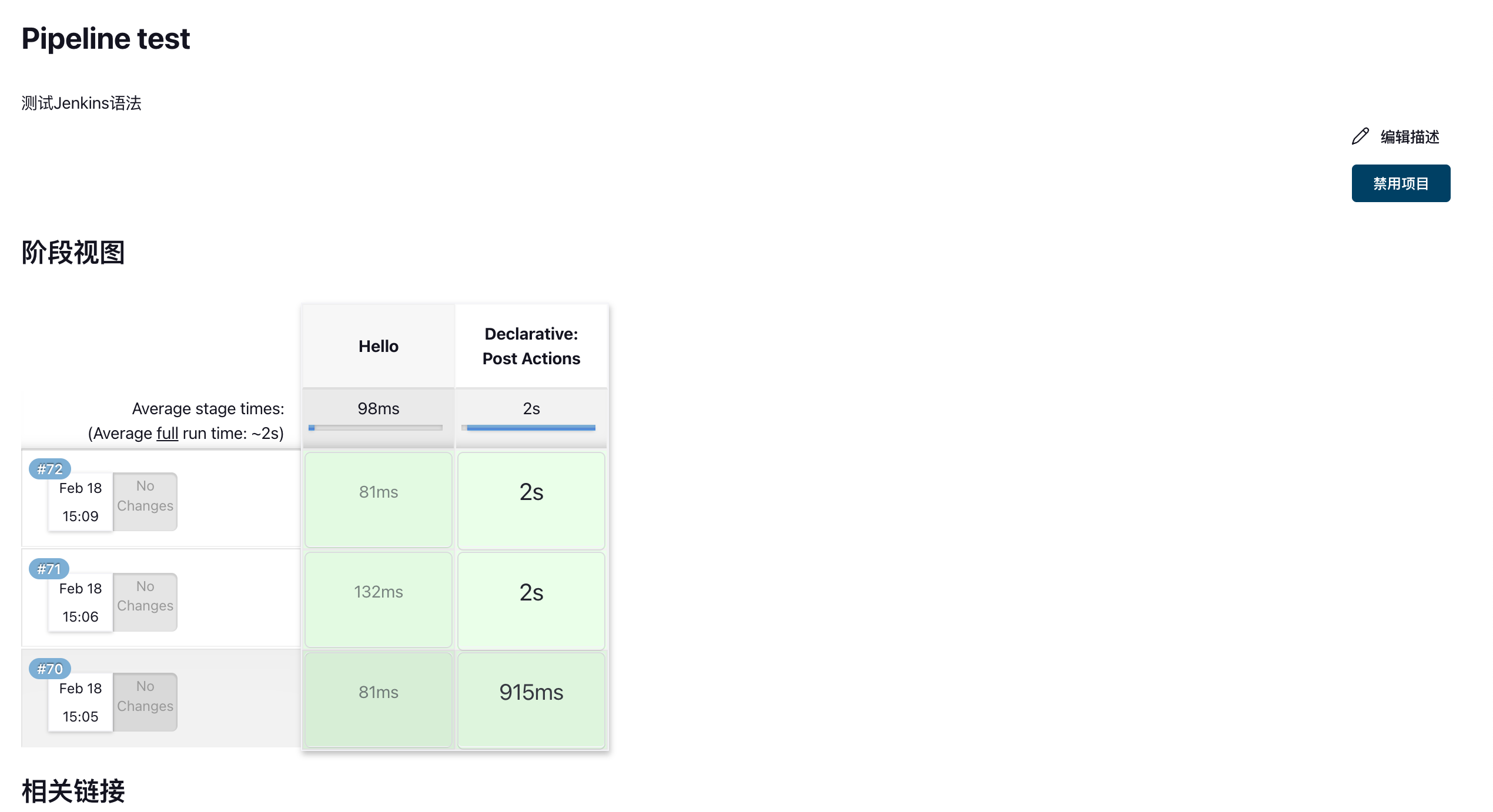
Successful
Aborted