Windows Pro Shows "cannot enable Hyper-V service" When Installing Docker
Prerequisites:
-
- Virtualization is already enabled on the computer
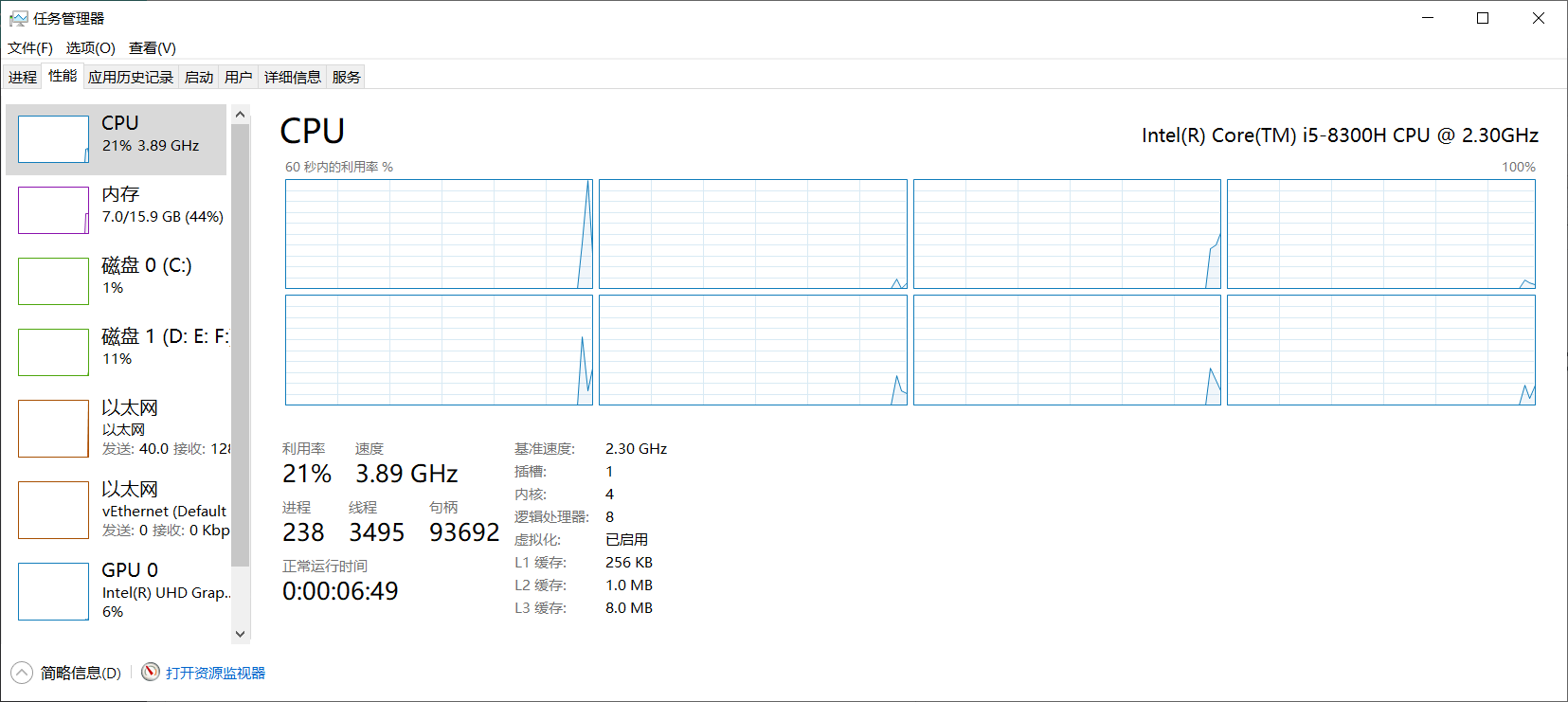
- Virtualization is already enabled on the computer
-
- Other virtual machine software has been uninstalled (VirtualBox, VMware)
-
- All steps from Microsoft's documentation have been tried Install Hyper-V on Windows 10
-
- However, the HV Host Service cannot be started in Services
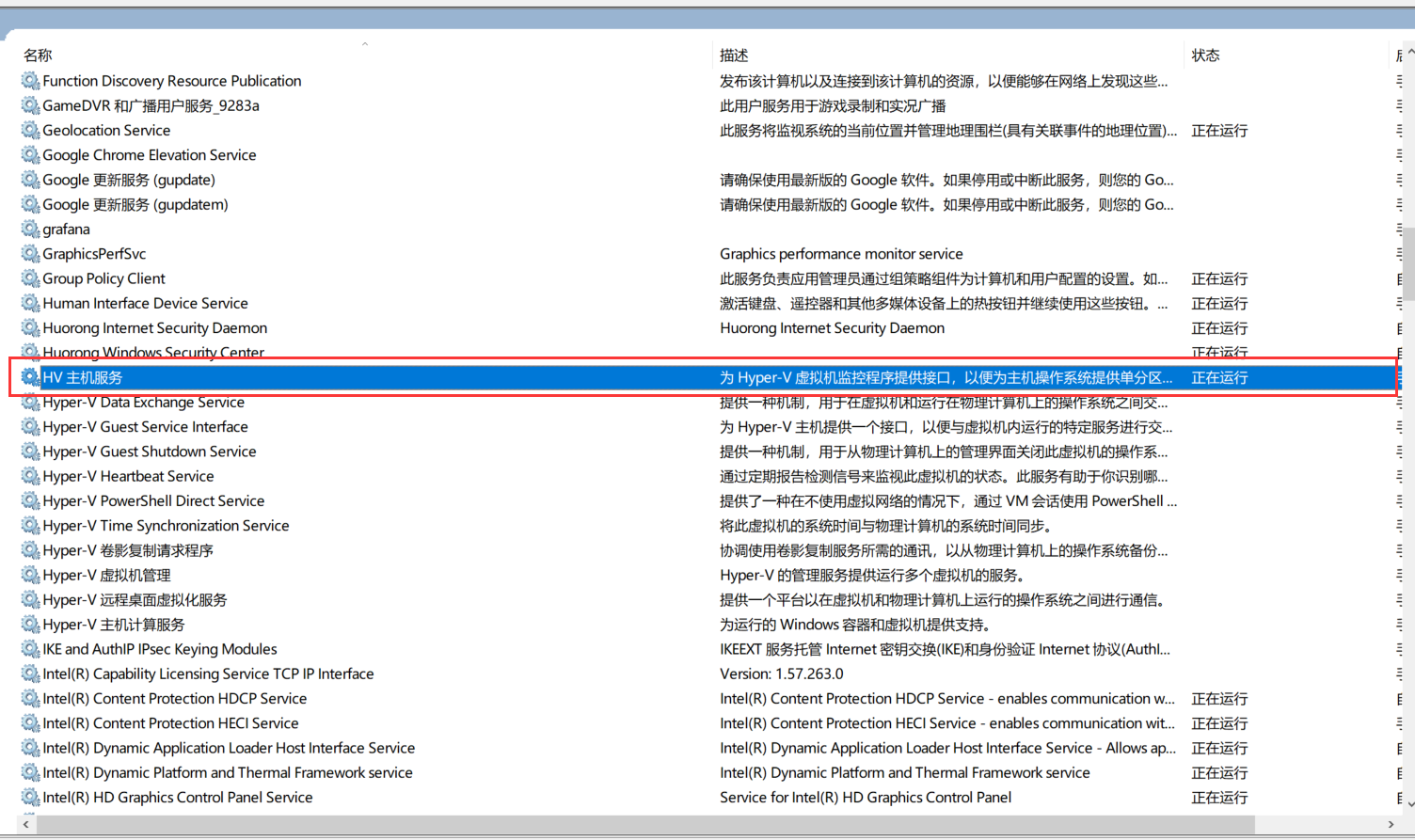
- However, the HV Host Service cannot be started in Services
Solution
Open "Programs and Features" in Control Panel

Uncheck Hyper-V
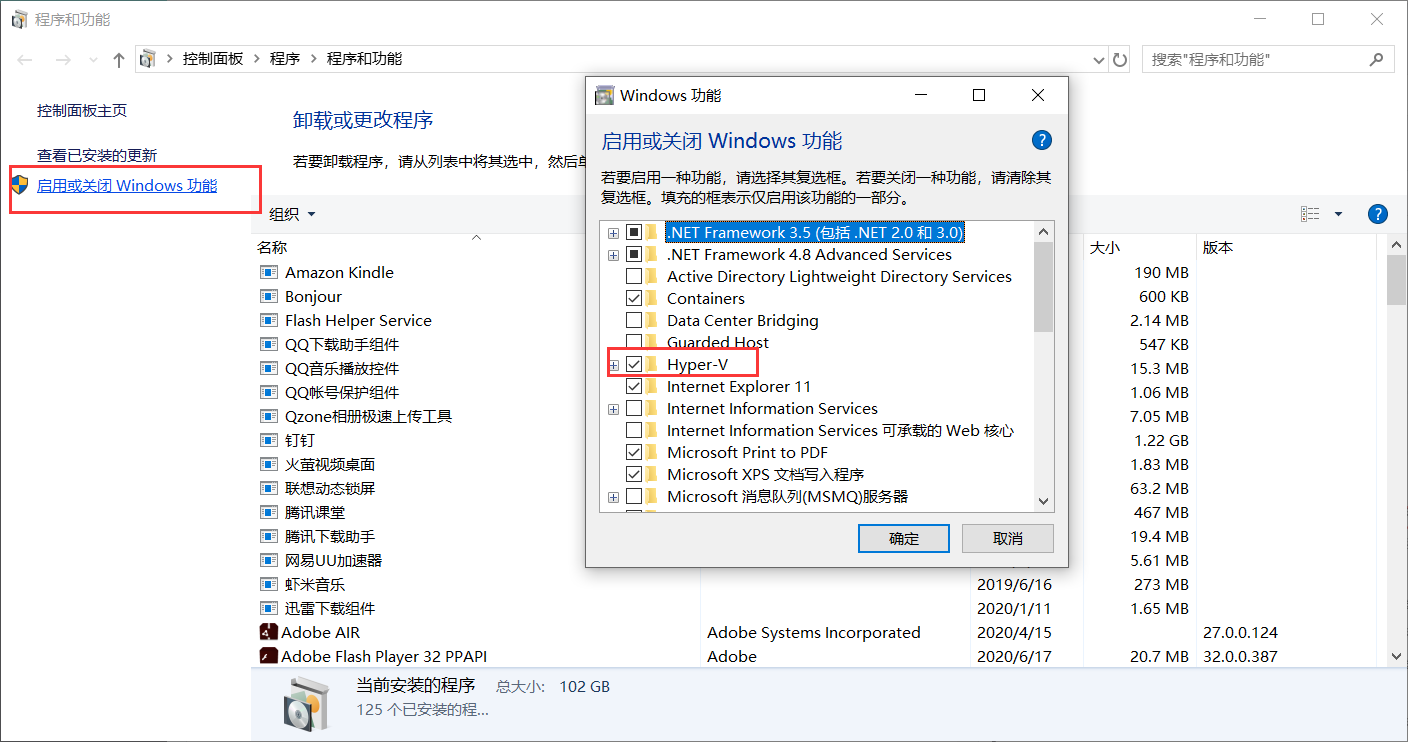
Restart the Computer
Although HV has been uninstalled, there may be residual services. Open Services again and try to start the HV Host Service. If it can start, or if the HV service no longer exists, you're good to go.
Install HV via Command Line
Right-click the Start Menu
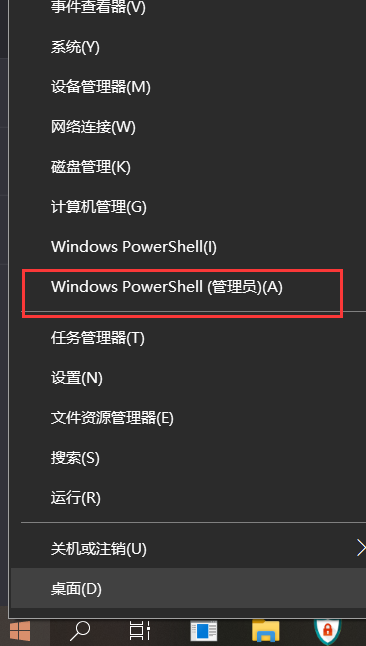
Install via Command Line as Administrator
Enable-WindowsOptionalFeature -Online -FeatureName Microsoft-Hyper-V -All
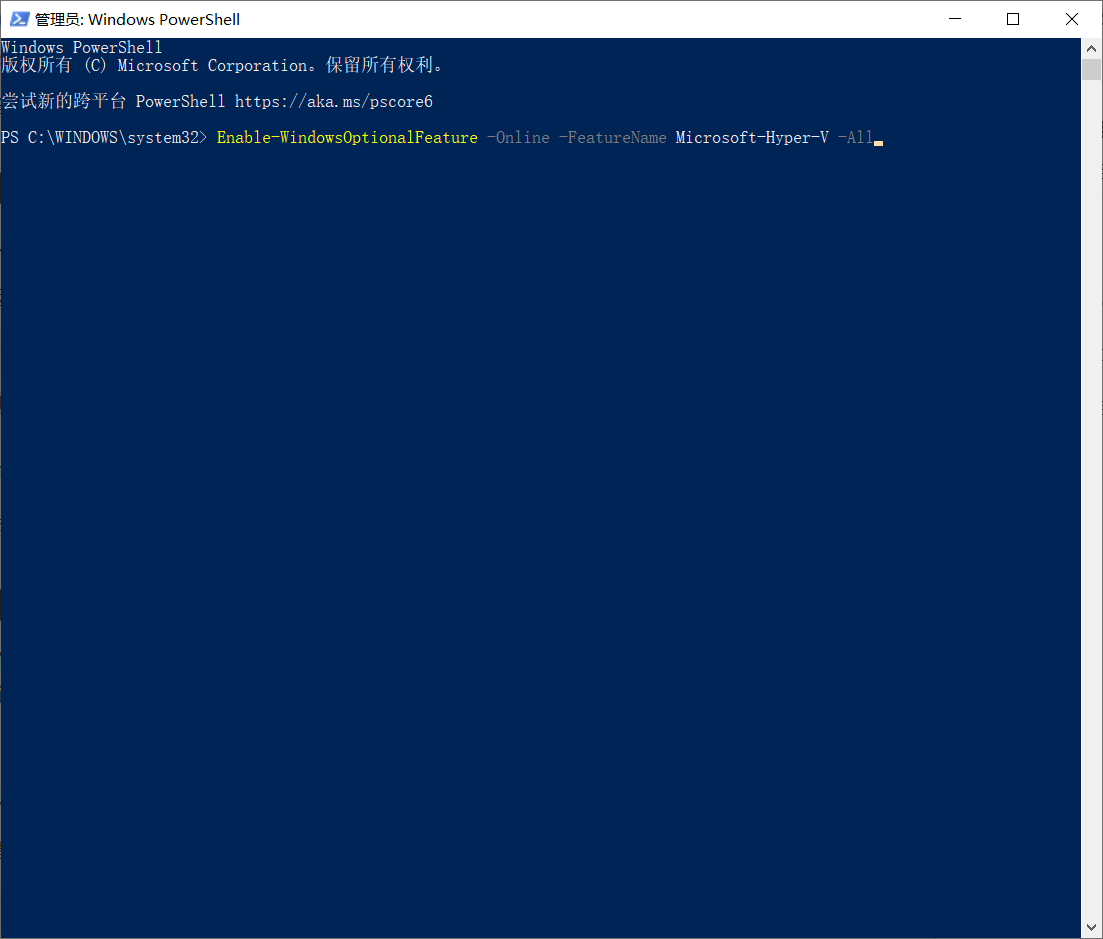 Then restart the computer and open the HV service.
Start Docker
When starting Docker, you may see an error. Simply reinstall Docker to resolve it.