Jenkins Configuration: Changing Plugin Source
Changing Plugin Source
Step 1: Update Console Configuration
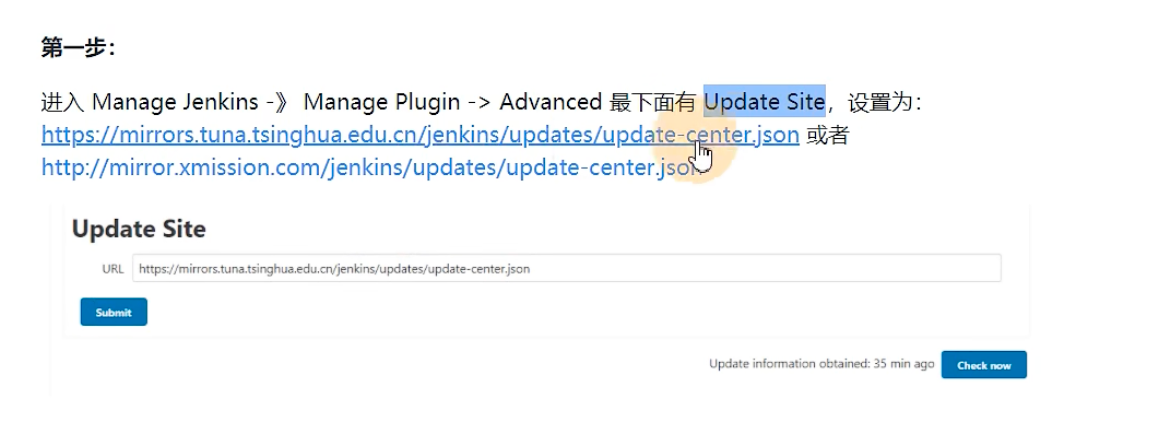
https://mirrors.tuna.tsinghua.edu.cn/jenkins/updates/update-center.json
Step 2: Modify Configuration File
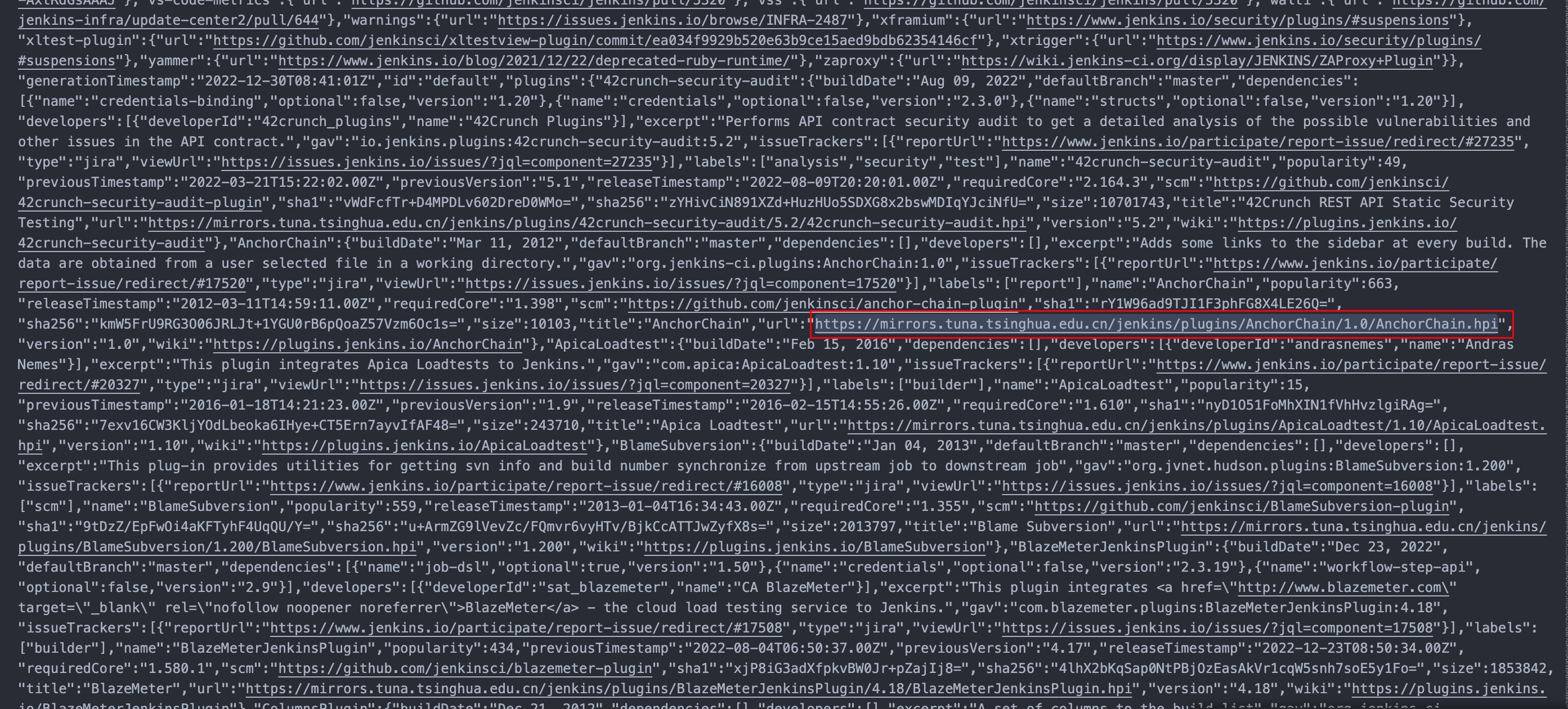
Navigate to /updates/default.json in your Jenkins installation directory and replace updates.jenkins-ci.org/download with mirrors.tuna.tsinghua.edu.cn/jenkins
Some versions use updates.jenkins.io.org/download instead of updates.jenkins-ci.org/download
If your Jenkins is deployed on a server, I recommend downloading the file, making changes locally, then uploading it back, as the file contains a lot of content.
If Jenkins was installed via Docker, the corresponding directory inside the container is /var/jenkins_home. Enter the container with: docker exec -it <containerId> /bin/bash
If you've set up volume mounts, find the file at the specified host location.
For example, if you ran Jenkins with these mounts:
"/dockerData/jenkins/jenkins-data:/var/jenkins_home",
"/dockerData/jenkins/jenkins-docker-certs:/certs/client:ro",
"/etc/localtime:/etc/localtime"
Then the file you need to modify is at /dockerData/jenkins/jenkins-data
Step 3: Verify
After replacement, test by accessing one of the replaced links to verify you can download the corresponding file.