Jenkins Pipeline Error: No ECDSA host key is known for github.com
Solution source: stderr: No ECDSA host key is known for github.com and you have requested strict checking
There are two solutions to this problem:
Option 1: Configure Jenkins to Use No verification
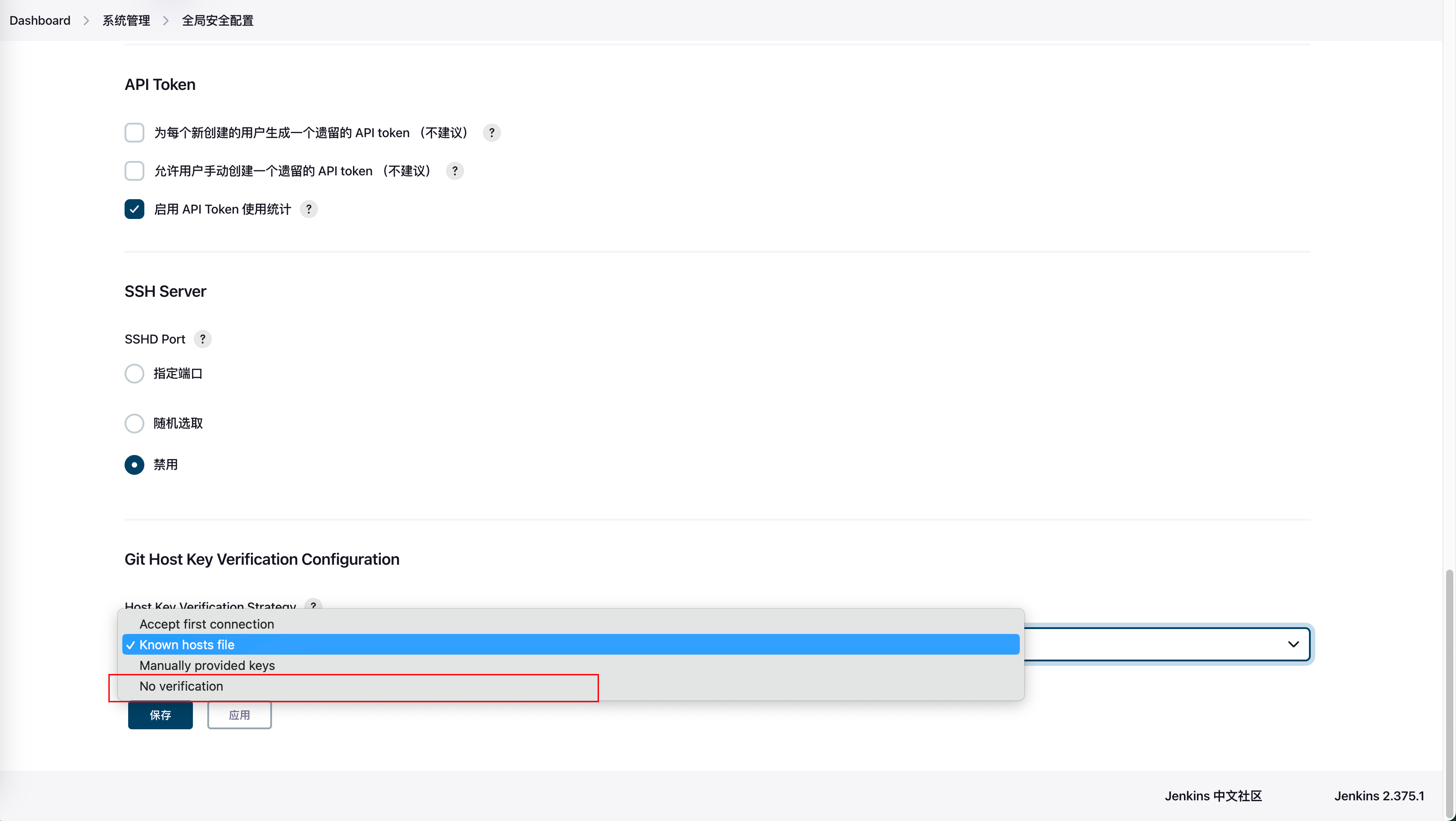
This isn't a good practice as it may cause security issues.
Option 2: Configure the Jenkins Server/Container
Execute this command on the server where Jenkins is installed:
ssh-keyscan github.com >> ~/.ssh/known_hosts
If your Jenkins runs in a container, you need to enter the container to execute this command. Create the file first if it doesn't exist.
docker exec -it -u root <containerId> /bin/bash
cd ~/.ssh/
touch known_hosts
ssh-keyscan github.com >> ~/.ssh/known_hosts
Then run your pipeline again and it should work.