Deploy URL Shortener Sink on Cloudflare
1. Introduction
I've recently become obsessed with Cloudflare. I feel it's very likely to become the major trend for individual webmasters in the future - deployment and domain management are just so convenient.
2. About Sink
Official repository: https://github.com/ccbikai/Sink
You can try the online demo directly: https://sink.cool/dashboard
2.1 Features
It offers the following capabilities:
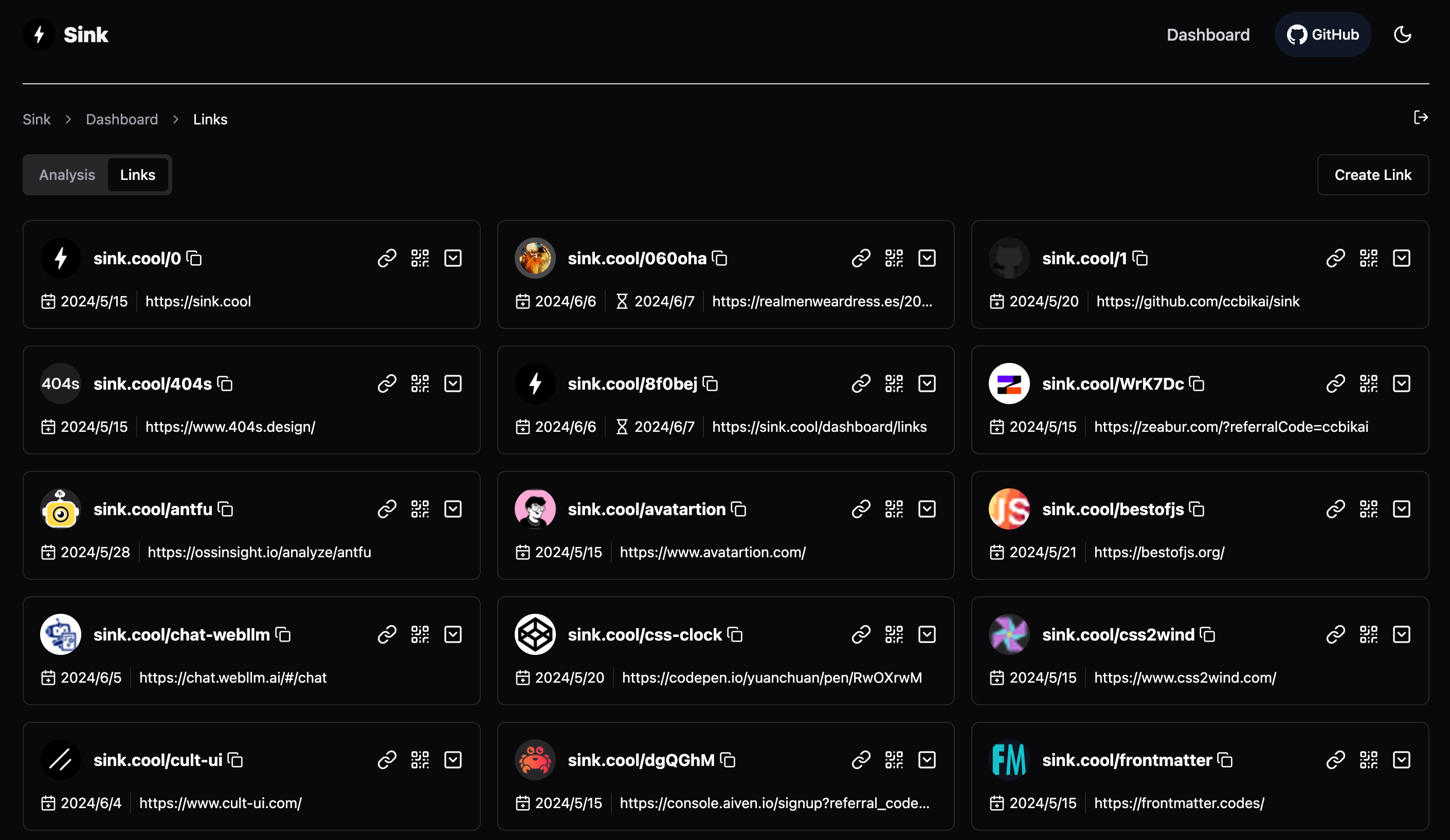
- URL Shortening: Compress URLs to minimal length
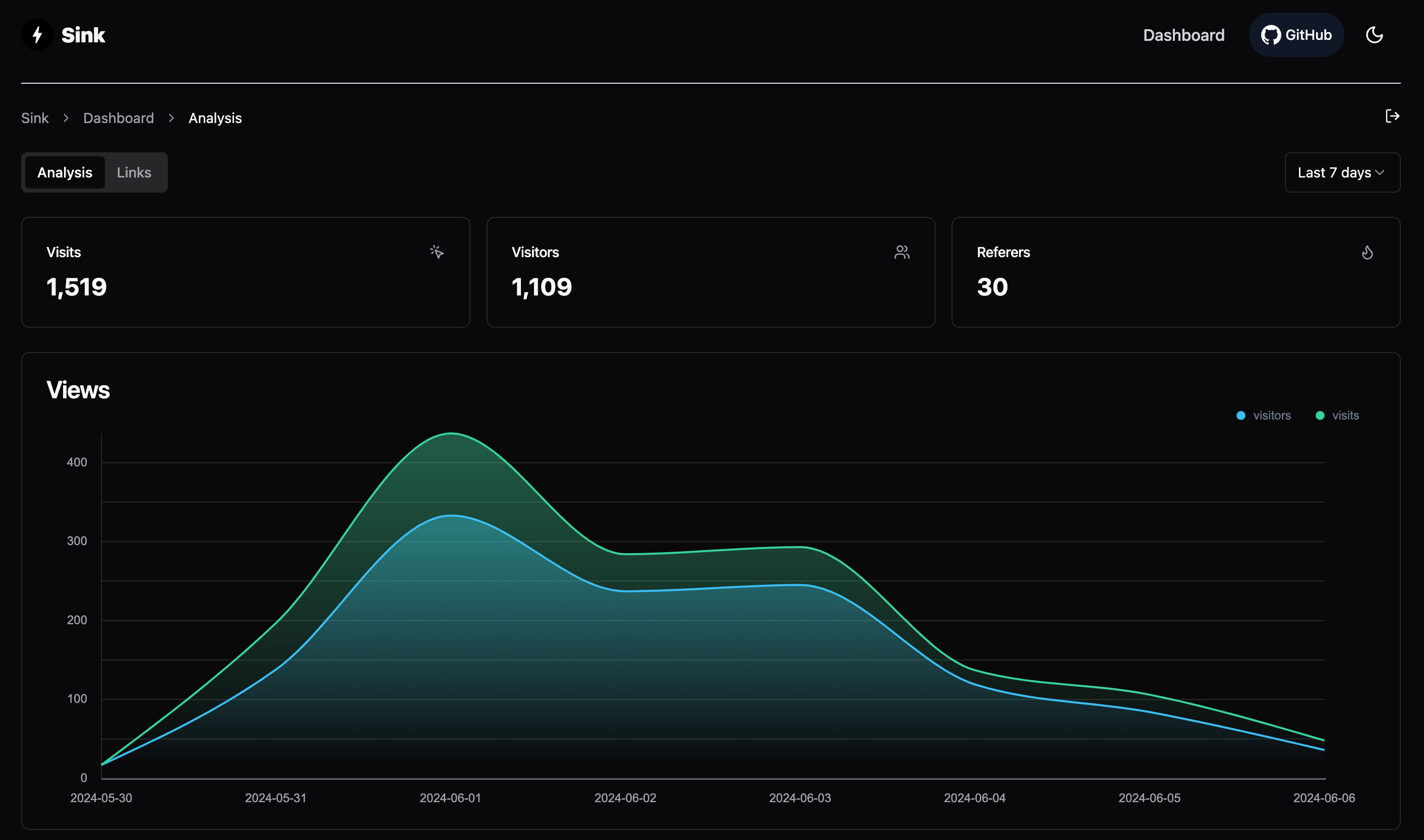
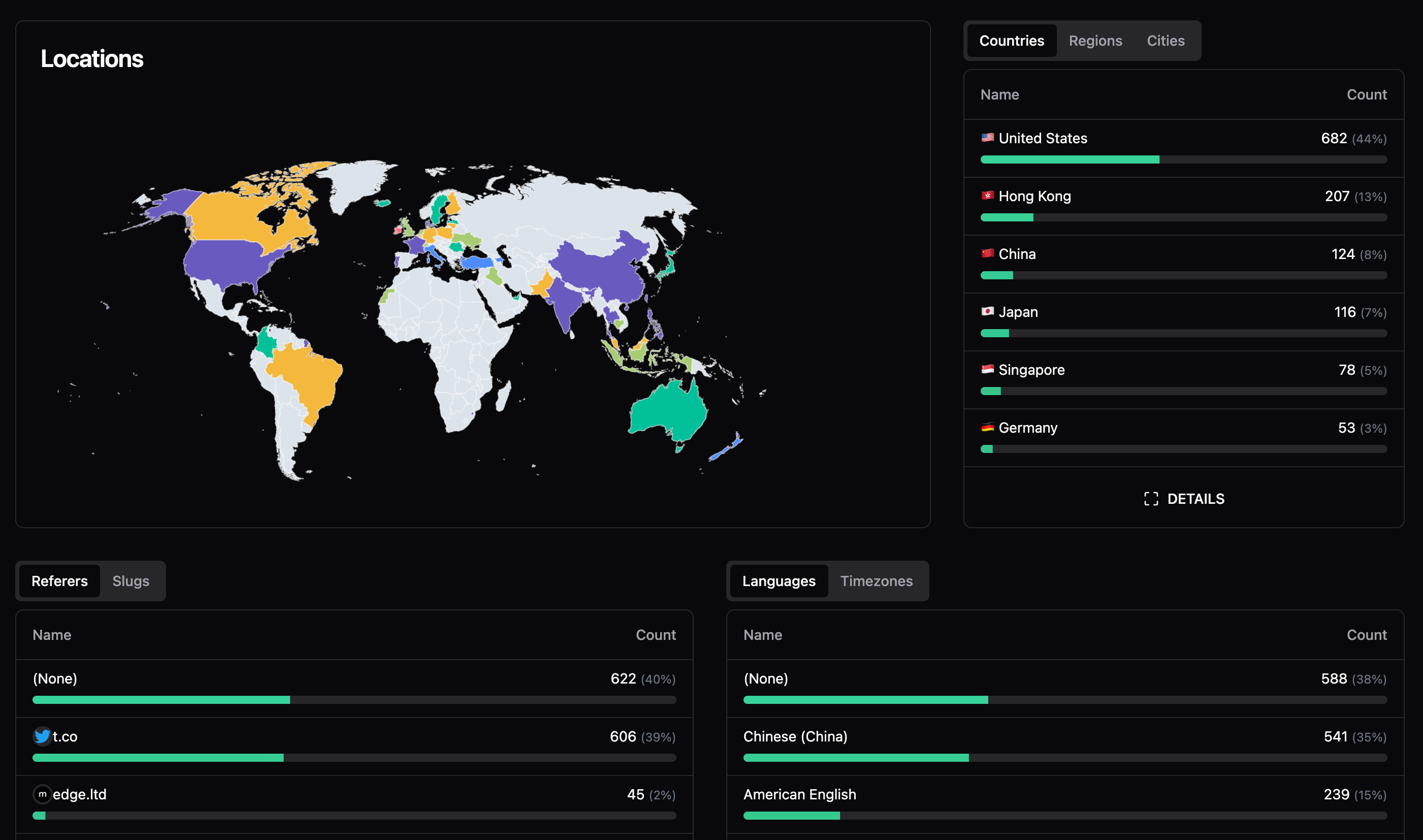
- Analytics: Monitor link analytics and collect insightful statistics
- Serverless: Deploy without traditional servers
- Customizable Slug: Support for personalized slugs
- AI Slug: Generate slugs using AI
- Link Expiration: Set expiration dates for links
2.2 Screenshots
2.2.1 Create Link
2.2.2 Analytics Interface
3. Deploy with CF
3.1 Fork the Sink repository to your account
URL: https://github.com/ccbikai/Sink
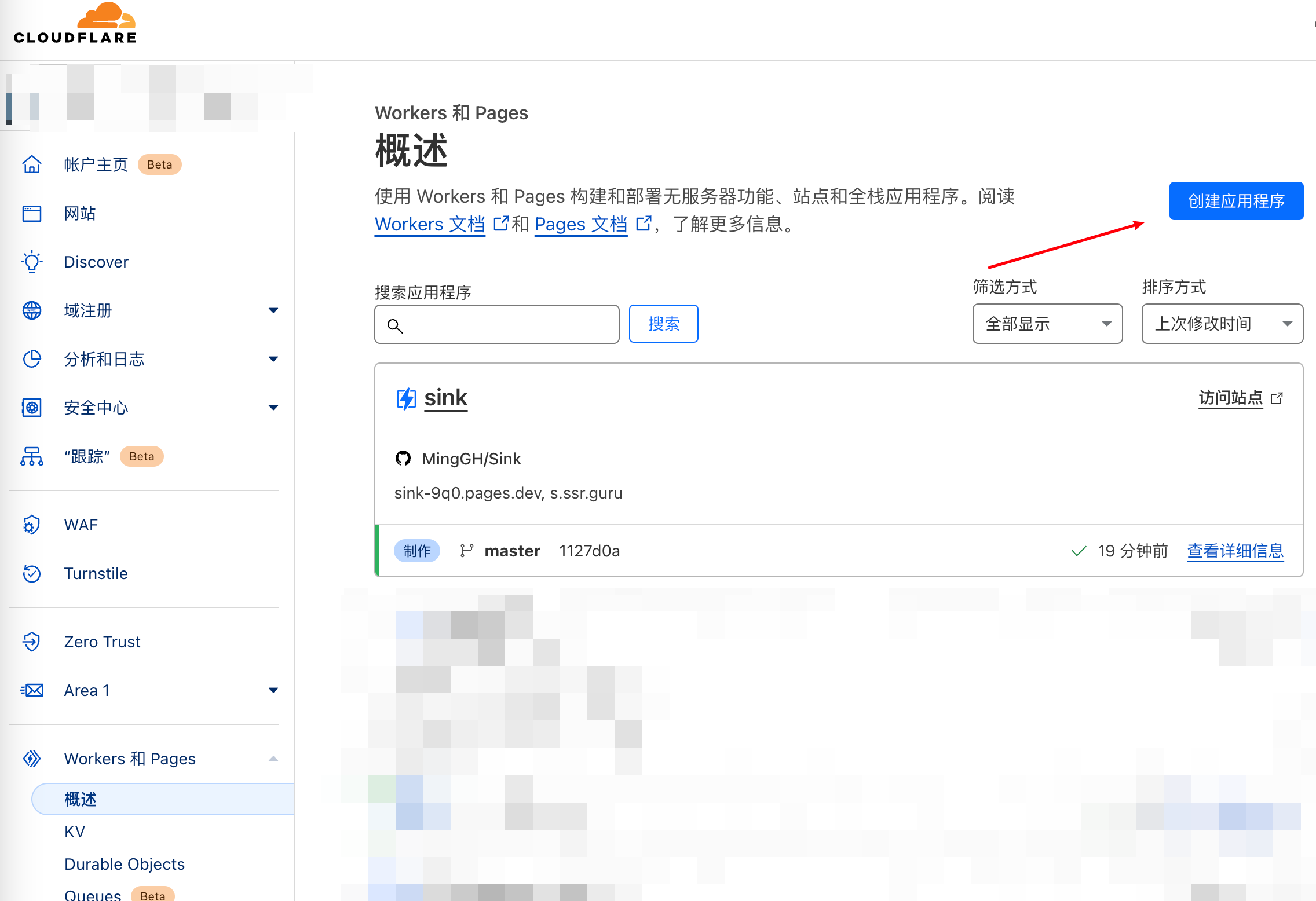
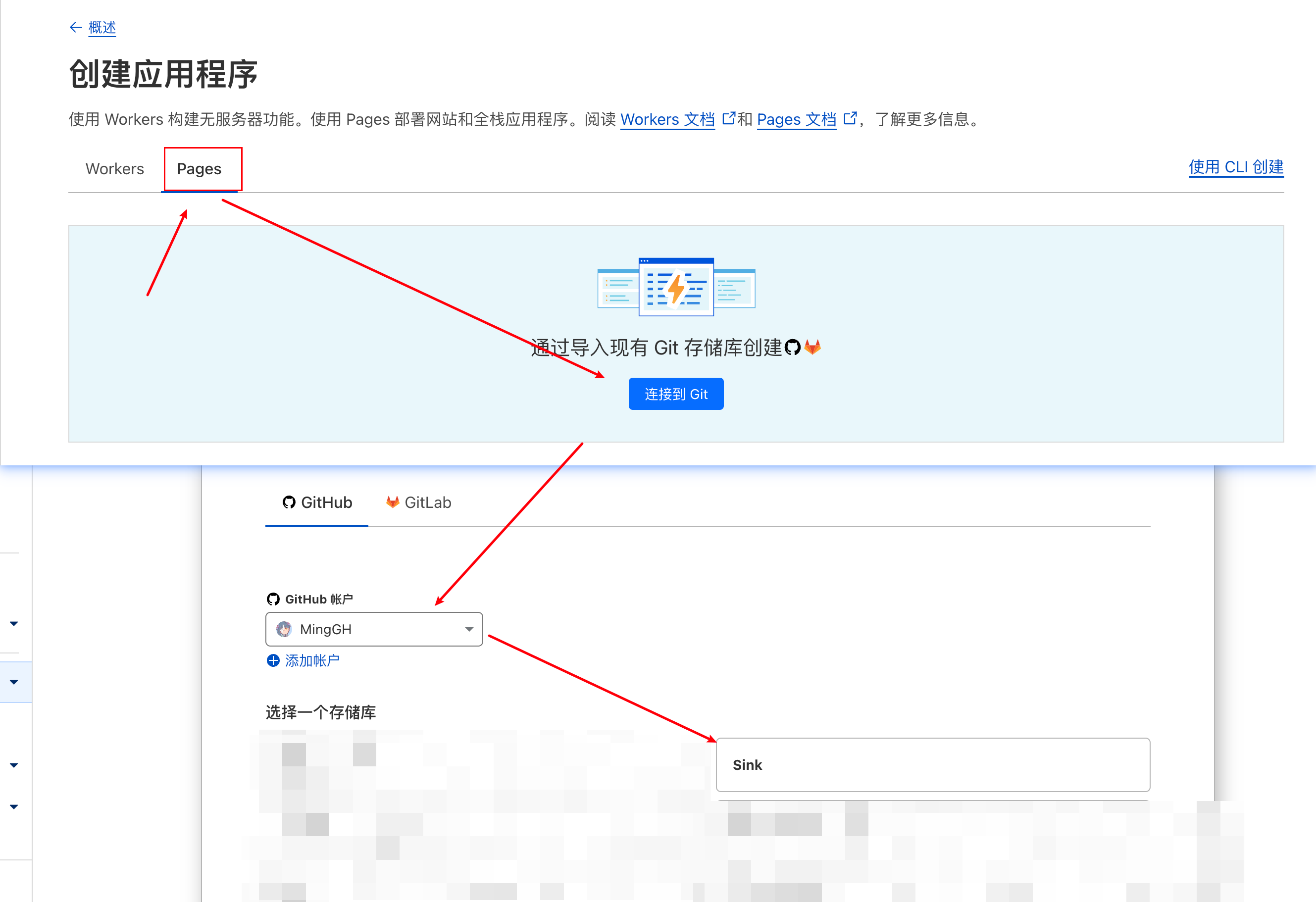
3.2 Create in Cloudflare Pages
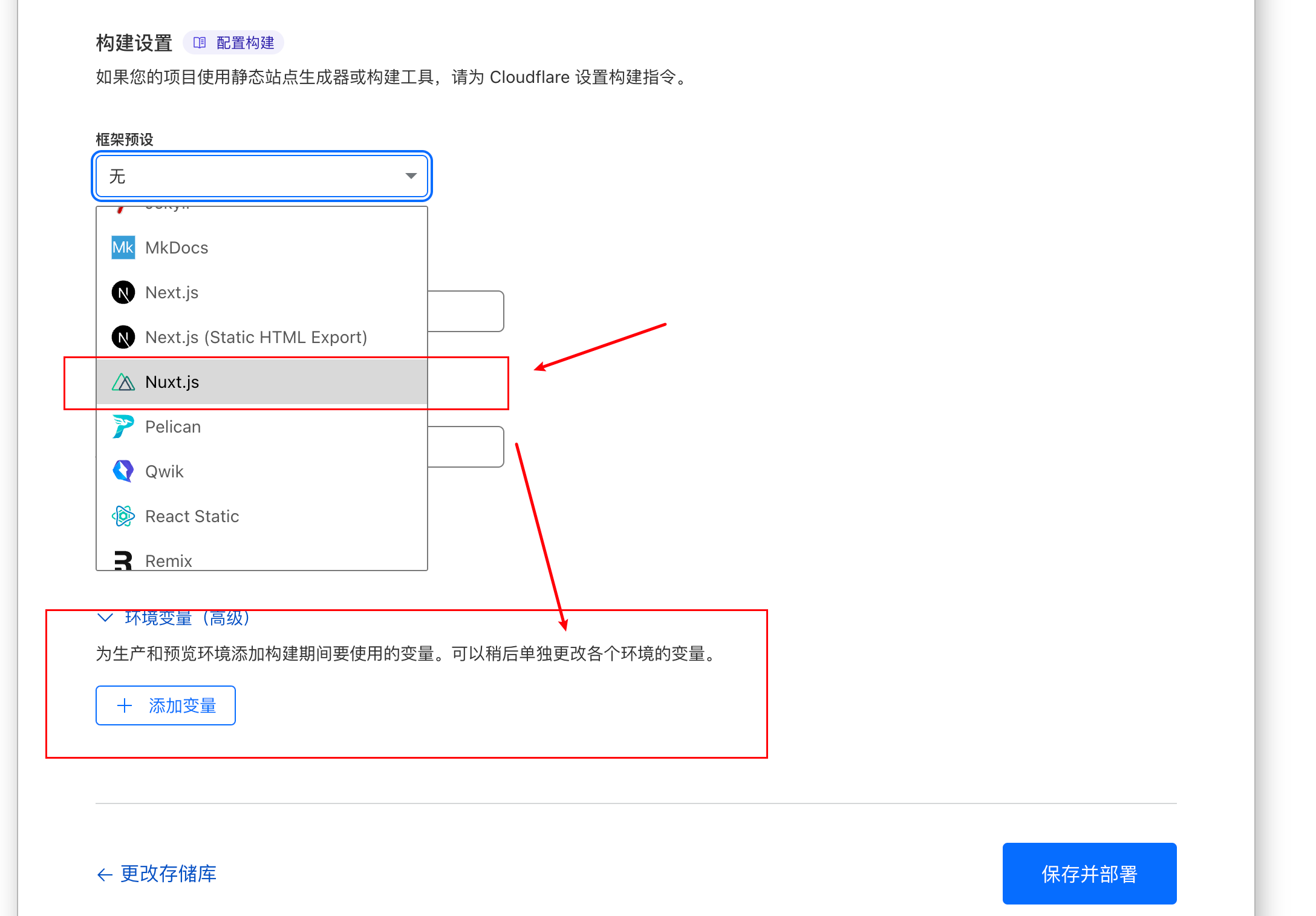
3.3 Select Nuxt.js preset
Make sure you select the right one - it's Nuxt.js, not Next.js
3.4 Configure Environment Variables
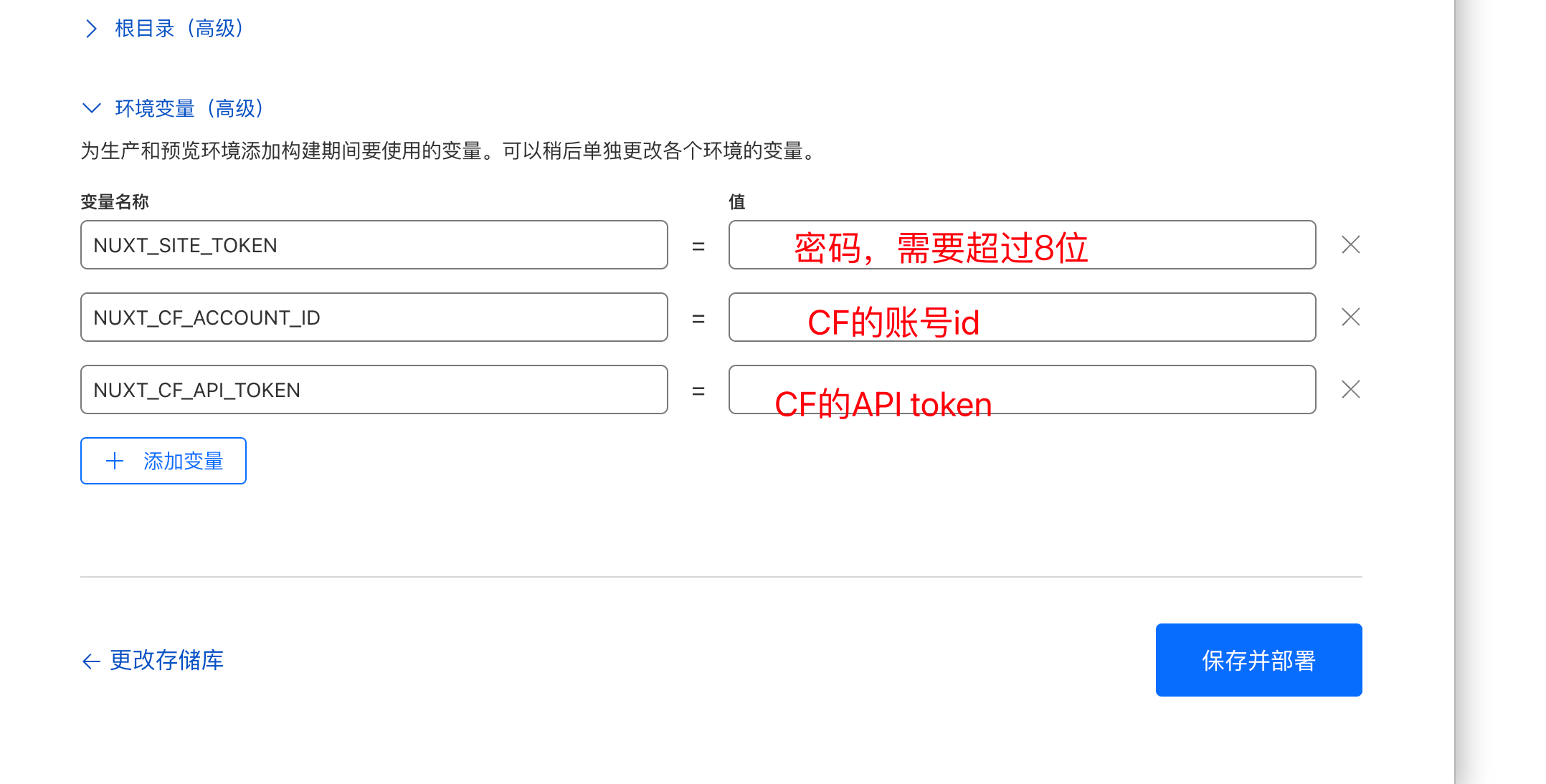
Three variables need to be configured:
-
NUXT_SITE_TOKEN: Password for accessing the project after startup
-
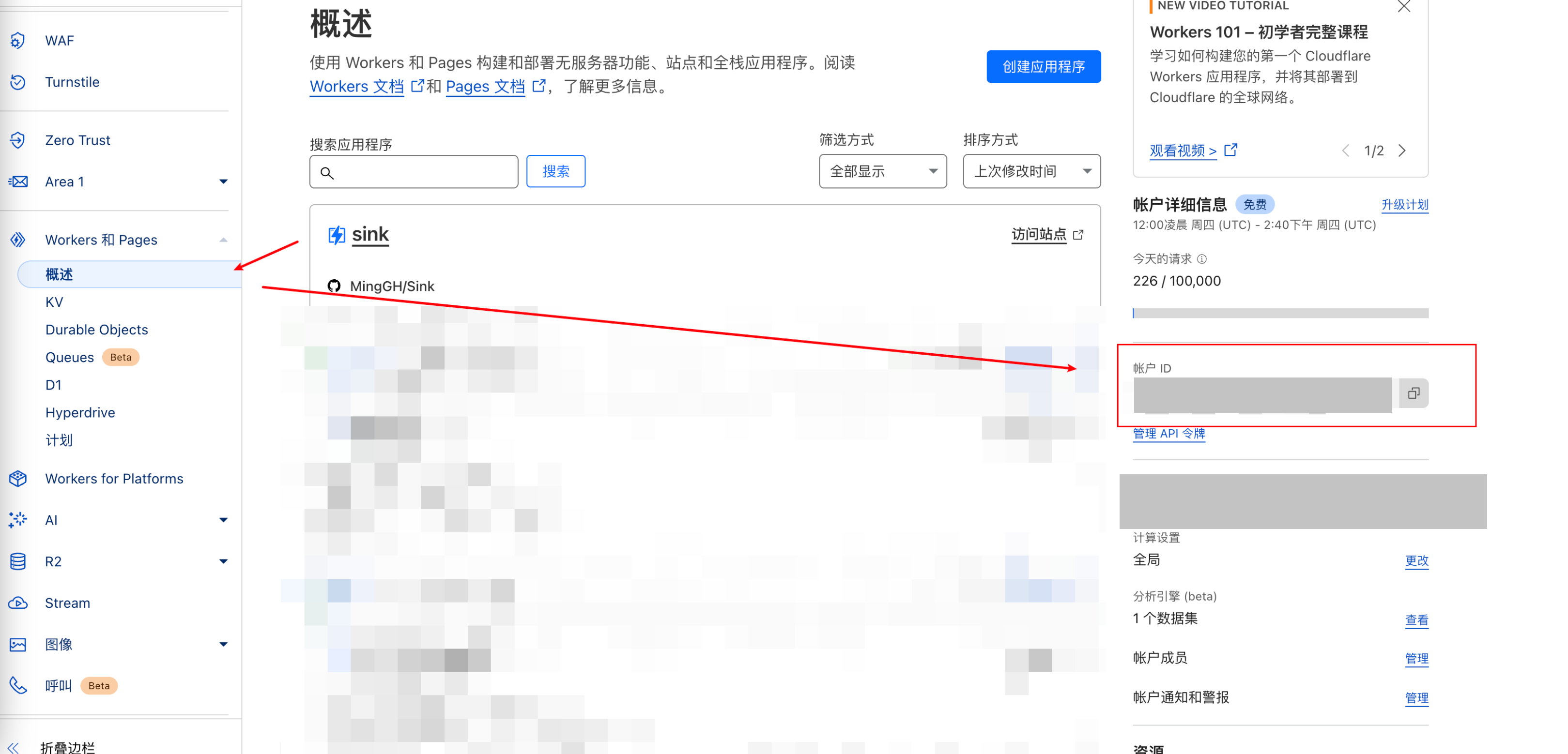
NUXT_CF_ACCOUNT_ID: Your CF Account ID
-
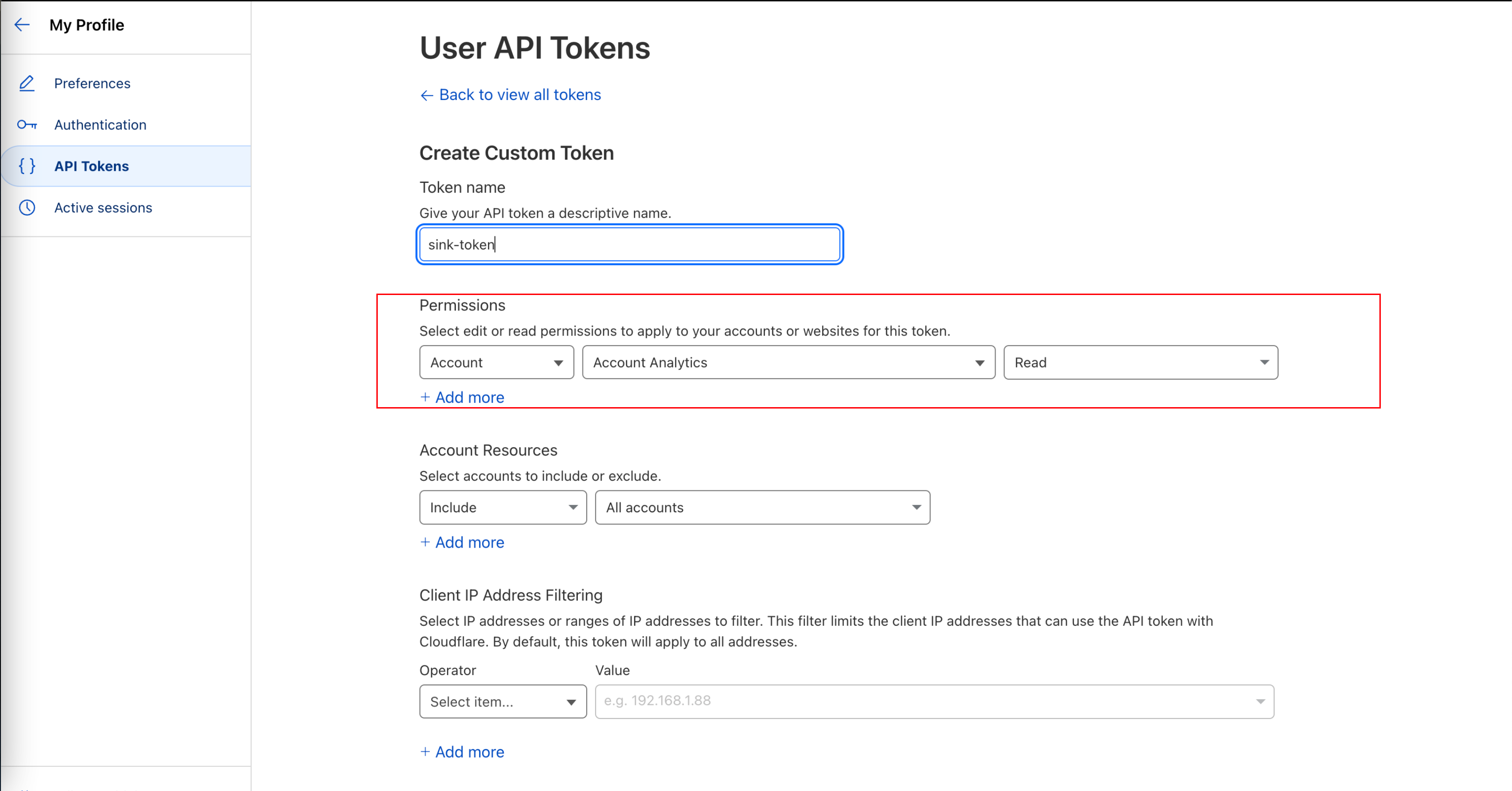
NUXT_CF_API_TOKEN: Account token
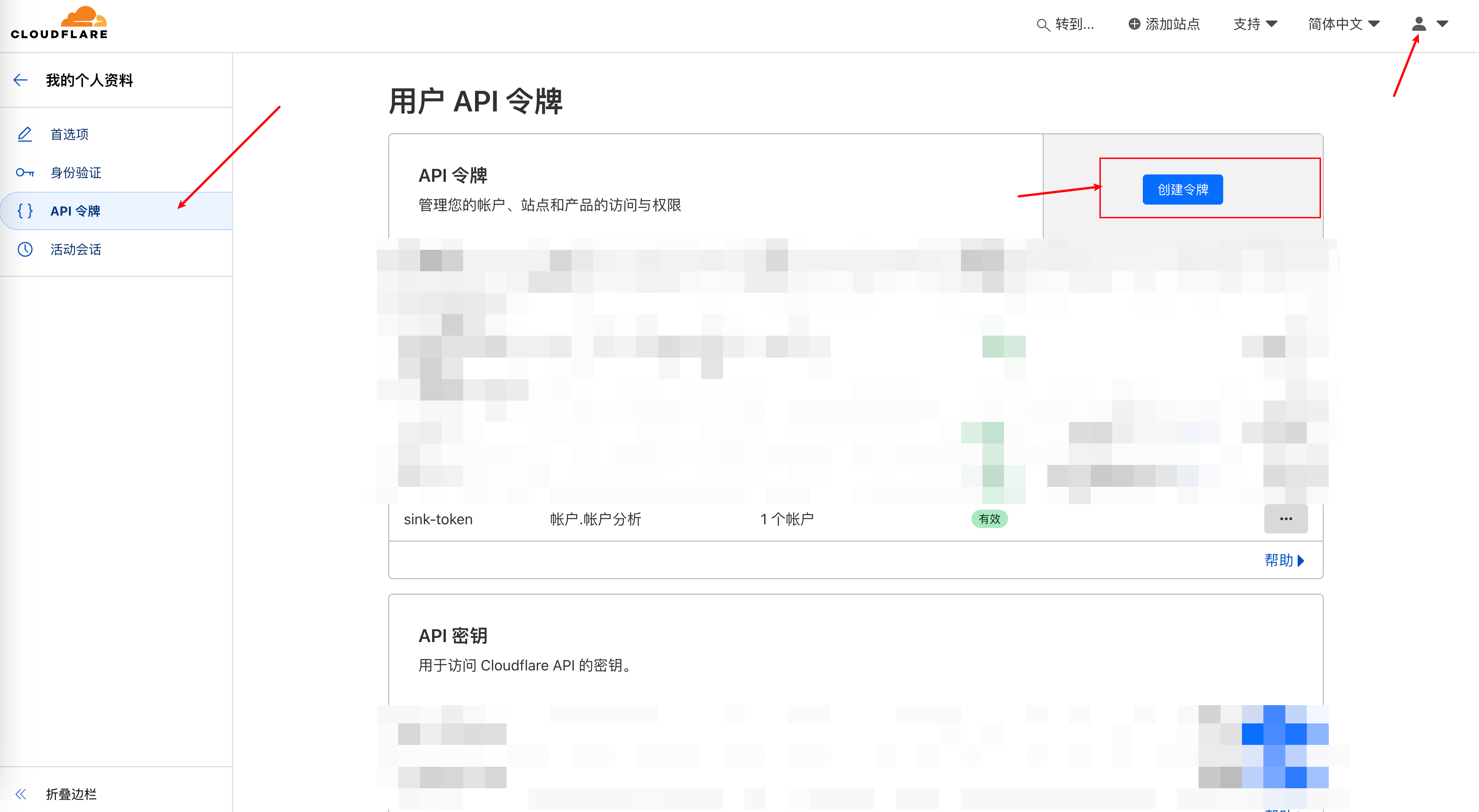
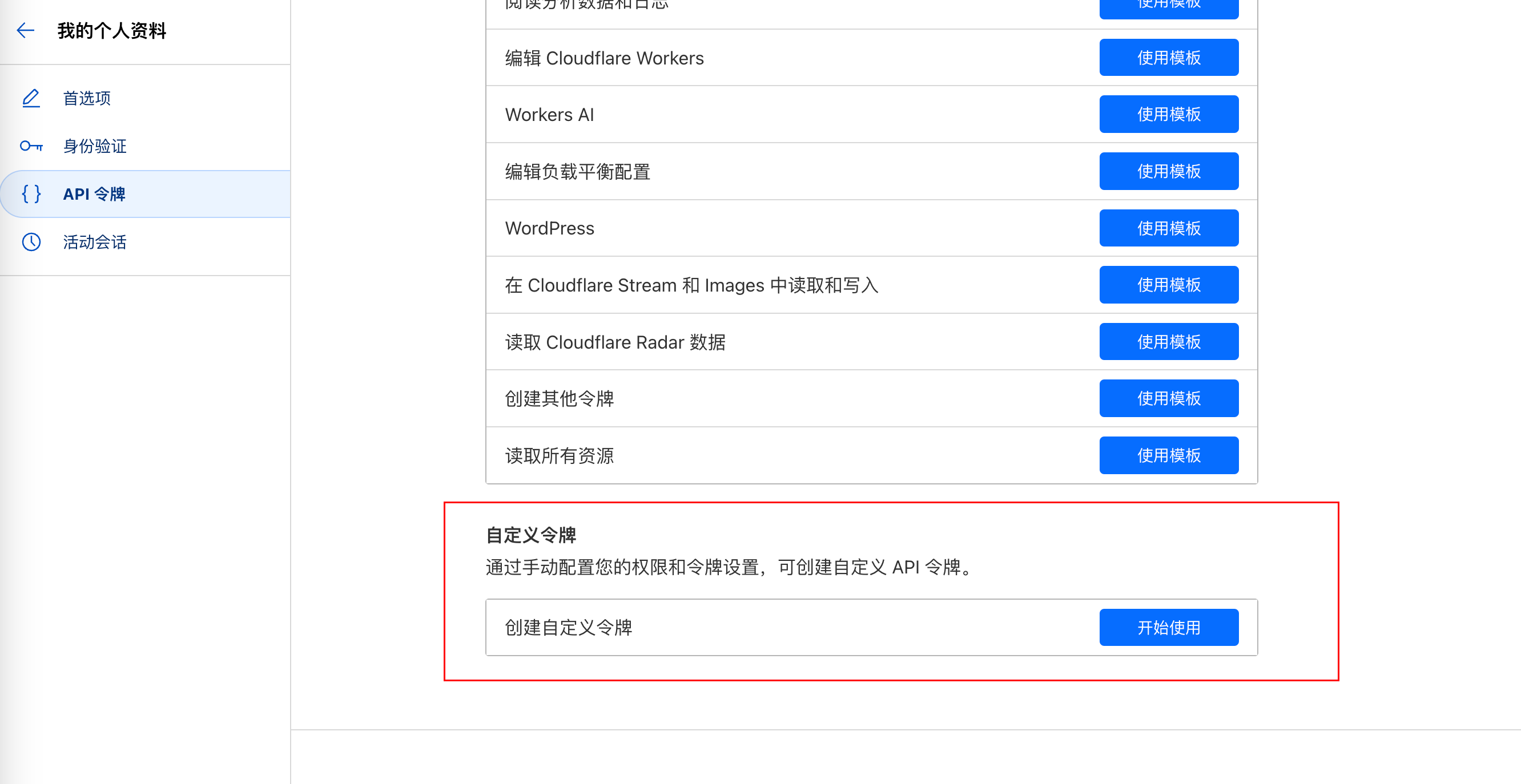
Select Account.Account Analytics. If your interface is in Chinese, you can change the language to English in the top right corner for easier selection.
3.5 Save and Deploy
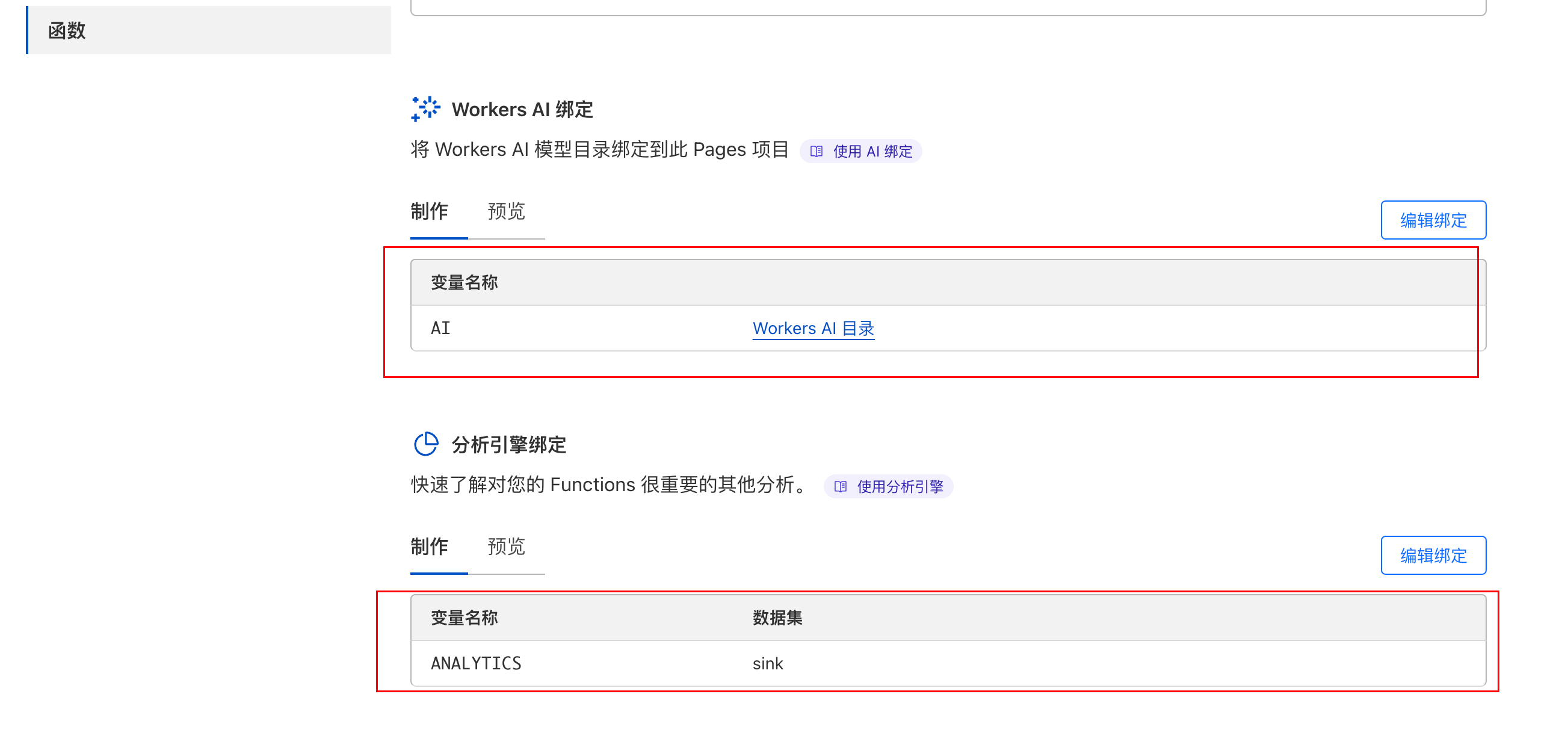
However, the deployment might fail at this point. You need to go back to CF Pages settings, select Functions, and configure:
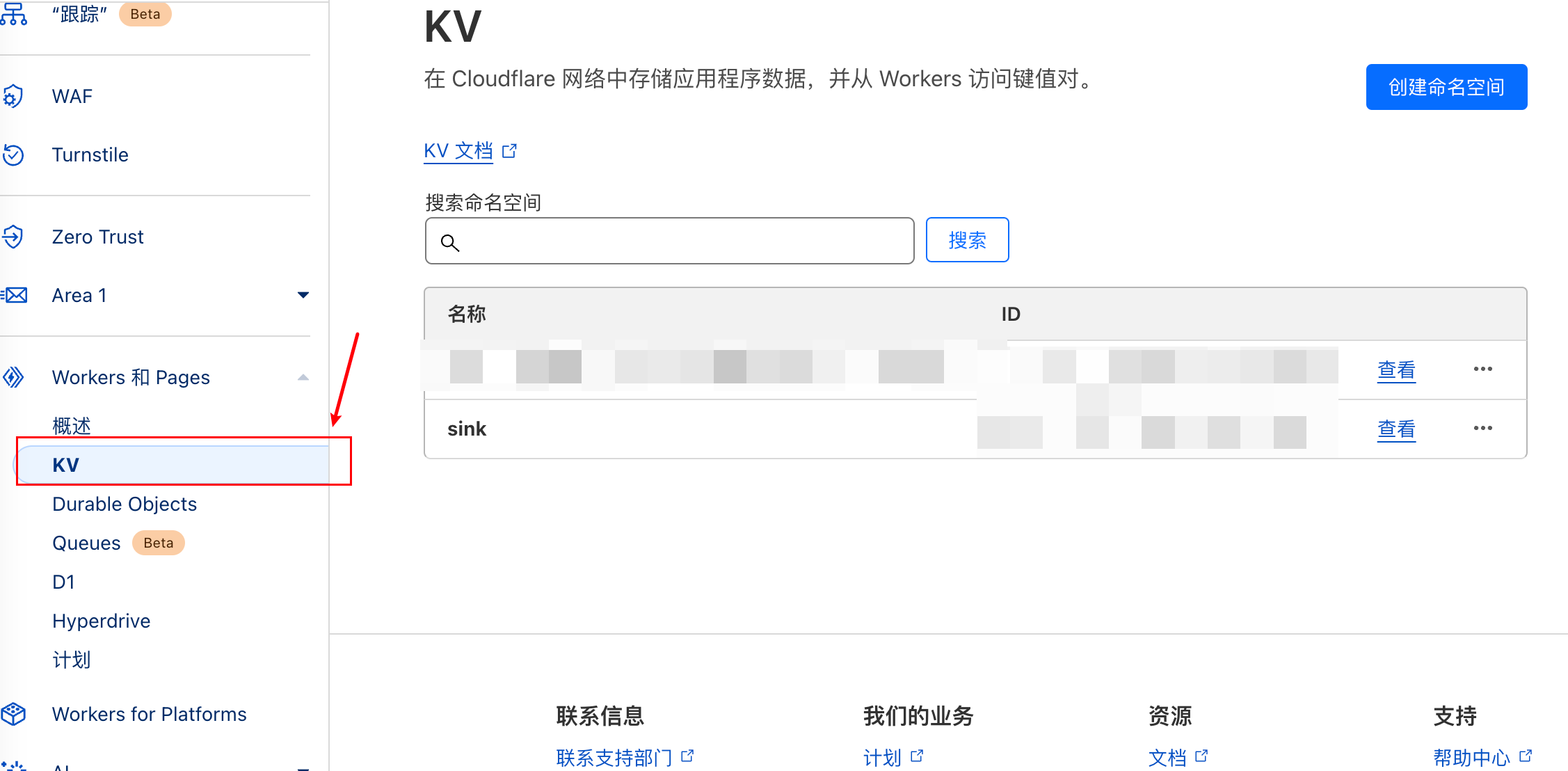
3.5.1 KV Namespace Binding
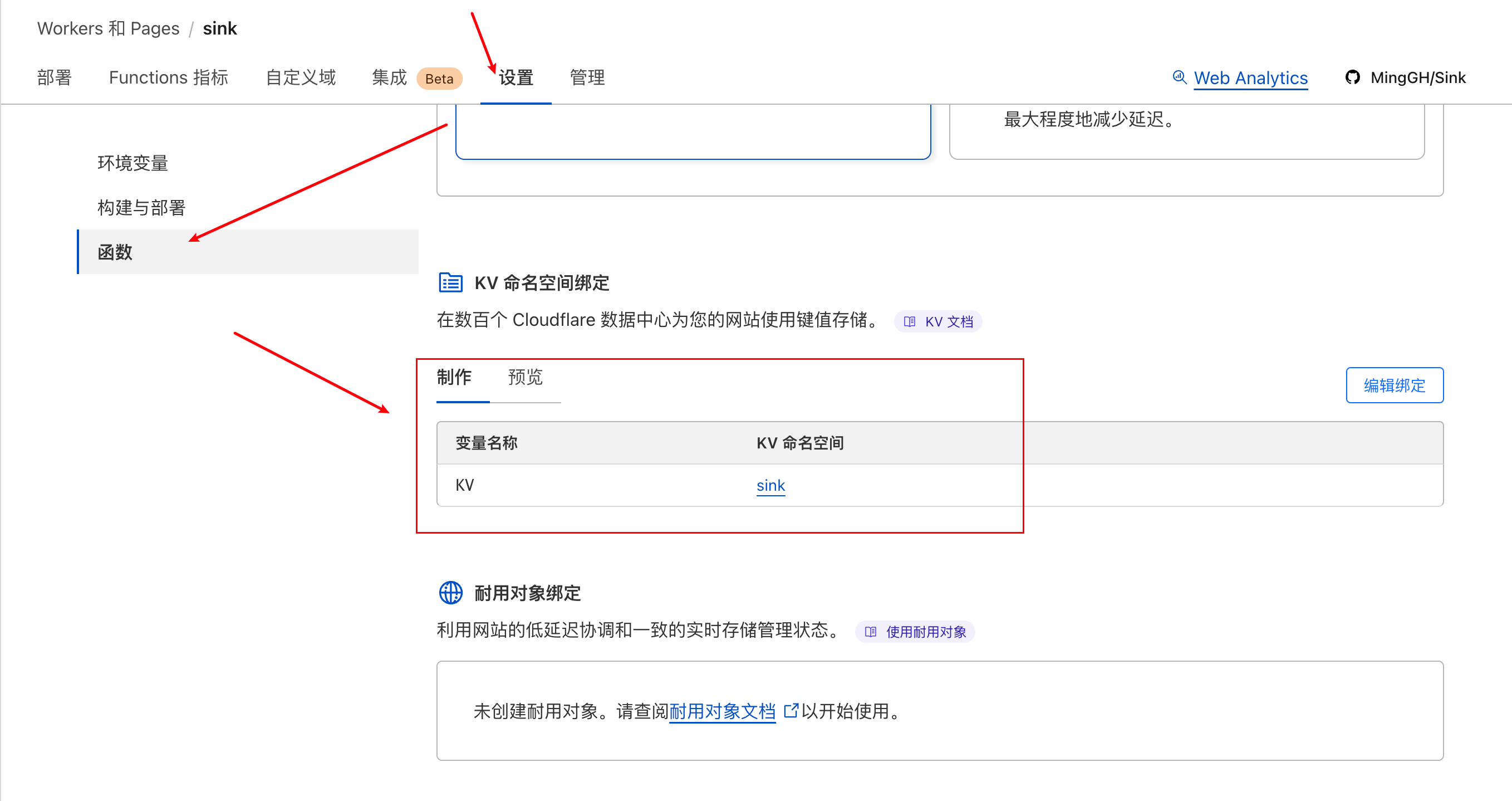
If you don't have a KV namespace yet, you can create one here:
3.5.2 Workers AI Binding and Analytics Engine Binding
- AI
- ANALYTICS
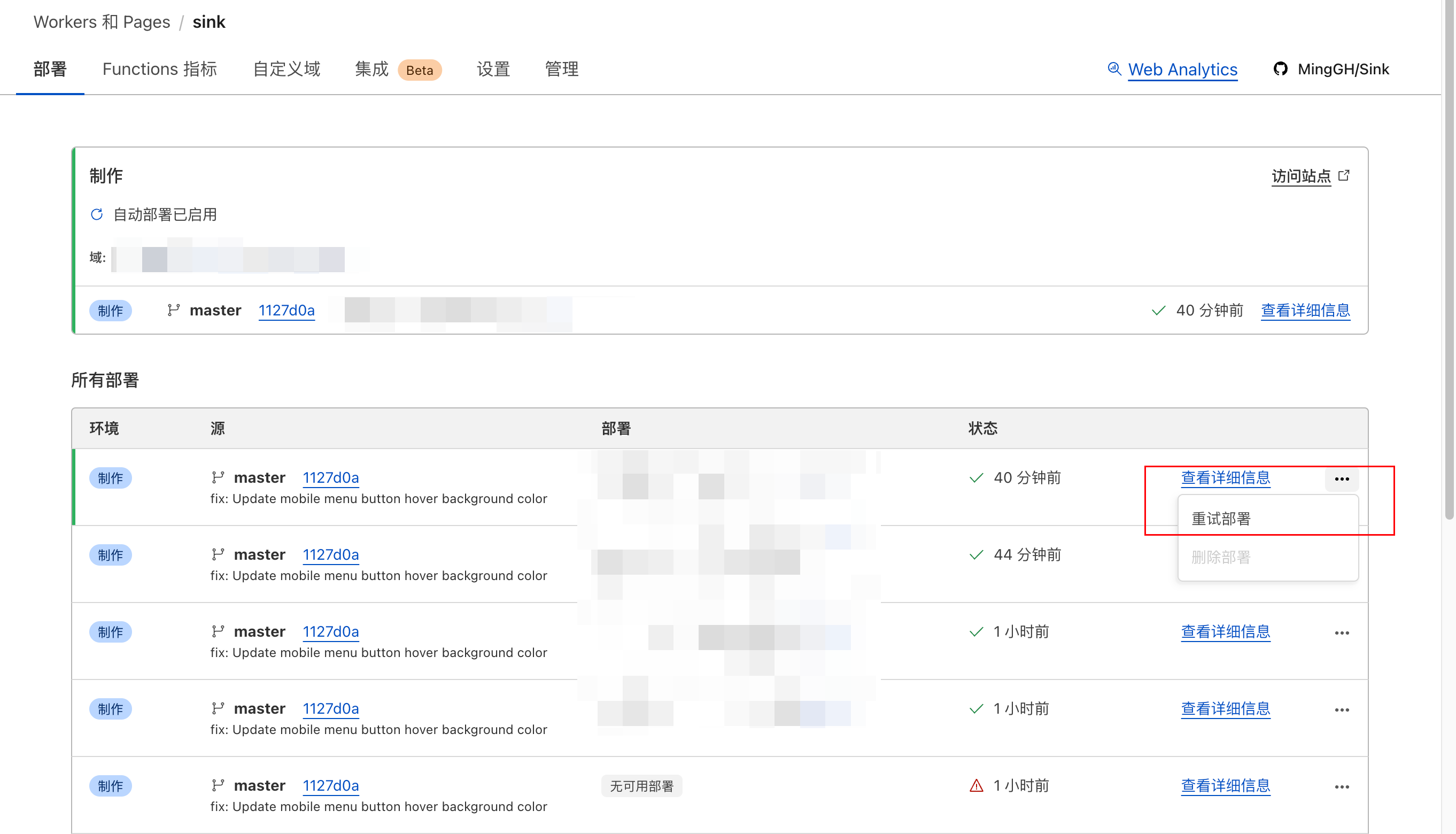
3.6 Go back to the deployment page and redeploy
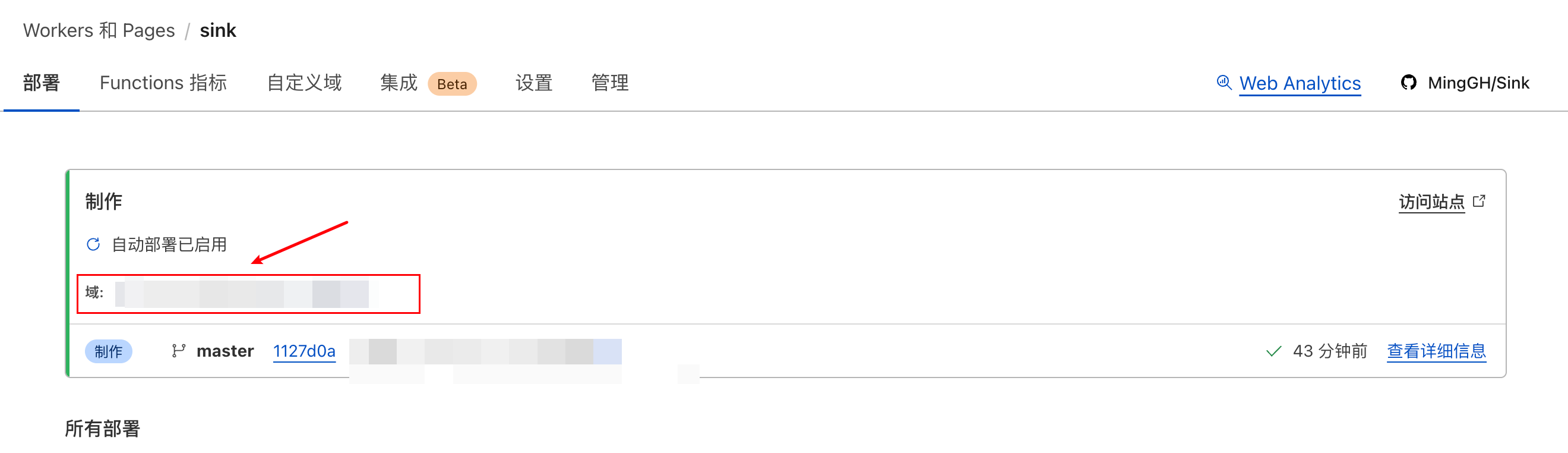
4. Finally
Visit your domain and check it out!
5. Troubleshooting
5.1 No such module "node:buffer"
Related GitHub issue: Error when deploying sink on cloudflare
Solution:
Add the compatibility flag nodejs_compat in the Cloudflare dashboard:
