[NAS] QNAP TS-464C /etc/profile Gets Reset After Reboot, Causing Environment Variables to Not Take Effect
Cause
Initially, I configured Java environment variables on my NAS, but one night after restarting the NAS, I found the next day that the Java environment variables were gone again. That's when I discovered QNAP resets the /etc/profile file.
After searching online, I found that many people encountered the same problem. I have to say, Chinese documentation for QNAP is really scarce - while Googling this issue, I ended up finding my own blog... which means not many people had paid attention to this before.
Solution
I found some people with the same issue in the QNAP forum:
how to set environment variable permanently
Their suggested solution:

Copy a .bashrc file to your user directory, then set environment variables. It should take effect every time you create a new terminal window, but after testing, it didn't work.
The real solution is to modify the ~/.profile file. I discovered this because I installed Rust... I noticed that after installing Rust, I could still use cargo after every restart, so the cargo user variables must be correct. I found Rust's configuration in the ~/.profile file, so that must be it.
Add the following configuration to the ~/.profile file:
export JAVA_HOME=/share/Develop/java/zulu17.42.21-ca-crac-jdk17.0.7-linux_x64
export PATH=$JAVA_HOME/bin:$PATH
Then use source ~/.profile to apply immediately. Even after restarting the NAS, the environment variables will persist.
Solving User Directory Disappearing After Reboot
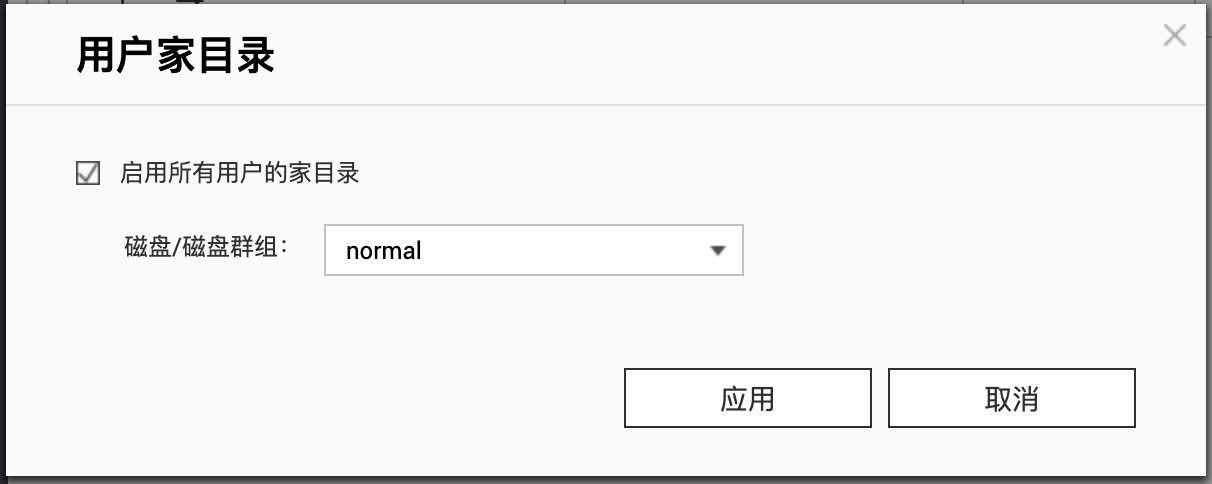
If you followed the forum's method and your user directory disappeared, you can recreate it in the settings. Previous files are still there and won't be lost.
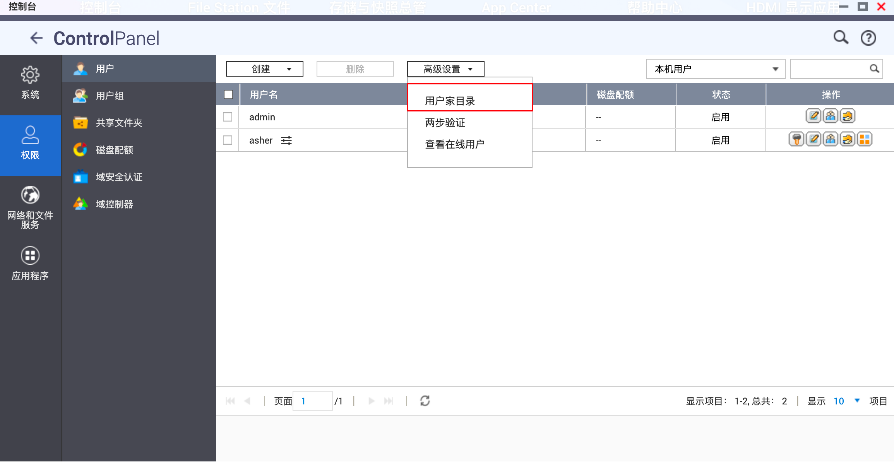
Click Enable, then select the corresponding disk.