Setting Up Spring Source Code Reading Environment
With the mindset of learning Spring source code, I encountered many issues along the way.
1. Spring Source Code Download Guide
Spring source code address: https://github.com/spring-projects/spring-framework
Spring source code build official documentation: https://github.com/spring-projects/spring-framework/wiki/Build-from-Source
1.1 Before You Start
Your computer needs Git installed, JDK 8 update 262 or later. Update 262 or later is required due to dependencies on Java Flight Recorder (JFR) types. Note that Oracle JDK doesn't include JFR types. Therefore, we recommend AdoptOpenJDK distributions or similar that include JFR types. Make sure your JAVA_HOME environment variable points to the jdk1.8.0 folder extracted from the JDK download.
1.2 Getting the Source Code
Download directly via git clone:
git clone git@github.com:spring-projects/spring-framework.git
It's best not to download zip packages of specific branches or tags, like this:
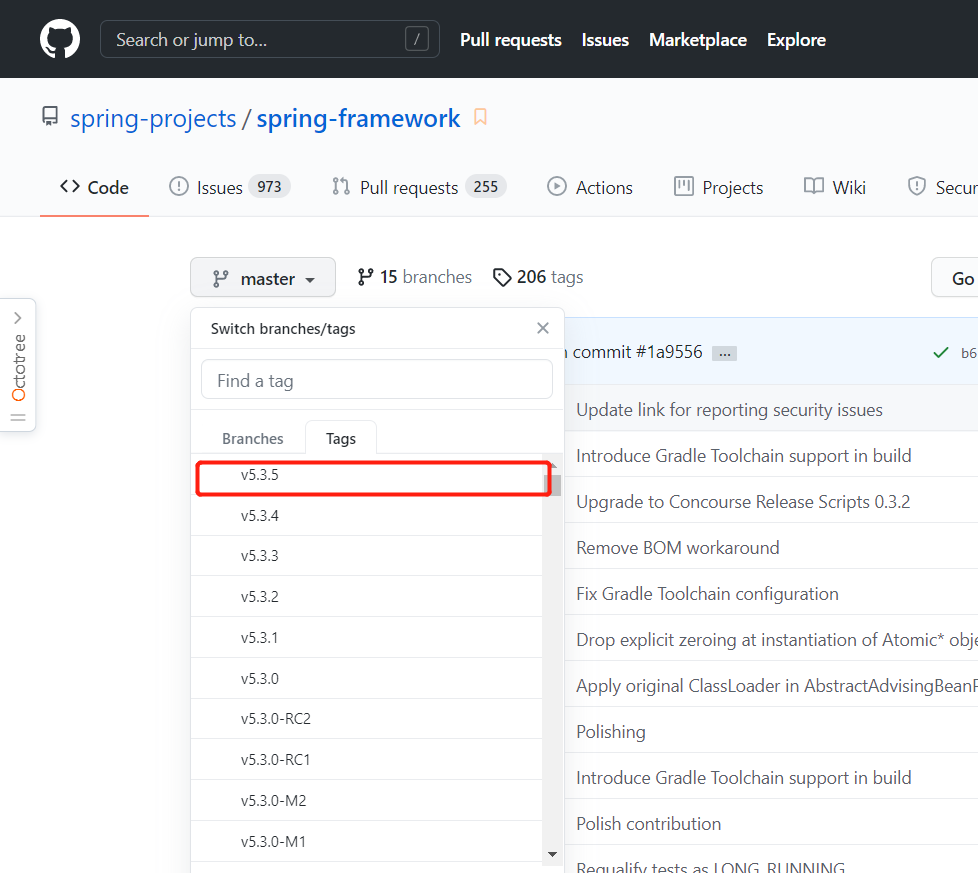
If you ask whether this can be built, my answer is yes, but you might take some detours.
Zip distributions are mainly for sharing source code, but not necessarily for building it.
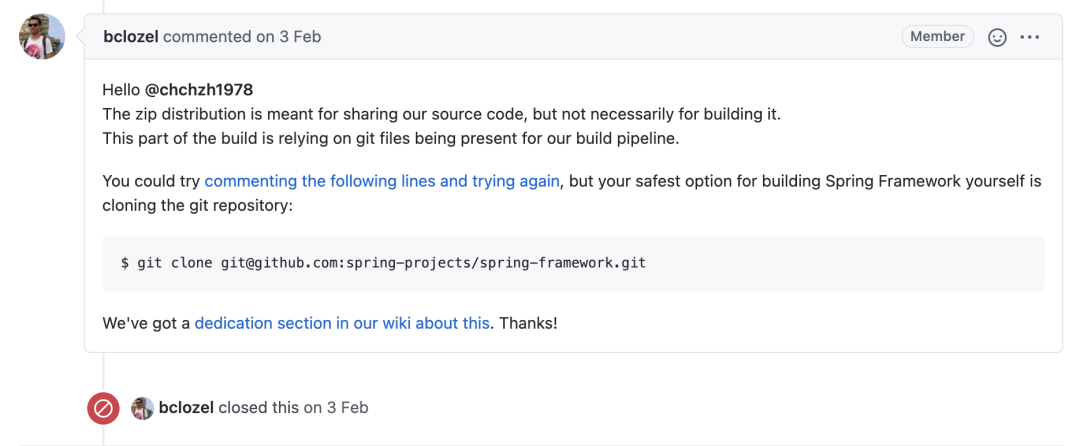
1.3 Importing into IDEA
After downloading the source code, don't rush to import into IDEA. In the project root directory, open a CMD window and execute:
./gradlew build
After it shows SUCCESS, import into IDEA.
After importing into IDEA, you can create a new module and try running simple code.
2. Error Solutions
2.1 Process 'command 'C:/Program Files/AdoptOpenJDK/jdk-8.0.282.8-hotspot/bin/java.exe'' finished with non-zero exit value 1
Execution failed for task ':runnable:SpringTest.main()'.
> Process 'command 'C:/Program Files/AdoptOpenJDK/jdk-8.0.282.8-hotspot/bin/java.exe'' finished with non-zero exit value 1

* Try:
Run with --stacktrace option to get the stack trace. Run with --info or --debug option to get more log output. Run with --scan to get full insights.
This isn't because the environment wasn't set up successfully, but a code issue. First try a simple sout to see if it can execute.
2.2 jdk.jfr.Category Not Found
Error screenshot:
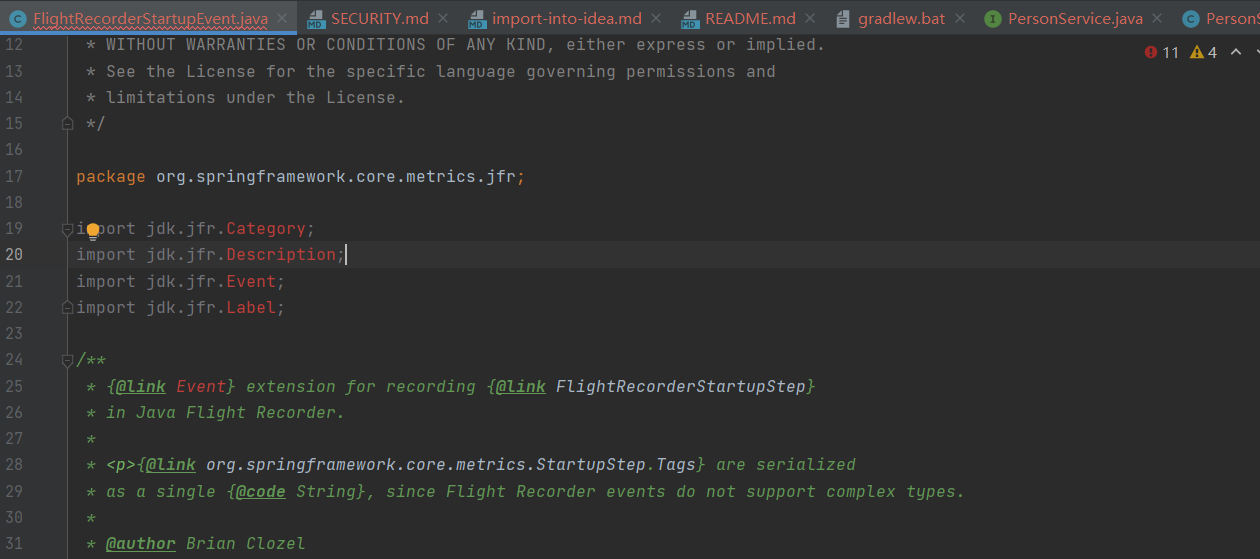
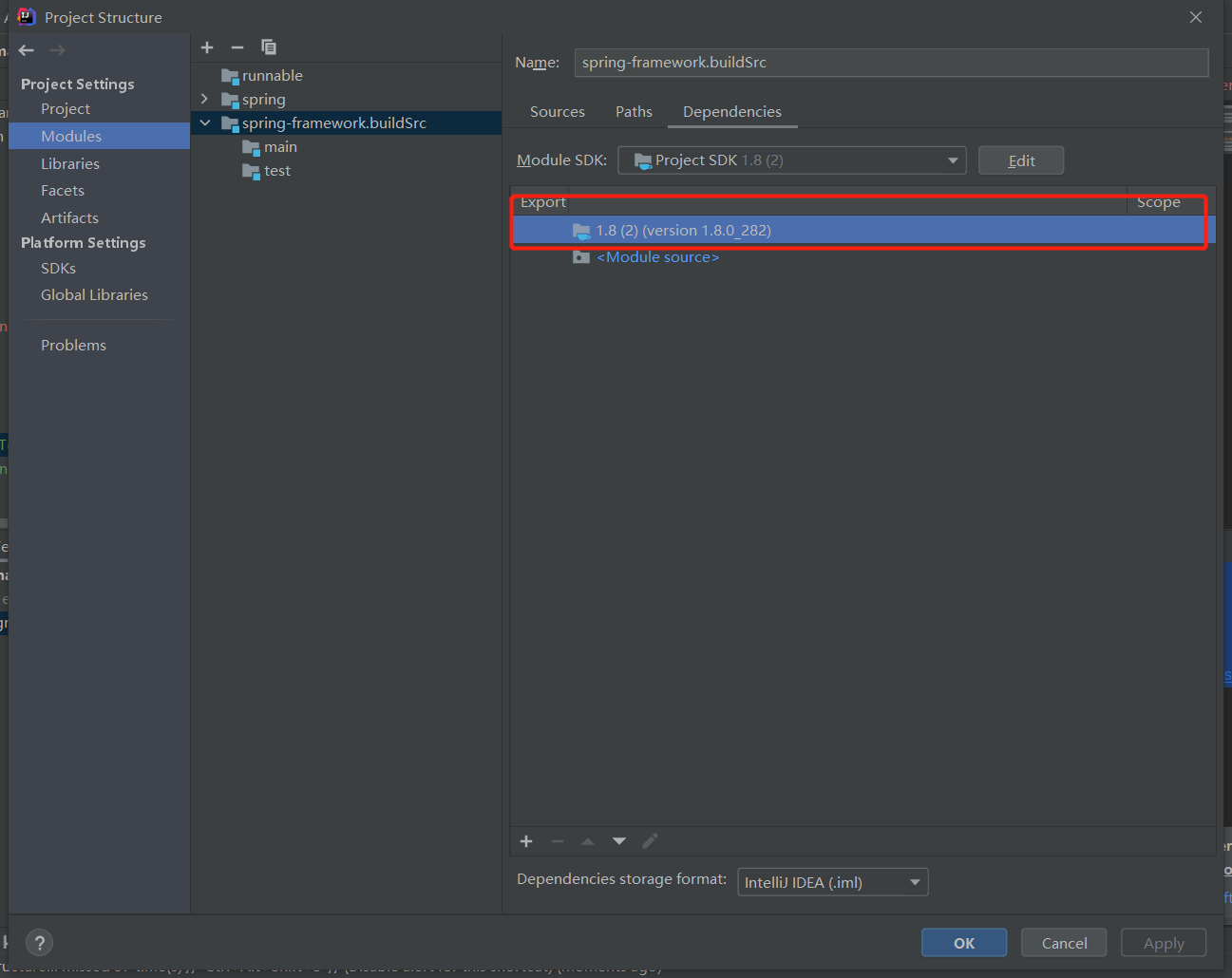
Try changing the JDK version. I tested that JDK 8 and above all work. For example, JDK15, JDK14, jdk-8.0.282.8-hotspot.
After installing a new JDK, remember to change it in IDEA's project structure:
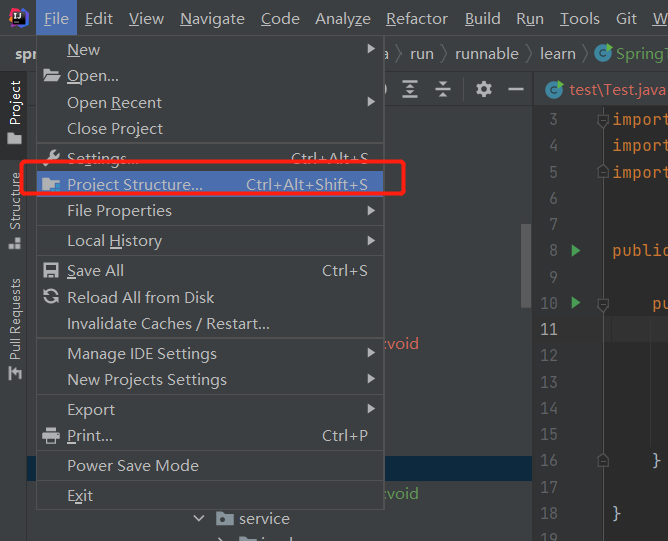
2.3 Host Connection Failed When Building Spring with Gradle
Turn off your computer's personal hotspot.

2.4 Error Messages Show Garbled Characters
Like this:
D:~\CustomAopBeanPostProcessor.java:11: Error: Cannot map character for GBK
// All beans will be processed here, can filter specific beans through conditions
  		    ^
Because Spring project encoding is GBK, it's recommended to delete Chinese characters and then re-run.
I've tried force converting, but it didn't work. Deleting directly definitely works.
2.5 A build scan was not published as you have not authenticated with server 'ge.spring.io'.
Build scan background action failed.
org.gradle.process.internal.ExecException: Process 'command 'git'' finished with non-zero exit value 128
	at org.gradle.process.internal.DefaultExecHandle$ExecResultImpl.assertNormalExitValue(DefaultExecHandle.java:414)
	at org.gradle.process.internal.DefaultExecAction.execute(DefaultExecAction.java:38)
	at org.gradle.process.internal.DefaultExecActionFactory.exec(DefaultExecActionFactory.java:175)
	at io.spring.ge.conventions.gradle.WorkingDirectoryProcessOperations.exec(WorkingDirectoryProcessOperations.java:45)
	at io.spring.ge.conventions.gradle.ProcessOperationsProcessRunner.run(ProcessOperationsProcessRunner.java:41)
	at io.spring.ge.conventions.core.BuildScanConventions.run(BuildScanConventions.java:166)
	at io.spring.ge.conventions.core.BuildScanConventions.addGitMetadata(BuildScanConventions.java:113)
	at io.spring.ge.conventions.gradle.GradleConfigurableBuildScan.lambda$background$0(GradleConfigurableBuildScan.java:104)
	at com.gradle.enterprise.gradleplugin.internal.extension.DefaultBuildScanExtension$3.run(SourceFile:100)
	at java.util.concurrent.Executors$RunnableAdapter.call(Executors.java:511)
	at java.util.concurrent.FutureTask.run(FutureTask.java:266)
	at java.util.concurrent.ThreadPoolExecutor.runWorker(ThreadPoolExecutor.java:1149)
	at java.util.concurrent.ThreadPoolExecutor$Worker.run(ThreadPoolExecutor.java:624)
	at java.lang.Thread.run(Thread.java:748)

A build scan was not published as you have not authenticated with server 'ge.spring.io'.
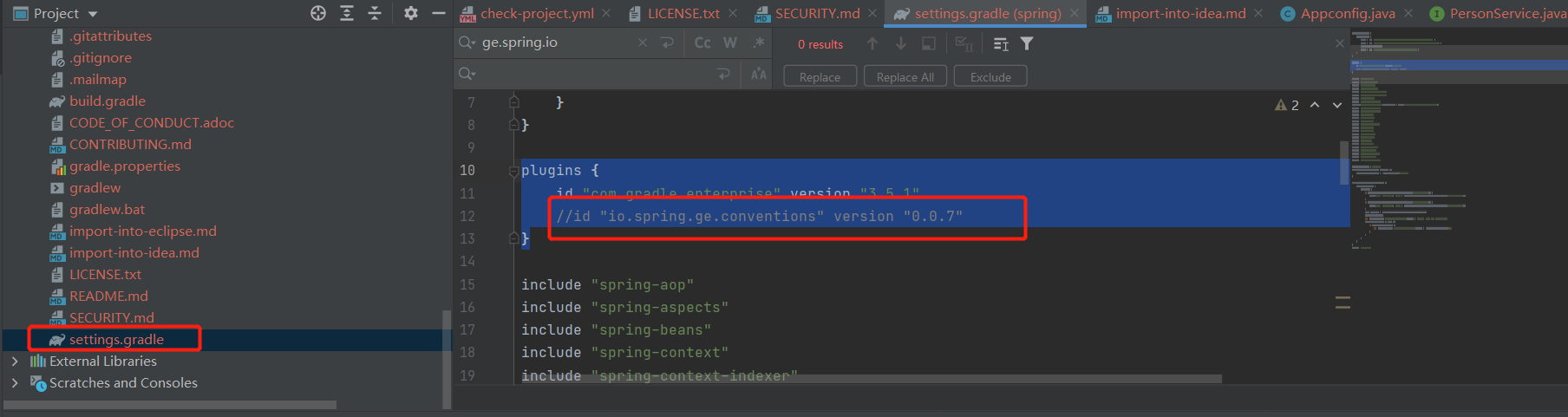
Comment out ge.spring.io in settings.gradle:
3. Ultimate Solution
I've put my successfully built version directly on git for everyone to pull and download.