Vue + Docker + Nginx Deployment - 404 on Sub-route Refresh (Non-Nginx Fix)
Problem Overview
A recent project used Vue. I found an open-source project to build on, but encountered this issue during deployment.
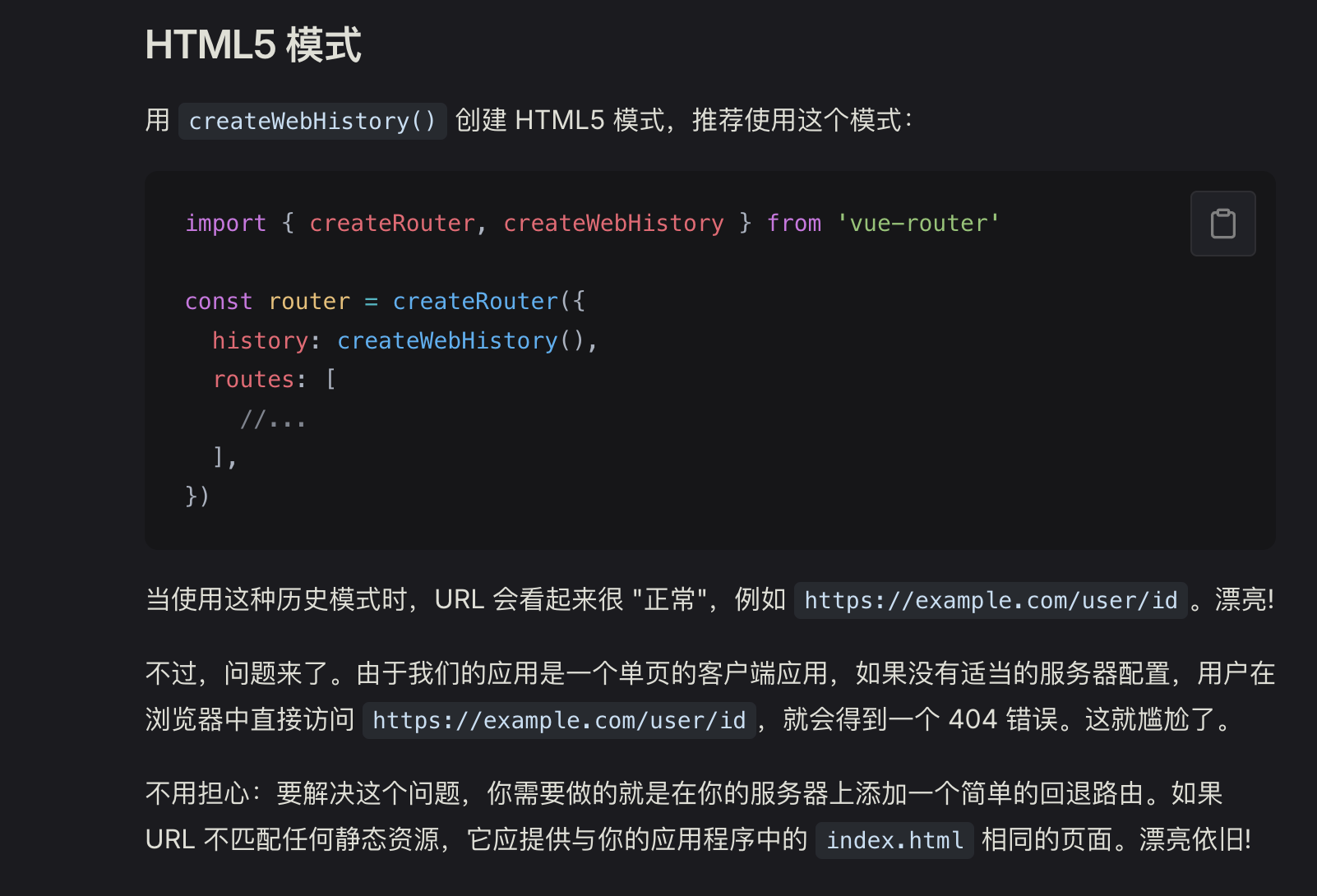
After searching online, everyone says: when you configure your router with HTML5 mode, after refreshing a sub-route page, you need to modify the Nginx configuration for deployment, like this:
server {
      listen       80;
      server_name  localhost;

      root  /usr/share/nginx/html/;
      index index.html index.htm default.htm default.html;

    # Vue Router configuration
    location / {
      try_files $uri $uri/ @router;  # Try to match URI, if not found, go to @router
      index index.html;
    }

    location @router {
      rewrite ^.*$ /index.html last;  # Rewrite URI to /index.html, mark as last to prevent loops
    }

    # Error page handling
    error_page   500 502 503 504  /50x.html;
    location = /50x.html {
      root   html;
    }
}
The official documentation also mentions this change: Different History Modes
Also Check Your Route Configuration
But after actually changing the Nginx configuration, it had no effect. When I was at my wit's end, I started wondering if I could just modify the Vue routes directly? That is, the code shown in the image.
Redirect requests to index.vue, and Vue will take over the request and navigate to the correct page. Tried it and it works!
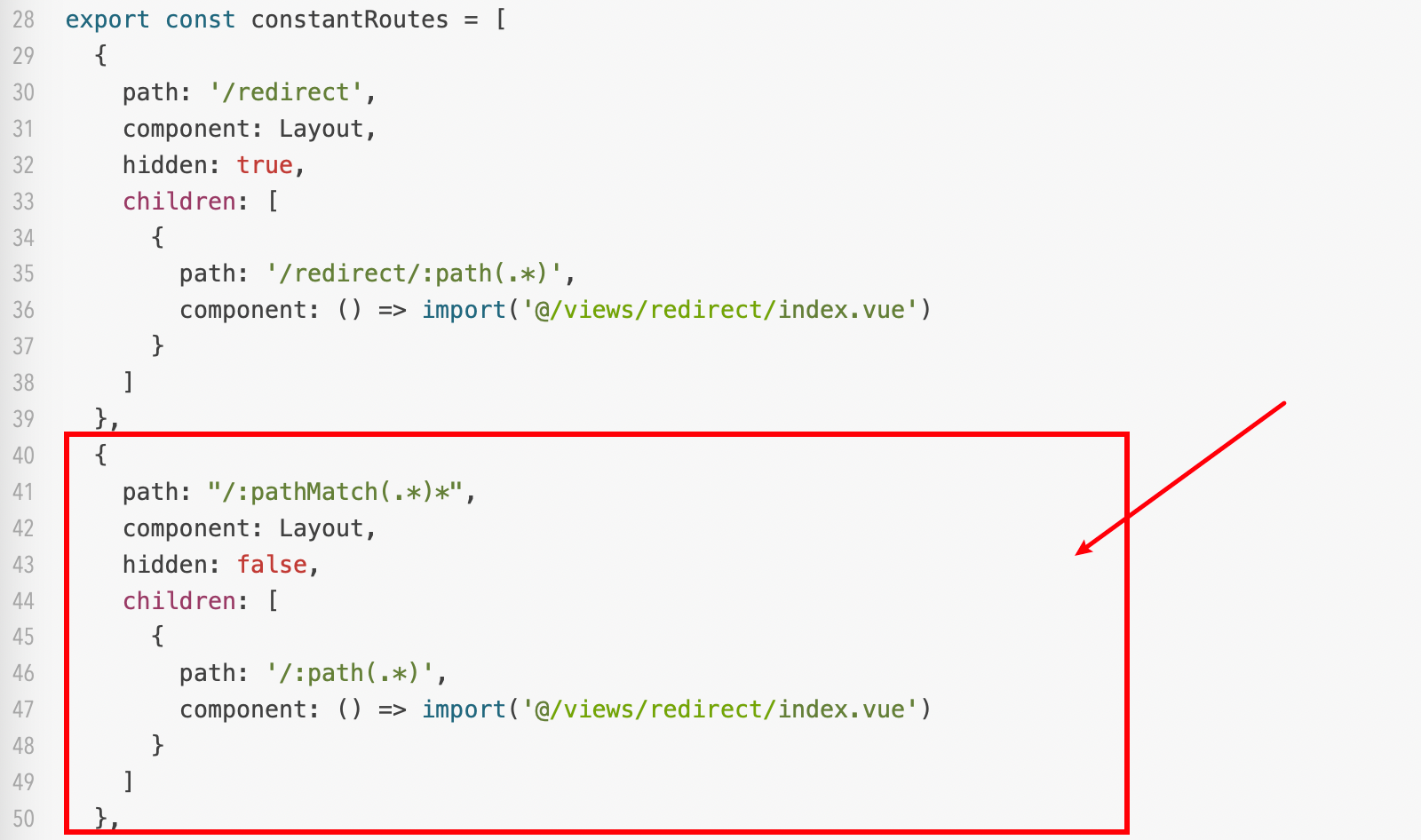
index.js
  {
    path: "/:pathMatch(.*)*",
    component: Layout,
    hidden: false,
    children: [
      {
        path: '/:path(.*)',
        component: () => import('@/views/redirect/index.vue')
      }
    ]
  }