Docusaurus Sync Color Mode with Other Frameworks
The official Docusaurus documentation: Color mode does not mention how to synchronize the color mode with other frontend frameworks. This refers to synchronizing the light and dark modes of multiple frontend frameworks.
What you need to do is similar to Adding a Comment System to Docusaurus, use swizzle on Docusaurus.
Execute the following command:
yarn swizzle @docusaurus/theme-classic ColorModeToggle
There will be options in the terminal
Select js in the terminal,
Select Eject (Unsafe) and press Enter
Select YES: I know what I am doing! and press Enter
It will generate index.js in the src/theme/ColorModeToggle directory.
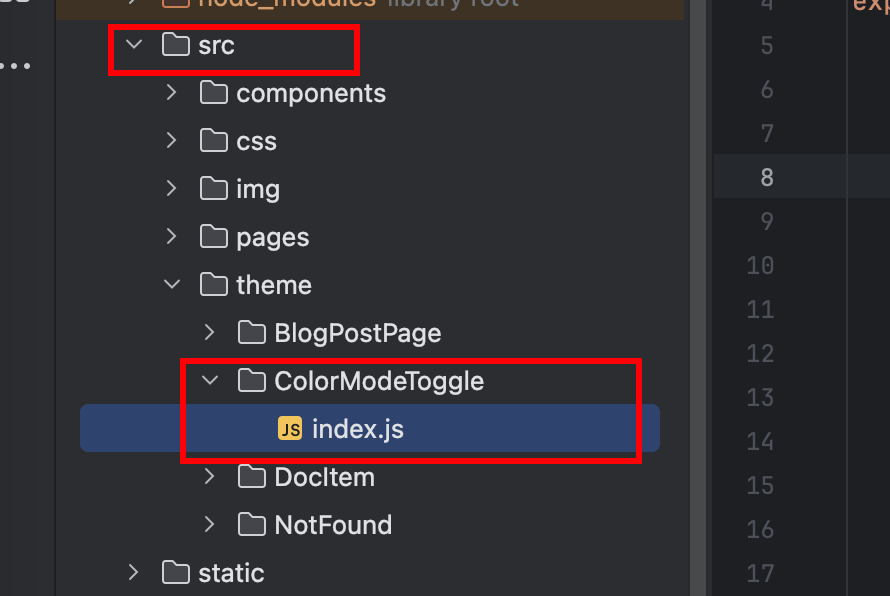
Open index.js, add the highlighted code below. In if (value === 'light') {, write the color mode switching for another frontend framework. Here I use semi-ui.
import React, { useEffect } from "react";
import ColorModeToggle from '@theme-original/ColorModeToggle';

export default function ColorModeToggleWrapper(props) {

    const { value } = props;
    useEffect(() => {
        console.log("Docusaurus theme changed to = " + value);
        console.log("Synching theme change with other UI framework");
        const body = document.body;
        if (value === 'light') {
            body.removeAttribute('theme-mode');
        } else {
            body.setAttribute('theme-mode', 'dark');
        }
        }, [value]);

  return (
    <>
      <ColorModeToggle {...props} />
    </>
  );
}
Done! Restart and try it out.