Installing Leiningen on Mac
1. Introduction to Leiningen
Leiningen is a project build tool for Clojure, equivalent to Maven in Java.
Installing Leiningen
Method 1: Install via Brew
This is the simplest method, but if your Mac's brew source is configured to use foreign sources, or some sources don't have the corresponding dependencies, you'll need to switch.
How to switch brew sources? See brew switch to domestic sources
Here are some key points from that blog post:
# Replace brew.git:
 cd "$(brew --repo)"
# USTC:
 git remote set-url origin https://mirrors.ustc.edu.cn/brew.git
# Tsinghua University:
 git remote set-url origin https://mirrors.tuna.tsinghua.edu.cn/git/homebrew/brew.git

# Replace homebrew-core.git:
 cd "$(brew --repo)/Library/Taps/homebrew/homebrew-core"
# USTC:
 git remote set-url origin https://mirrors.ustc.edu.cn/homebrew-core.git
# Tsinghua University:
 git remote set-url origin https://mirrors.tuna.tsinghua.edu.cn/git/homebrew/homebrew-core.git

# Replace homebrew-bottles:
# USTC:
 echo 'export HOMEBREW_BOTTLE_DOMAIN=https://mirrors.ustc.edu.cn/homebrew-bottles' >> ~/.bash_profile
 source ~/.bash_profile
# Tsinghua University:
 echo 'export HOMEBREW_BOTTLE_DOMAIN=https://mirrors.tuna.tsinghua.edu.cn/homebrew-bottles' >> ~/.bash_profile
 source ~/.bash_profile

# Apply changes:
 brew update
Method 2: Install via Official Repository Guide
Open the official website: https://github.com/technomancy/leiningen
At the bottom of the repository homepage, you'll see Installation with 5 steps. Here's the translation:
-
- Make sure Java is installed; OpenJDK version 8 is recommended at this time.
-
- Download the lein script from this project's stable branch.
-
- Place it in your
$PATH. (~/binis a good choice if it's on your path.) This means putting it in system variables - on Mac, that's the~/.zshrcfile.
- Place it in your
-
- Make the file executable (
chmod +x ~/bin/lein)
- Make the file executable (
-
- Run it.
Note that when running this script, you may encounter some errors:
Download via File Failed
Open the lein script and you'll see it requests a corresponding jar file. So output echo LEIN_URL in this command and download via browser.
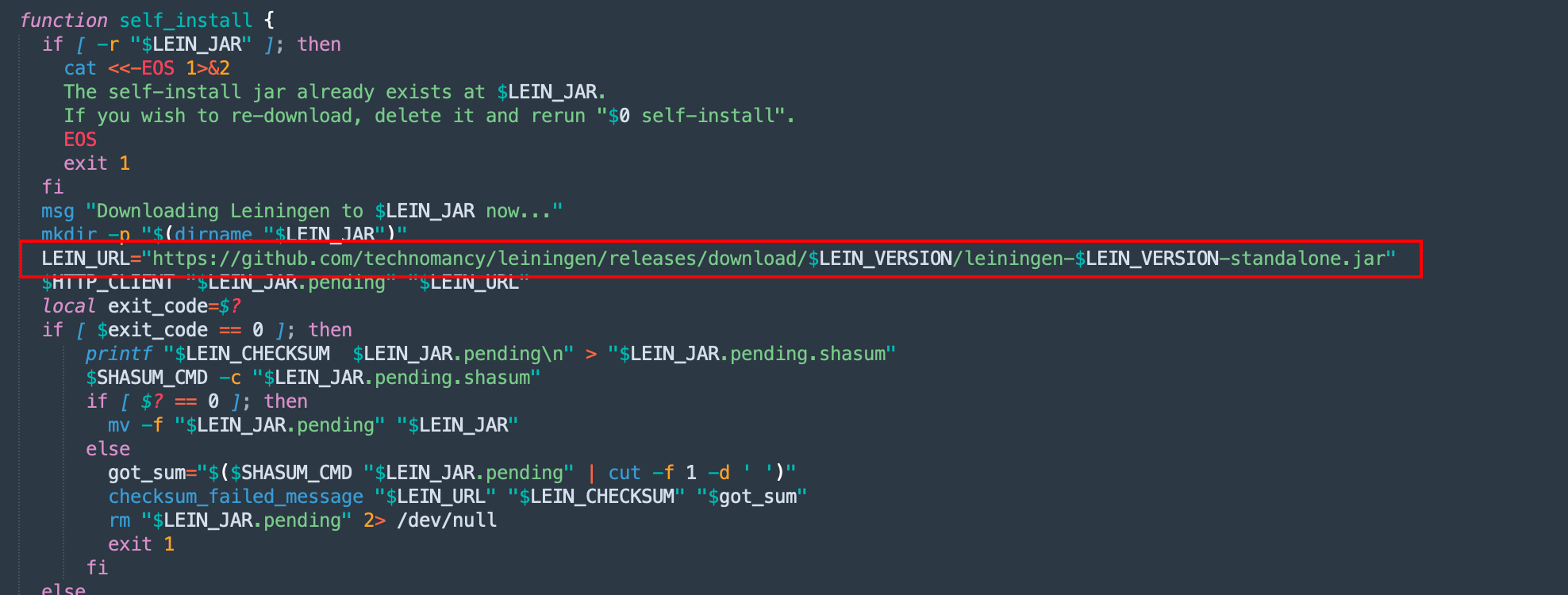
After manual download, place the jar in ./leiningen-2.9.8/self-installs in the same directory as the lein script.
Then re-run the lein script.
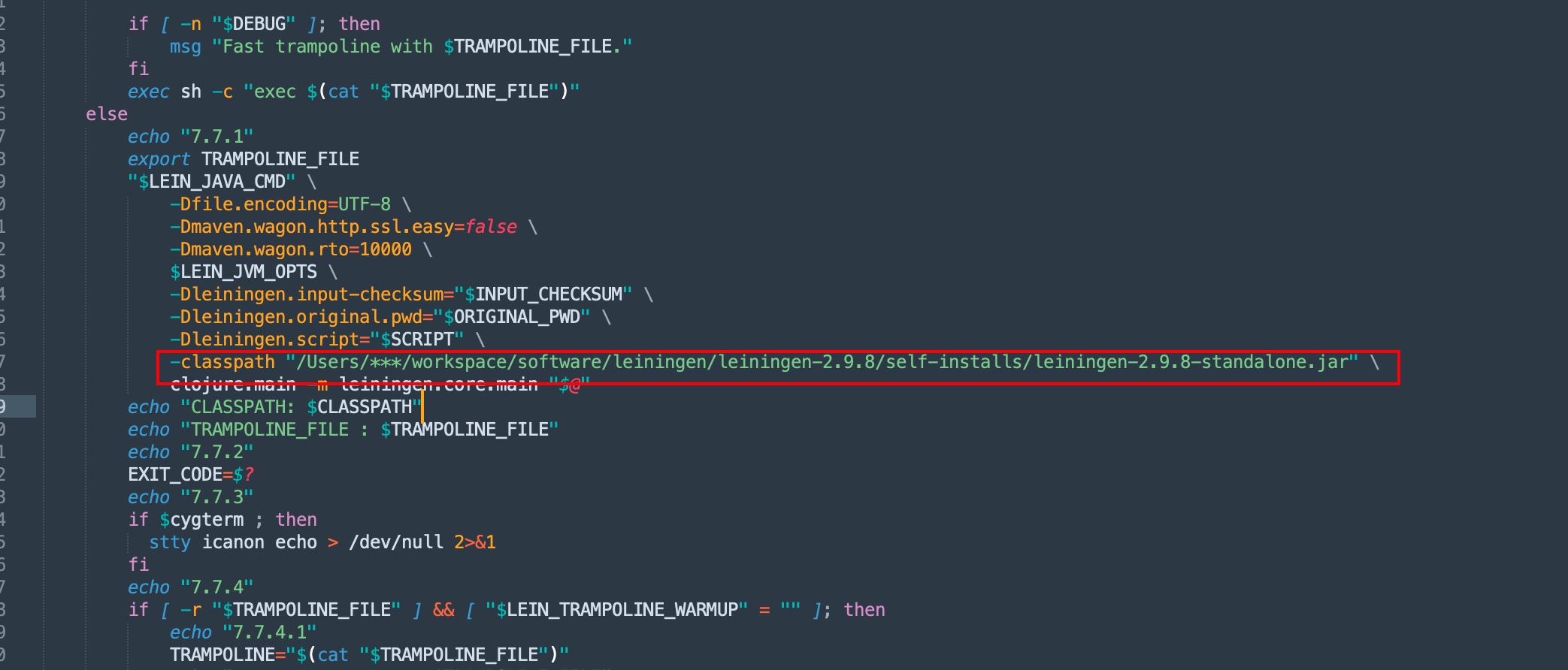
Error: -classpath requires class path specification
This may be caused by the script not specifying the correct classpath on this line. Set it to a fixed value, save, and run.
Verify Installation Success
Open a new terminal and type lein
Prompt: 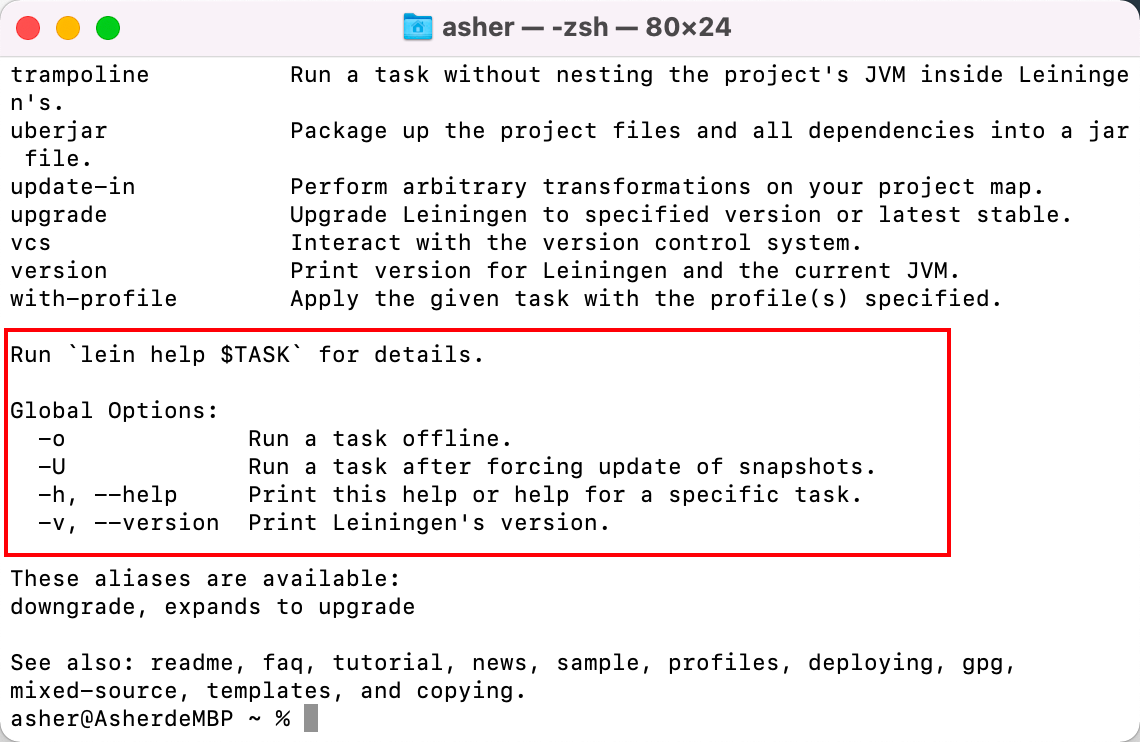
This indicates installation is complete.